

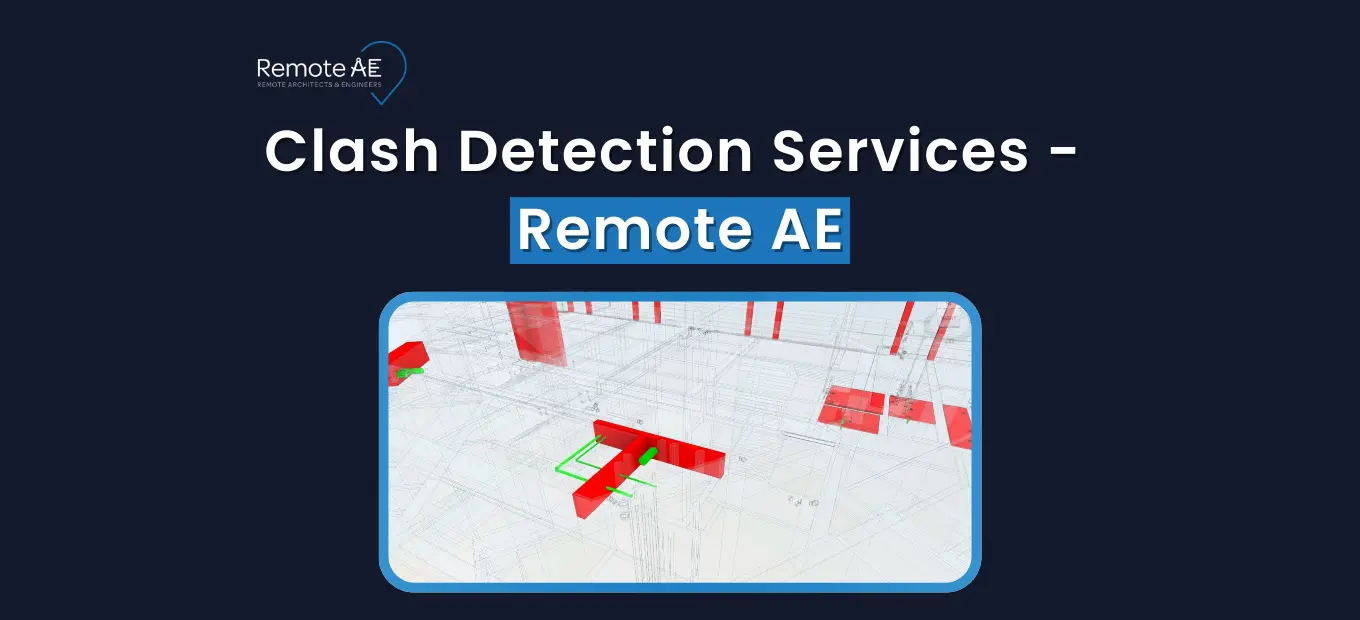
Clashes cost time, money, and credibility. They trigger RFIs, rework, and schedule slips. Good news: you can shift that risk out of the field and into model coordination. Remote AE provides skilled remote clash detection specialists who run coordinated clash checks in Autodesk Navisworks Manage, Revit, Solibri, and BIM 360/Autodesk Construction Cloud. Our talent integrates with your workflow, standards, and BIM Execution Plan (BEP) to deliver clear clash reports, BCF issue logs, and model markups. This guide explains what modern BIM clash detection includes and how Remote AE supports AEC teams with fast, accurate, and affordable remote BIM coordination and clash detection.
What Clash Detection Services Include in Today’s AEC Projects?
Clash detection services identify conflicts inside a federated model before construction begins. These conflicts may involve the architectural model, structural elements, or MEP systems. A proper clash detection workflow enhances accuracy, reduces the volume of RFI, and prevents costly field delays.
Today’s BIM clash detection services utilize Navisworks Manage, Revit, Solibri, or Revizto, depending on the project and client requirements.
Types of Clashes in Modern AEC Workflows
Hard clashes
Physical geometry overlapping, such as ducts cutting through beams, pipes colliding with structural bracing, or equipment intruding into walls.
Soft clashes
Clearance, code, or safety violations, for example:
- Access zone conflicts around AHUs
- Maintenance clearance issues
- Egress or ADA inconsistencies
These often come up when checking MEP systems against architectural requirements.
Workflow clashes
Scheduling or logistics conflicts are detected through 4D simulation and planning. Crane paths, installation sequences, and material delivery timelines can clash with work zones or other trade activities.
Why clash detection matters before construction
Site fixes burn budget. Design-induced rework can consume a meaningful slice of project cost; studies cluster rework between 4–10% of total cost, higher on complex jobs. Bad data alone fueled 14% of rework in 2020, with billions lost industry-wide. Move the clash to the model, and you cut RFIs, field delays, and weekend work. Typical teams involved: architectural, structural, and MEP, plus specialty trades on hospitals, labs, plants, and data centers.
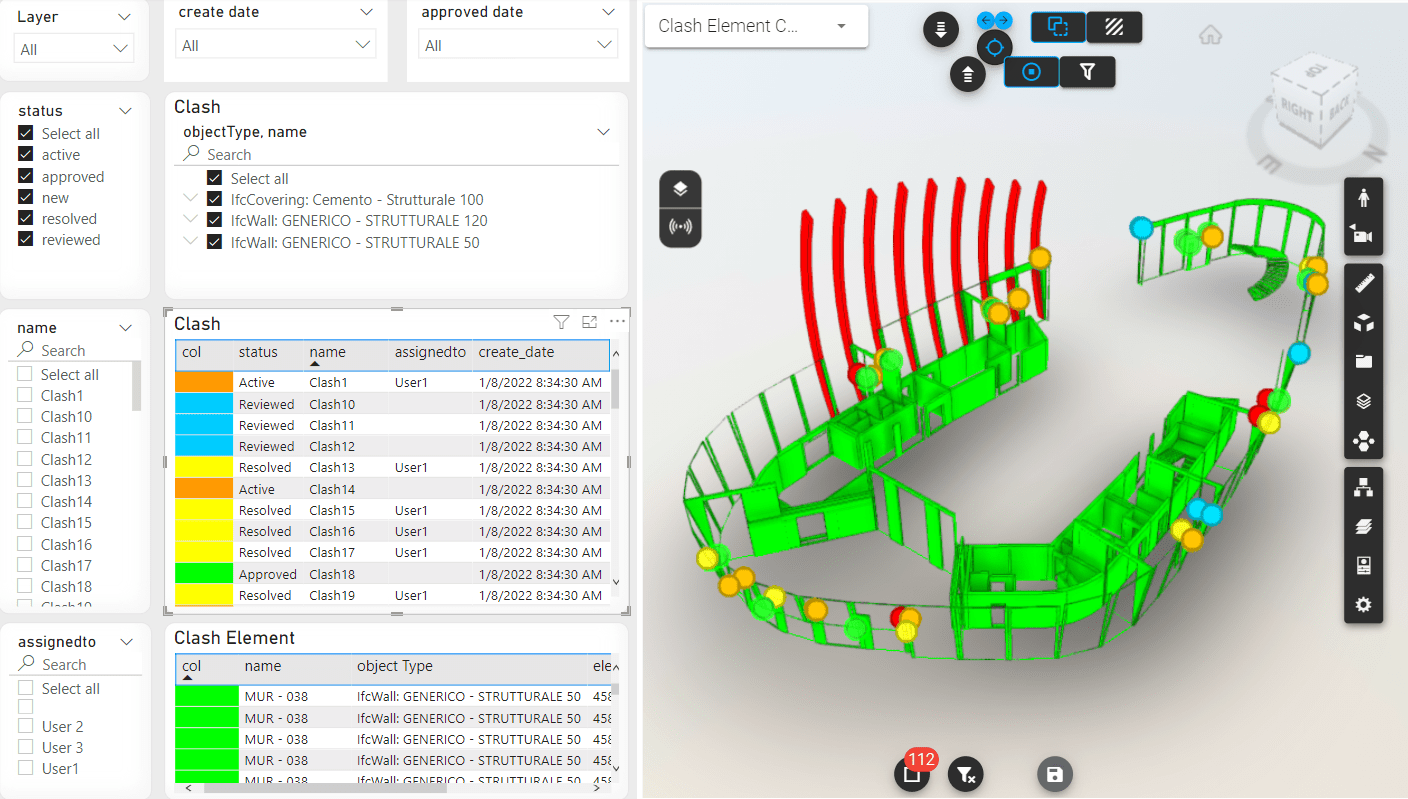
Common Types of Clash Detection Work We Support
Architectural vs Structural vs MEP clashes
Most issues sit where disciplines meet. Think soffits and ceilings pinching duct runs, beams trimming clearances, or risers landing on beams. We federate the architectural shell, the structural frame, and all MEP systems so conflicts pop immediately. Example: a 24×20 supply duct crossing a W-beam web; the clash cycle assigns it to the structure with a reroute note and requested drop, avoiding field cuts and lost time. BIM adopters report fewer changes and faster delivery when coordination is pushed earlier in design (Dodge Data & Analytics, BIM value)
Hard, soft, and 4D clashes in real projects
- Hard (physical overlaps): pipe through beam, conduit into wall chase, tray clipping column flanges.
- Soft (clearances/codes): service access around AHUs, valve reach zones, egress widths, fire-safety distances.
- 4D (sequence/logistics): crane swing paths intersecting scaffolds, delivery windows blocked by temporary works.
A soft clash caught early commonly prevents late resubmittals. One hospital project cut late RFIs by tightening access zones in the model during DD, an example of “bad data” prevention that reduces rework, a category linked to 14% of rework globally (Autodesk/FMI, 2021).
Clash detection for MEP-heavy projects
Remote AE provides BIM clash detection services for complex building types, including:
- Hospitals
- Data centers
- Laboratories
- Industrial plants
On these assets, early cycles keep procurement on track and reduce weekend rework, key because rework can consume 4–10% of project cost.
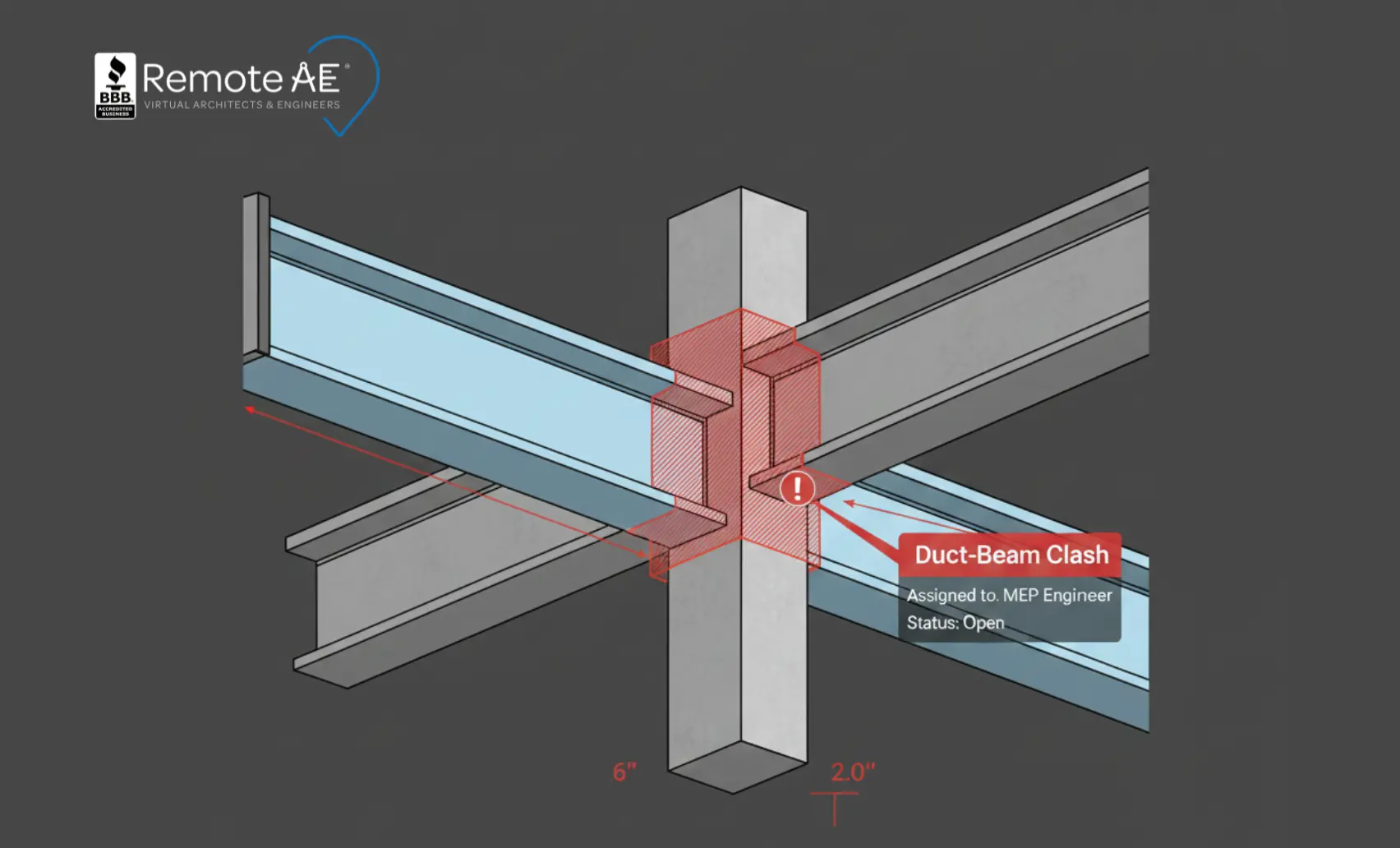
Software Skills You Can Expect From Remote AE Talent
Remote AE connects AEC firms with specialists who can run clash detection on the exact platforms your team uses. Every remote clash detection expert is vetted for technical depth, coordination experience, and familiarity with CDE workflows.
Core BIM & Clash Detection Tools
Our remote BIM talent works daily with:
- Autodesk Navisworks Manage for clash runs, rules-based checks, and reporting.
- Autodesk Revit model cleanup, discipline updates, and coordination fixes.
- Autodesk Construction Cloud / BIM 360 cloud-hosted coordination spaces, version tracking, and shared models.
- Solibri, rule-based QC, code checking, and advanced issue detection.
- Revizto, issue tracking, BCF workflows, and cross-team coordination.
- Tekla + AutoCAD, structural and shop drawing integration when needed.
These tools allow specialists to plug directly into your federated model and produce clean, actionable clash reports.
How Remote AE matches talent to your project
We match each AEC team with specialists based on:
- Project type (commercial, industrial, healthcare, data centers)
- Software stack
- Experience with architectural, structural, or MEP systems
- Familiarity with your BIM Execution Plan (BEP) and EIR requirements
Why Companies Choose Outsourced Clash Detection Support
Hiring a coordinator takes months. The project needs to change weekly. That gap creates model backlog, late RFIs, and weekend fixes. Outsourcing gives you capacity on demand without adding headcount or pausing delivery.
You keep design control; our specialists run the cycles, publish traceable issues, and join coordination calls so discipline leads can decide fast.
Pain we remove
- Slow hiring cycles: external time-to-fill often stretches past 40 days (SHRM).
- Local labor cost pressure: delegate repeatable clash runs and reporting while in-house teams focus on design decisions.
- Peak-phase overload: add capacity for DD, pre-con, and buyout windows, then ramp down after submittals.
- Model backlog: nightly or M/W/F runs keep issues current so RFIs don’t pile up.
Fully Integrated Support: How Remote AE Fits Into Your Project Team
Remote AE specialists plug into your existing workflow like an internal team member. They follow your standards, templates, model rules, and coordination rhythms.
Daily tasks: Virtual specialists support
- Run clash detection in Navisworks Manage
- Update architectural, structural, and MEP models
- Create BCF issues and assign them to relevant trades
- Join coordination meetings
- Prepare clash reports and dashboards
- Apply fixes directly in Revit when approved
- Maintain alignment with ISO 19650 workflows and CDE naming
How we manage remote clash detection work
Remote AE uses a structured workflow that keeps everything predictable and consistent:
- Model Access Setup: ACC/BIM 360 or other CDE platforms
- Time-Zone Planning: overlap hours guaranteed
- Meeting Rhythm: weekly or twice-weekly coordination cycles
- Reporting Formats: Navisworks HTML reports, BCF exports, PDF summaries
Remote AE’s Process: How We Connect You With the Right Talent
Remote AE removes the hiring burden from your internal teams. You get immediate access to skilled BIM and clash detection specialists without the delays and uncertainty of recruiting locally.
Step 1: Tell Us Your Needs
You share project details, software stack, model disciplines, project phase, and expected clash cycle frequency.
Step 2: Skill-Based Matching
Our team reviews our 3-Stage screened and qualified candidates and selects the top two who best match your tools, discipline focus, and industry requirements.
Step 3: Interview and Decide
You meet both candidates in a virtual interview. There’s zero obligation, no payment required, and no commitment until you select your specialist. You can confidently choose:
- “Yes, this is our BIM coordinator.”
- Or “No, let’s review more profiles.”
Step 4: Setup and Onboarding
Once you’re ready, we finalize onboarding.
Pricing:
- One-time recruitment & operations fee: $4,999
- Weekly rate: $499/week for a full-time remote specialist
- Includes a 30-day money-back guarantee
We help with:
- CDE access (Autodesk Construction Cloud, BIM 360, Revizto, etc.)
- Folder permissions
- Workflow alignment
- Coordination meeting setup
Step 5: Ongoing Support & Oversight
Remote AE conducts check-ins during the first 4–6 weeks, meeting with both the client and the remote specialist separately.
We monitor:
- Work quality
- Deadlines
- Coordination responsiveness
- Tool alignment
This guarantees performance stays consistent from day one.
Why Hire Clash Detection Specialists Through Remote AE?
Remote AE gives AEC teams a faster, more predictable way to secure top BIM and clash detection support, without the chaos of hiring freelancers or managing HR in-house.
Flexible Access to Global BIM Talent
Tap a wider pool than your local market and start fast. This matters during DD/CD surges and buyout windows when in-house teams hit capacity. Faster starts help avoid coordination drag that leads to RFIs and late field fixes, drivers of rework costs.
Managed Remote Teams vs Unmanaged Freelancers
Freelancers require oversight and handholding. Remote AE gives you managed remote BIM talent that comes with:
- Sourcing
- Vetting
- Contracts
- NDA compliance
- Time tracking
- Backup coverage
You focus on model decisions and coordination outcomes, not HR tasks.
Predictable Cost and Scalable Capacity
- Fixed weekly rate: $499/week
- Ramp up or down as needed
- Ideal for project-based or ongoing BIM coordination
- No upfront cost until after interviews
- No long-term commitments
- Risk-free replacements (up to two in the first year)
When to Bring in Remote Clash Detection Services
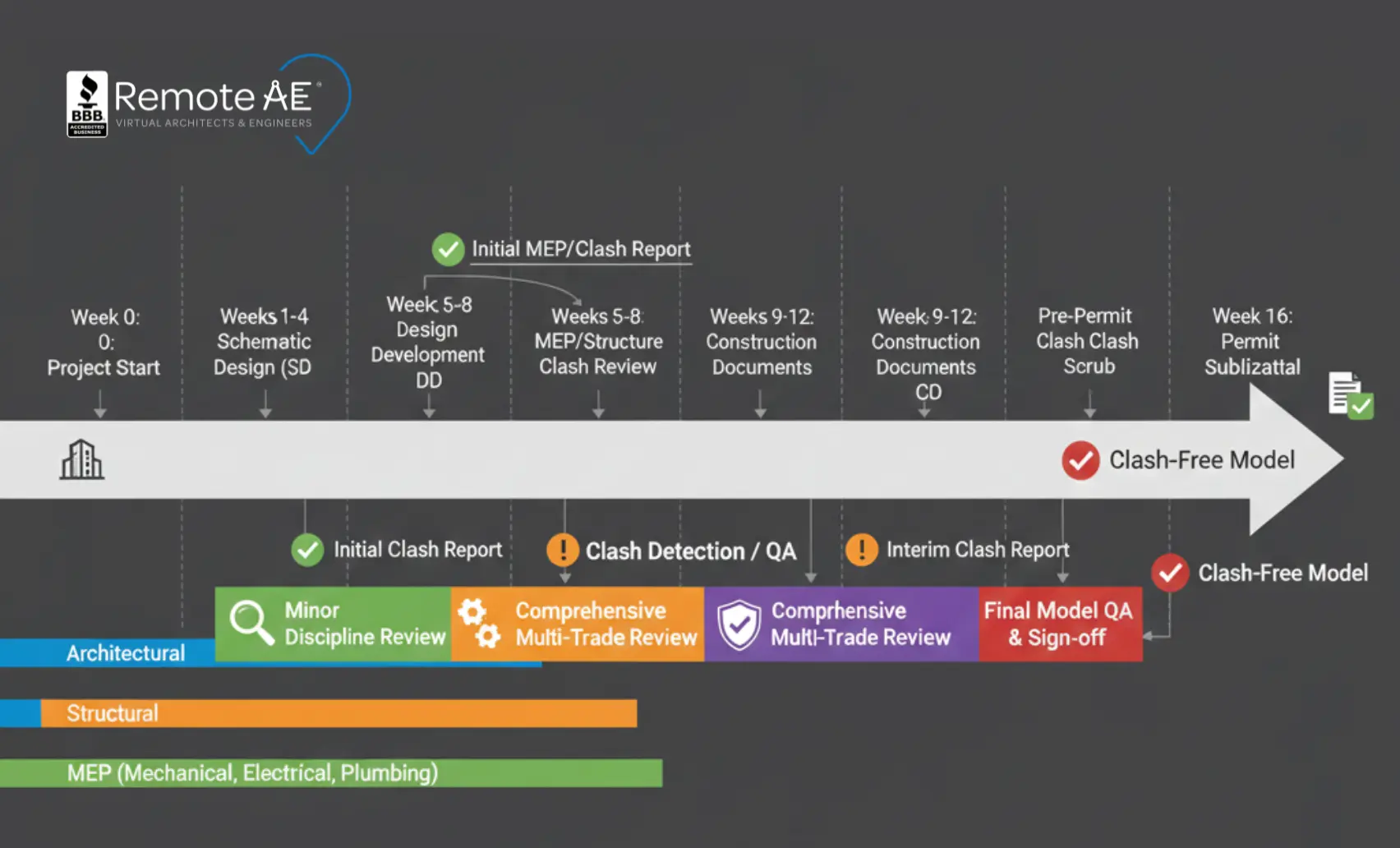
Clash detection delivers the most value when it’s integrated early and consistently throughout the project lifecycle. Remote AE supports AEC teams at every phase, ensuring cleaner models, fewer RFIs, and smoother coordination.
Design Development and Pre-Construction
This is the ideal moment to bring in clash detection specialists. During DD, models begin to gain detail across architectural, structural, and MEP disciplines. Early clash cycles help teams:
- Catch structural-to-MEP conflicts
- Verify clearances around equipment
- Validate shaft dimensions and riser paths
- Confirm major systems align with the BIM Execution Plan (BEP)
The result is stronger design decisions before documents reach construction.
During Value Engineering and Design Changes
When scope changes hit late in the cycle, clashes often reappear. Remote AE specialists help teams:
- Re-check updated models
- Run fresh clash reports
- Clean up model geometry
- Maintain BCF issue logs for consultants
This keeps documents stable as budgets and layouts shift.
For As-Built and Renovation Projects
Existing buildings bring surprises, tight spaces, undocumented systems, and inconsistent as-builts.
Remote AE supports:
- Scan-to-BIM coordination
- Clash detection against new design proposals
- Verification of field conditions
- Renovation sequencing via 4D clash analysis
This is especially useful in hospitals, labs, plants, and retrofits where MEP density is complex.
Start Your Clash Detection Support With Remote AE!
Your models should surface problems before the jobsite does. Remote AE gives AEC teams direct access to skilled remote clash detection specialists who handle Navisworks runs, BCF issues, coordination reporting, and BIM 360/ACC workflows. You get reliable support without long hiring cycles, long-term contracts, or overhead costs. Book a call today to get matched with pre-vetted BIM talent who can start supporting your clash detection workflows within days.
FAQs – Clash Detection Services
How do remote clash detection specialists collaborate with my design team?
Remote specialists connect through your Common Data Environment (CDE), using platforms like ACC, BIM 360, or Revizto. They review federated models, log issues, and coordinate via live or asynchronous meetings.
When should clash detection be run during a project?
Run clash detection at design development, pre-construction, and after major design changes. Early detection prevents rework and costly field conflicts.
Which software is used for clash detection services?
Typical tools include Navisworks Manage, Solibri, Revizto, Revit, and Autodesk Construction Cloud (ACC). These allow federated model reviews, clash rulesets, and issue tracking. The choice depends on project scale, discipline participation, and client platform standards.
What types of clashes can be detected?
Three main clash types are identified: hard clashes (objects intersecting), soft clashes (clearance or spatial conflicts), and workflow/4D clashes (construction sequencing or logistics).
How long does a typical clash detection cycle take?
A standard clash detection cycle takes 2–5 business days, depending on model size and complexity. This includes model federation, clash rule setup, report generation, and coordination review meetings. Larger multi-trade models may require longer resolution loops.