

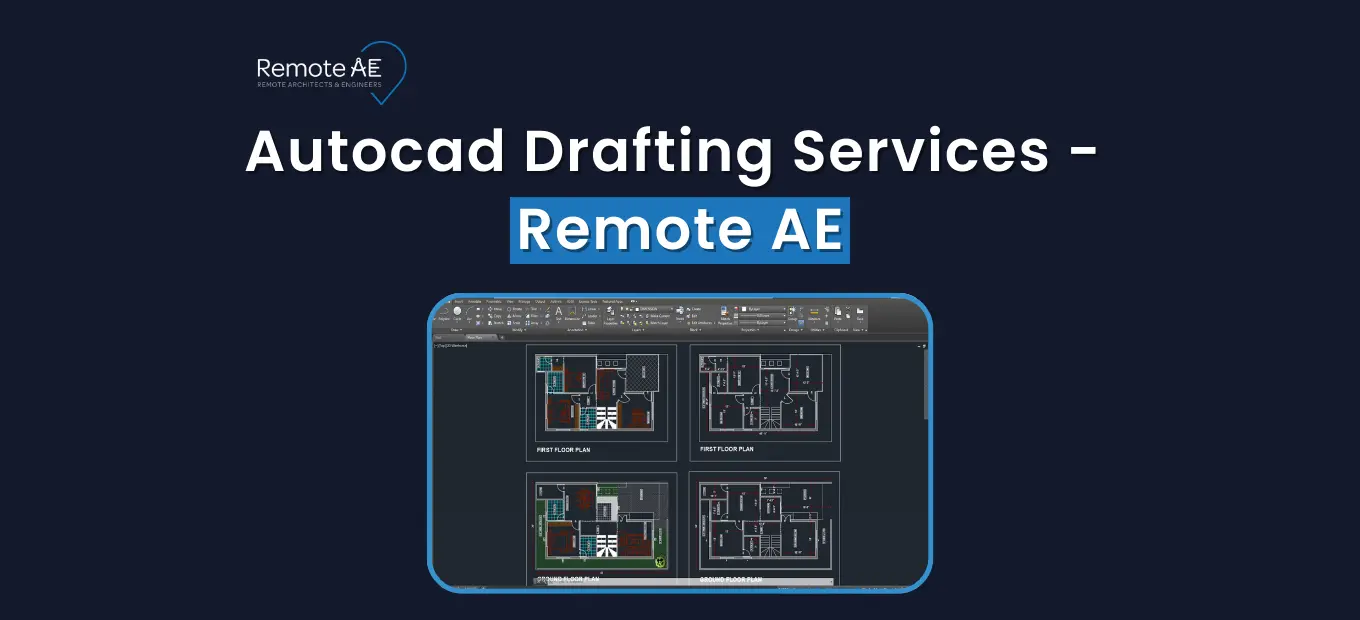
Deadlines are tight. Hiring is slow. AEC firms depend on accurate, consistent drafting to keep projects moving, but in-house teams often face workload spikes, hiring delays, and rising labor costs. Remote AutoCAD drafting services give architecture, engineering, and construction teams a reliable way to expand capacity without adding full-time staff.
With Remote AE, you can hire AutoCAD drafters who work as an extension of your team, following your CAD standards, templates, and workflows. Labor shortages are real; 90%+ of U.S. contractors report hiring challenges (AGC Workforce Survey, 2024). Skip the search. Plug in a drafter who already knows AutoCAD and AEC documentation. Whether you need outsourced AutoCAD drafting for redlines, construction sheets, MEP layouts, or civil updates, Remote AE connects you with skilled remote professionals who deliver steady output week after week. The result: predictable production, lower staffing costs, and faster project delivery.
What AutoCAD Drafting Services Mean for AEC Firms?
AutoCAD remains the core 2D/3D drafting tool used across architecture, engineering, and construction. It supports everything from concept diagrams to full construction documentation, making it essential for firms that manage tight schedules and repeated drawing revisions.
AutoCAD drafting services help AEC teams complete documents accurately and consistently, especially during DD/CD phases where precision matters most.
A remote AutoCAD drafter can work within your templates, layer naming conventions, lineweights, and plotting standards. The goal is simple: deliver clean DWGs that integrate smoothly into your existing project pipeline, without slowing down your in-house team.
Your remote drafter follows your layer conventions, title blocks, and sheet templates to produce:
- 2D architectural plans: floor plans, elevations, sections.
- Construction documentation: details, markups, and redline updates.
- MEP drafting support: HVAC, plumbing, electrics, and revisions.
- Civil/site drawings: grading, utilities, boundary lines.
- As-builts and record sets: updates for remodels or existing structures.
- Basic 3D as needed: quick visualization or coordination.
- File formats: DWG, DXF, PDF (and basic 3D where relevant).
Why AEC Firms Outsource AutoCAD Drafting Today?
Talent is tight, schedules are compressed, and project pipelines spike without warning. Outsourcing AutoCAD drafting adds predictable capacity you can switch on for submittals, permit sets, and cleanup packages, without locking into long-term payroll.
Dealing with Talent Shortages and Schedule Risk
AGC (2024) found 94% of firms with craft openings and 92% with salaried openings struggled to fill them; 54% reported project delays tied to shortages. This shortage slows projects, increases overtime pressure, and puts deadlines at risk. Outsourcing helps stabilize delivery even during high-volume phases.
Cost and Capacity Benefits vs Local Hiring
Hiring a full-time drafter locally means paying salary, benefits, equipment, office space, and onboarding costs. A full-time remote AutoCAD drafter from Remote AE starts at $499/week, with no added overhead. Plus quick start times that beat the typical time-to-fill of ~36–44 days for technical roles (SHRM).
The result: lower carrying cost and faster throughput when workload spikes.
When Remote AutoCAD Drafting Makes the Most Sense
Firms rely on outsourced AutoCAD drafting when they face:
- Large waves of submittals
- Tight permit deadlines
- Backlogs of redlines or as-builts
- Seasonal project spikes
- Unpredictable workload cycles
Remote support keeps production steady and deadlines on track.
How Remote AE Supports AutoCAD Drafting Needs?
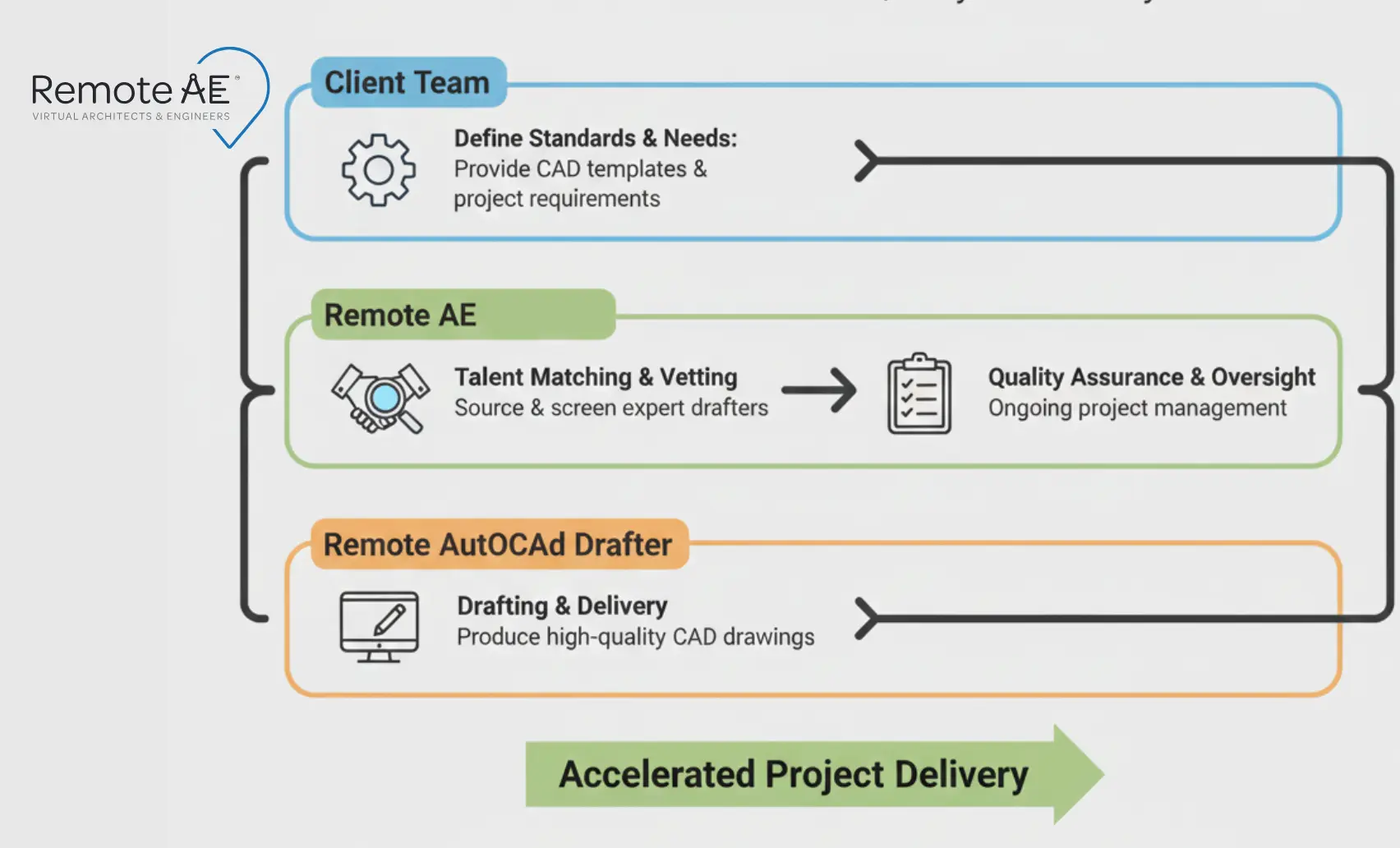
Remote AE is not an offshore drafting studio; we serve as your talent partner, connecting AEC firms with skilled remote AutoCAD drafters who integrate directly into your workflows.
You stay in control of standards, priorities, and project direction. We handle the sourcing, vetting, contracts, and ongoing support so you can focus on delivery.
Our approach removes the common risks tied to outsourced production because you work with a dedicated, full-time assistant, not a rotating vendor team. This gives you consistent output and a drafter who learns your templates, system, and expectations over time.
How Our Matching Process Works
We follow a structured placement method to ensure compatibility:
- Project understanding: We learn your discipline (architecture, structural, MEP, civil), drawing types, and technical needs.
- Skill requirements: Layer standards, CAD templates, industry focus, and software version preferences.
- Candidate matching: We select drafters already trained in similar workflows.
- Risk reduction: Every candidate passes a 3-stage screening, technical tests, and a portfolio review.
- Ongoing support: Remote AE monitors performance, manages contracts, and provides continued communication support.
The result is reliable drafting capacity without the HR burden of hiring in-house.
Types of AutoCAD Drafting Work Supported by Remote AE Placements
Architectural AutoCAD Drafting
Remote assistants help architecture teams push projects through SD, DD, and CD phases by handling:
- Floor plans, elevations, sections
- Reflected ceiling plans
- Interior details
- Door and window schedules
- Sheet formatting and updates
They adapt to your layer standards, plotting styles, and markups.
Structural and Civil AutoCAD Drafting
For engineering teams, remote AutoCAD drafters can assist with:
- Rebar and reinforcement details
- Steel connection drawings
- Grading and drainage plans
- Utility layouts
- Roadway profiles
- Structural markups and revisions
This is ideal for firms juggling multiple project deadlines across infrastructure or commercial scopes.
MEP and Shop Drawings
Remote drafters support contractors and engineering consultants with:
- HVAC duct layouts
- Plumbing schematics
- Electrical plans and single-line diagrams
- Equipment placement
- Shop drawing updates
Each drawing follows your coordination and drafting guidelines.
As-Builts, Redlines, and CAD Standards Clean-Up
Your remote assistant can also manage:
- Converting markups into revised DWGs
- Updating record drawings
- Cleaning layers, linetypes, and Xref paths
- Correcting title blocks and sheet formatting
These tasks eliminate bottlenecks during construction closeouts or remodels.
How Remote AE Helps You Hire Remote AutoCAD Drafters
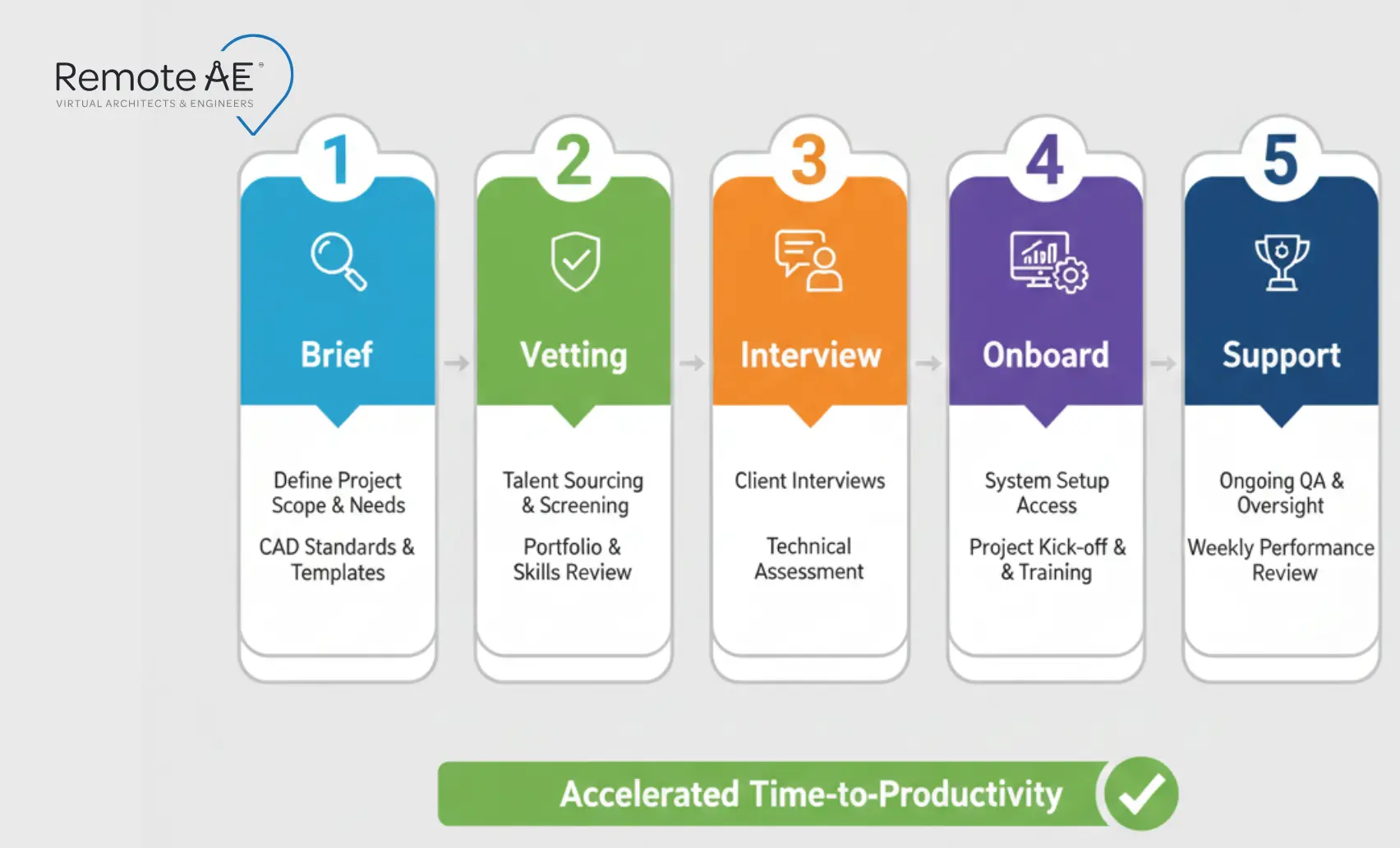
When AEC teams need dependable drafting support, Remote AE provides a clear and low-risk hiring path. You get access to skilled remote AutoCAD drafters without dealing with job posts, recruiting delays, or HR tasks. Our process is simple, fast, and built for firms that need immediate drafting capacity.
Step 1: Share Your AutoCAD Drafting Needs
You start by telling us:
- Your discipline (architectural, structural, MEP, civil)
- Software requirements (AutoCAD, AutoCAD LT, Civil 3D, Revit reference workflows)
- Drawing types you need help with
- File format expectations (DWG, DXF, PDF)
This helps us understand the workload and skill level your assistant should match.
Step 2: Shortlisting and Vetting Remote Drafters
Our team conducts a structured 3-stage screening process:
- CAD proficiency tests
- Portfolio evaluation for accuracy and sheet clarity
- Communication assessment
- Verification of past AEC project experience
You only see candidates who can produce drawings to your standards.
Step 3: Interview and Select Your Drafter
You meet the top 2 vetted candidates in a live video interview. There is no cost until you select your assistant.
You can:
- Ask technical questions
- Review previous work
- Evaluate communication style
- Choose who best fits your workflow
Step 4: Onboarding, Contracts, and Tools
Once you say yes, Remote AE handles admin tasks:
- NDA and contract setup
- Payroll and compliance
- Assistant onboarding
Your assistant joins an onboarding call where you walk them through:
- CAD standards
- Title blocks
- Naming conventions
- File structure
- Layer guidelines
- Coordination workflows
Step 5: Ongoing Support and Check-ins
During the first 4-6 weeks, Remote AE checks in with both you and the assistant individually to ensure expectations, workload, and communication are aligned. Quarterly follow-ups help maintain output quality over the long term.
Benefits of Using Remote AutoCAD Drafting Assistants
Bringing a remote AutoCAD drafter into your team offers immediate and long-term advantages, especially for firms dealing with inconsistent project pipelines or tight deadlines.
- Faster access to skilled drafting talent. You skip 6-12 weeks of recruiting and get a pre-vetted drafter aligned to your discipline and CAD standards. This helps avoid schedule risk that many firms face when roles stay open.
- Lower overhead costs compared to full-time in-house hiring.
- Predictable week-to-week capacity, even during peak workloads.
- Reduced HR burden, since Remote AE manages sourcing and admin tasks.
- Smooth collaboration through tools your team already uses (AutoCAD, Revit references, cloud drives).
- Scalable support, allowing you to increase or decrease hours based on project flow.
This model keeps your internal team focused on design, coordination, and client decisions, while remote staff handle the production work that often slows delivery.
How to Brief a Remote AutoCAD Drafter for Success
Inputs You Should Prepare
Give your drafter a starter pack: CAD standards PDF, title blocks, example sheets, markups, and (if used) your BEP/CDE folder rules. If your projects involve MEP overlays, include applicable discipline layer/linetype conventions (e.g., SMACNA/NCS references). This reduces rework and accelerates first-pass accuracy.
Recommended Communication Cadence and Tools
Clear communication keeps your remote drafter aligned with your priorities.
Common tools include:
- Microsoft Teams or Slack for daily communication
- Zoom for screen-sharing reviews
- Cloud folders for DWG exchanges
- Weekly design review calls
A simple rhythm works well:
Daily check-in → Weekly package review → Monthly planning session.
Simple QA Checks Before Issuing Drawings
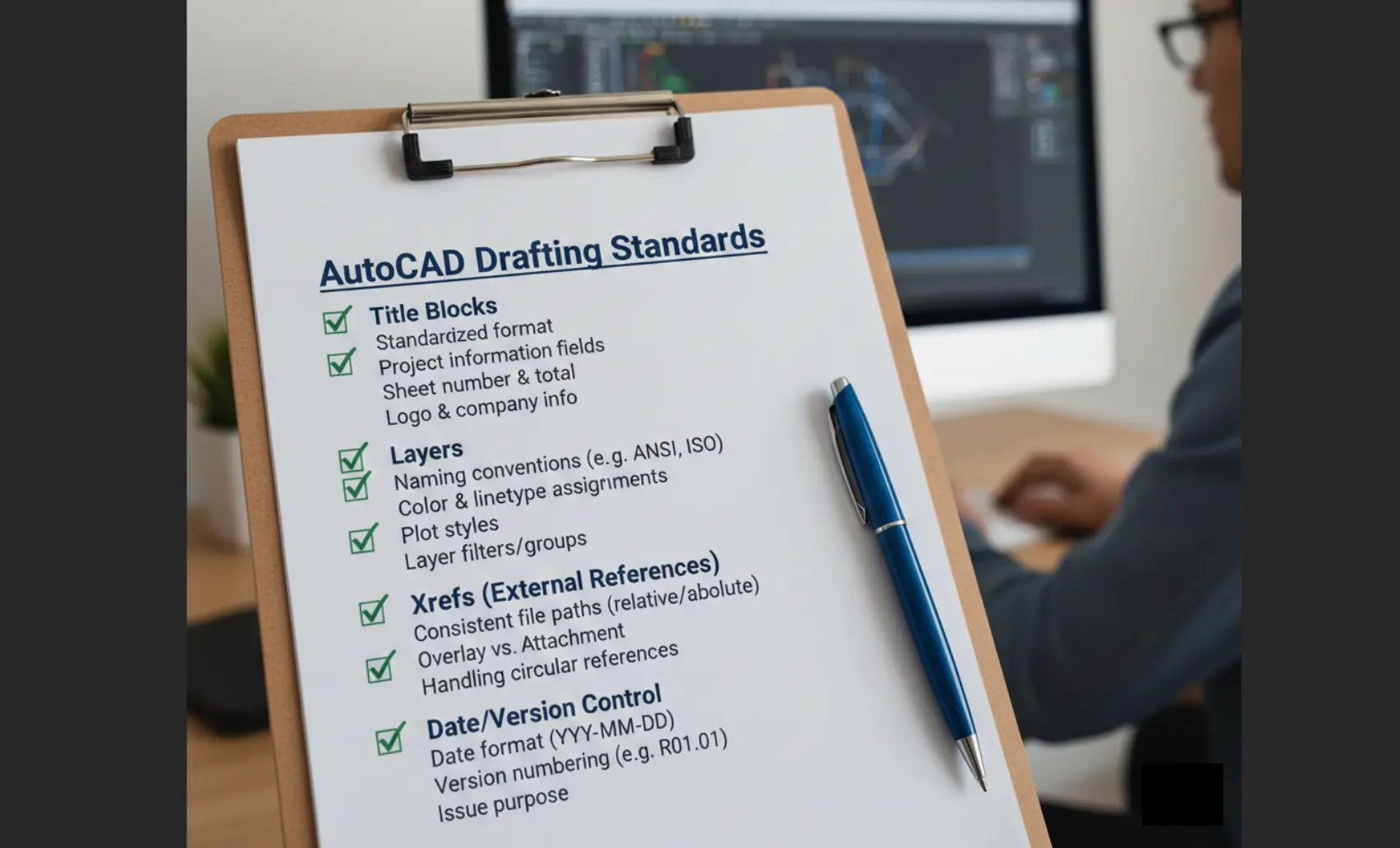
Adopt a 10% sheet audit each publish: title block stamps, Xref paths, layers/linetypes, and date/version consistency. Consistent, lightweight QA correlates with fewer field errors and faster approvals (BIM/rework studies).
Why Remote AE is a Strong Choice for AutoCAD Drafting Support
AEC firms choose Remote AE because our service is built specifically for architecture, engineering, and construction workflows. Our remote AutoCAD drafters integrate into your existing systems and help your team deliver drawings on time, every time.
Here’s what sets Remote AE apart:
- 15+ years supporting AEC teams across architecture, MEP, structural, and civil projects.
- Industry-specific expertise with a minimum of 5 years of real drafting experience per assistant.
- Guaranteed quality and reliability through structured talent screening and ongoing oversight.
- Full-time service at predictable weekly costs, starting at $499/week.
- No long-term commitments, scale your support up or down based on project load.
- Zero upfront cost until after interviews and selection.
- Risk-free replacement for up to two remote assistants in the first year.
- True team integration, giving you a dedicated remote AutoCAD drafter who works your hours, follows your standards, and adopts your workflow.
Hire Reliable Remote AutoCAD Drafting Support Today!
If you’re ready to get ahead of deadlines, reduce hiring stress, and expand your drafting capacity, Remote AE can match you with a skilled full-time remote AutoCAD drafter in days, not months. Start with a no-cost consultation. No upfront payment. No long-term commitment. Contact us to get started today.
FAQs – AutoCAD Drafting Services
What exactly is included in AutoCAD drafting services?
AutoCAD drafting services cover 2D drawings, floor plans, elevations, sections, and construction documents. Deliverables include DWG and PDF files, formatted to your layers, line weights, and title blocks. Teams can also create as-builts, shop drawings, and coordination layouts per project scope.
How is hiring a remote AutoCAD drafter different from outsourcing to a drafting company?
Hiring a remote drafter gives you dedicated support working within your systems and standards. A drafting company, by contrast, delivers packaged outputs. Remote drafters act as an extension of your team, while outsourcing firms often operate independently with their own templates and workflows.
Can a remote AutoCAD drafter work in my time zone and attend project calls?
Yes. Most remote drafters provide 3–5 hours of overlap with your local schedule. They can attend Teams or Zoom calls, share live markups, and sync files through BIM 360, OneDrive, or Procore, ensuring seamless coordination during working hours.
Can I start with one drafter and add more later if needed?
Absolutely. Many firms start with one dedicated drafter to test workflows, then scale up as project volume grows. Additional drafters can join the same CDE or template system, maintaining consistency across multiple projects and deadlines.