
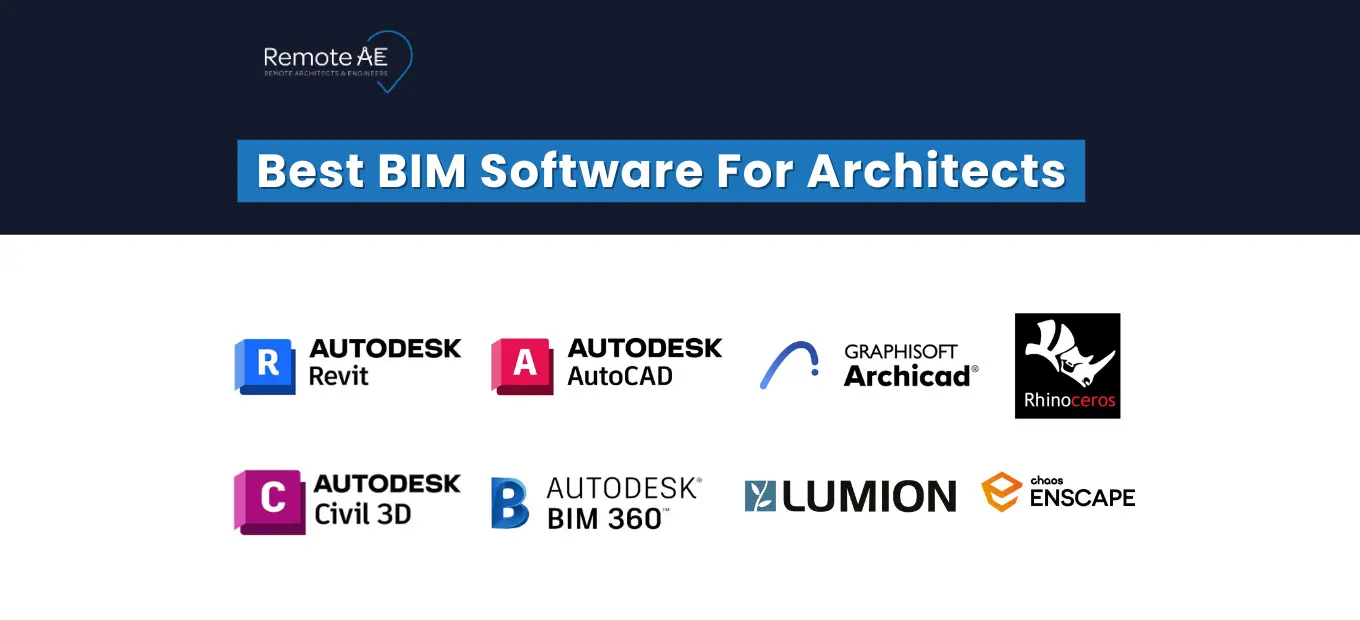
Looking for the best BIM software for architects? This guide compares 9 architectural BIM tools- Revit, ArchiCAD, Vectorworks, Rhino, and more- by strength, operating system, and the type of firm each suits best, so you can shortlist in minutes instead of trialling five platforms. Also, how Remote AE supports firms using remote BIM staff, Virtual Architects, and modeling specialists, so teams stay productive without overloading in-house talent.
| Tool | Best For | Strength | OS |
| Revit | Multi-disciplinary firms, public work | Industry-standard BIM, MEP/structural coordination | Windows |
| ArchiCAD | Design-led & Mac studios | Clean modeling, BIMcloud Teamwork | Win/macOS |
| AutoCAD | 2D details, DWG handoffs | Precision drafting, universal compatibility | Win/macOS |
| Vectorworks | Small all-in-one firms | BIM + 2D + presentation in one tool | Win/macOS |
| Rhino + Grasshopper | Freeform & parametric design | Complex geometry, algorithmic studies | Win/macOS |
| Civil 3D | Site & grading coordination | Surfaces, alignments, cut-fill | Windows |
| BIM 360 / ACC | Distributed teams | Cloud worksharing, issue tracking | Cloud |
| Lumion | Client-facing visuals | Fast photoreal rendering | Windows |
| Enscape | Live design-review visuals | Real-time render inside Revit/Rhino | Win/macOS |
Key Takeaways
- Autodesk Revit runs only on Windows and remains the industry-standard BIM tool for multi-discipline firms and public-sector work.
- ArchiCAD, AutoCAD, Vectorworks, and Rhino run natively on both Windows and macOS, unlike Windows-only Revit and Lumion.
- Architects still rely on AutoCAD because many permitting authorities and consultants require details in DWG format.
- A single Revit license costs a fraction of a full-time modeler’s salary, so software staff time drives real BIM cost.
- Autodesk Revit is the most-requested BIM skill across international markets, making it the safest first tool for career mobility.
Why BIM software choice matters for architects in 2026
The BIM landscape continues to shift as clients demand greater accuracy, richer data, and smoother handoffs. Your software choice affects coordination, model clarity, consultant alignment, and how well your team communicates across locations.
Strong BIM software improves clash detection, brings structure to documentation, and allows remote teams to work from the same living model. With more firms relying on cloud workflows and global staffing, the gap between average BIM tools and the best BIM architecture software continues to widen.
BIM vs CAD: what really changes in your workflow
Switching from CAD to full Building Information Modeling (BIM) moves your team from drawing lines to managing objects and data.
What shifts in daily practice:
- Object-based modeling: Walls, slabs, windows, and components carry properties instead of being simple 2D lines.
- Data-rich design: Schedules, quantities, and materials update automatically.
- Coordination: Models connect with structure and MEP for fewer surprises in the field.
- Lifecycle value: BIM supports facility management, energy modeling, and long-term asset data.
This foundation is why tools like Revit Architecture and ArchiCAD remain central to modern project delivery.
Where BIM pays off most for architecture firms
Some project types gain more from BIM than others. In 2026, the biggest returns show up in:
- Complex coordination with structure and MEP
- Public work, where model accuracy and compliance matter
- Renovation and adaptive reuse, for point-cloud capture
- Prefab and modular construction
- Energy modeling and early design analysis
A small firm using BIM can look larger than it is. A mid-size studio gains control over deliverables. And a remote team builds consistency across regions.
Remote work and BIM: why cloud and interoperability matter
Architects increasingly rely on distributed teams. Tools must support real-time or asynchronous collaboration while keeping models clean and consistent.
Why cloud matters:
- BIM 360 gives remote modelers access to central files.
- Sheet updates, markups, and issue tracking stay in one place.
- Consultants receive model updates without manual file transfers.
Why interoperability matters:
- Revit must exchange DWG files with AutoCAD.
- Civil 3D surfaces and alignments often feed into architectural models.
- Rhino geometry supports design studies before moving to BIM.
Studios that choose interoperable tools avoid bottlenecks and maintain a faster workflow across internal and remote staff.
How to choose the right BIM software for your studio or remote team
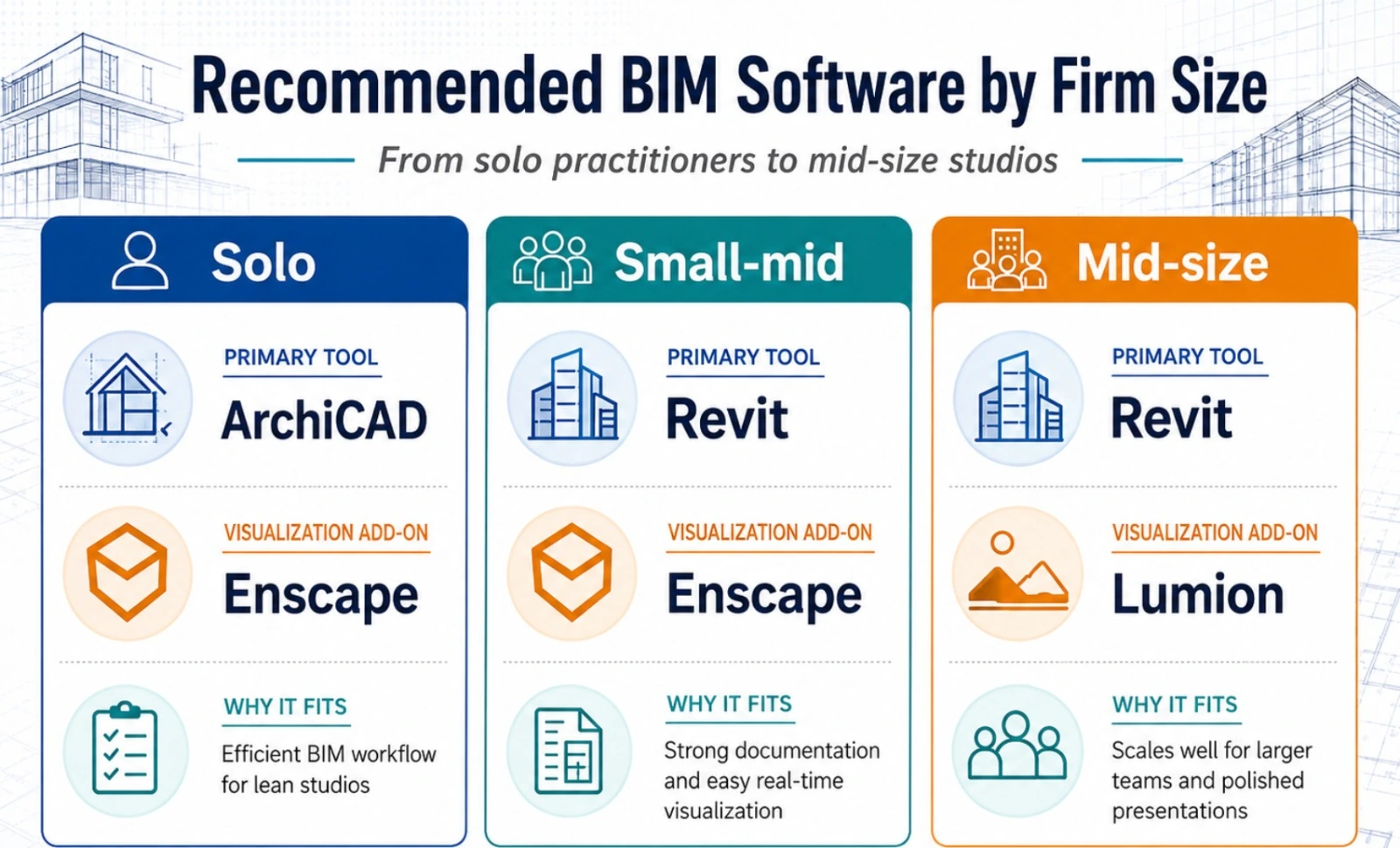
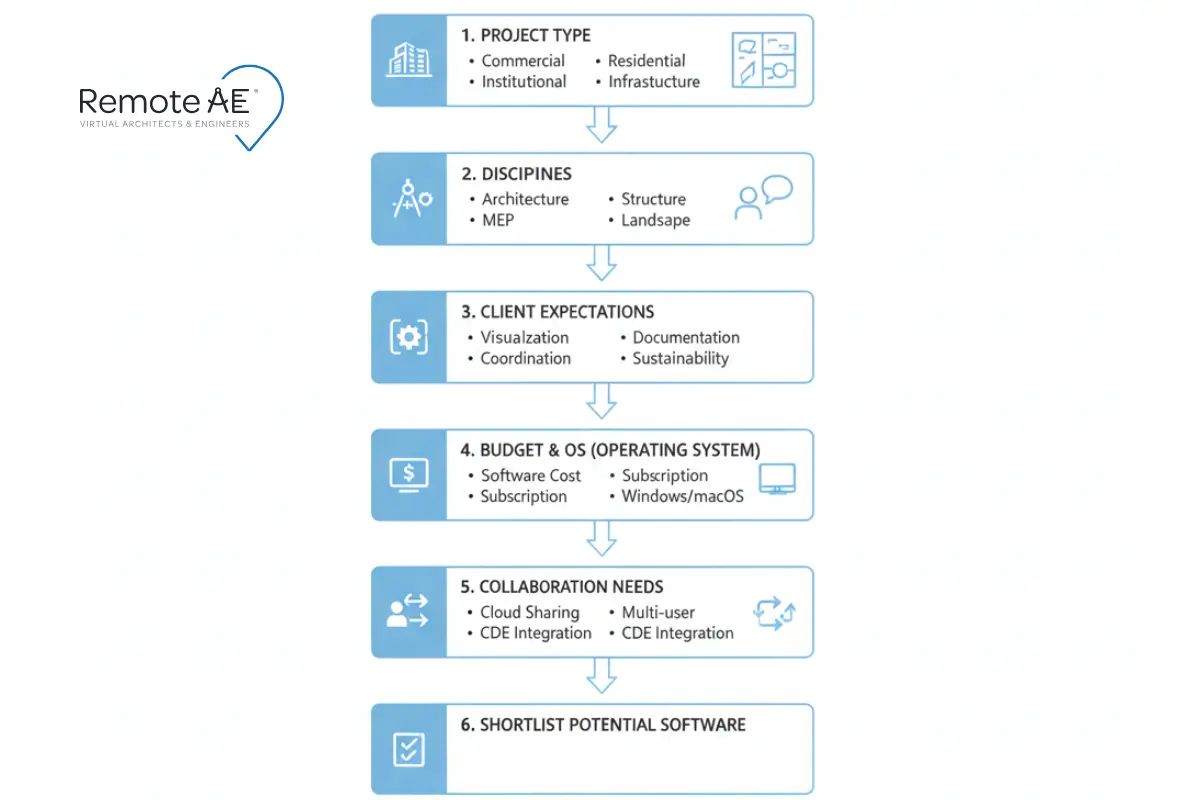
Not every platform fits every studio. Your choice should reflect your project mix, collaboration needs, licensing budget, and long-term hiring plans. A clear decision framework keeps your team from switching tools mid-project or juggling mismatched platforms across disciplines.
Key decision factors
Project type:
- Residential teams may prefer ArchiCAD+ Revit.
- Healthcare, education, and civic work typically follow Revit-driven markets.
Disciplines involved:
- Architecture-only shops have more flexibility.
- Multi-discipline firms often choose Revit for cross-team alignment.
Client expectations:
When your consultants use Revit, matching their setup avoids translation headaches. Some regions prefer ArchiCAD.
OS and hardware:
- Revit remains Windows-first.
- AutoCAD and Rhino support macOS.
Budget and licensing:
Seat count, subscription tiers, cloud add-ons, and plugin needs influence the total cost.
Level of detail:
Concept massing vs construction-level detail can steer you toward Revit, respectively.
Collaboration needs:
Cross-office teams benefit from BIMcloud or BIM 360 instead of local storage.
BIM Software Cost: What Architects Actually Pay
Licensing is rarely a single number. Most BIM platforms are annual subscriptions, and your real cost depends on seat count, cloud add-ons (BIM 360 / ACC), and visualization plugins. As a planning rule of thumb:
- Entry/solo: lighter tiers (Revit LT, Archicad Solo, Vectorworks) keep per-seat costs lowest for one- to three-person teams.
- Growing firms: full Revit or ArchiCAD seats plus a cloud collaboration layer become worthwhile once you coordinate with outside consultants.
- Visualization: Enscape and Lumion are add-on costs layered on top of your authoring tool, not replacements for it.
The higher cost is rarely the license; it’s the staff time to run the software well. A single Revit seat is a fraction of a full-time modeler’s salary. This is why many firms pair the right tool with on-demand modeling support rather than a permanent hire. Check what AEC outsourcing costs as compared to hiring a full-time modeler plus paying the license fee.
The Best BIM Software for Architects
Here are the best BIM software that unleash remarkable skills in architectural design:
1. Autodesk Revit
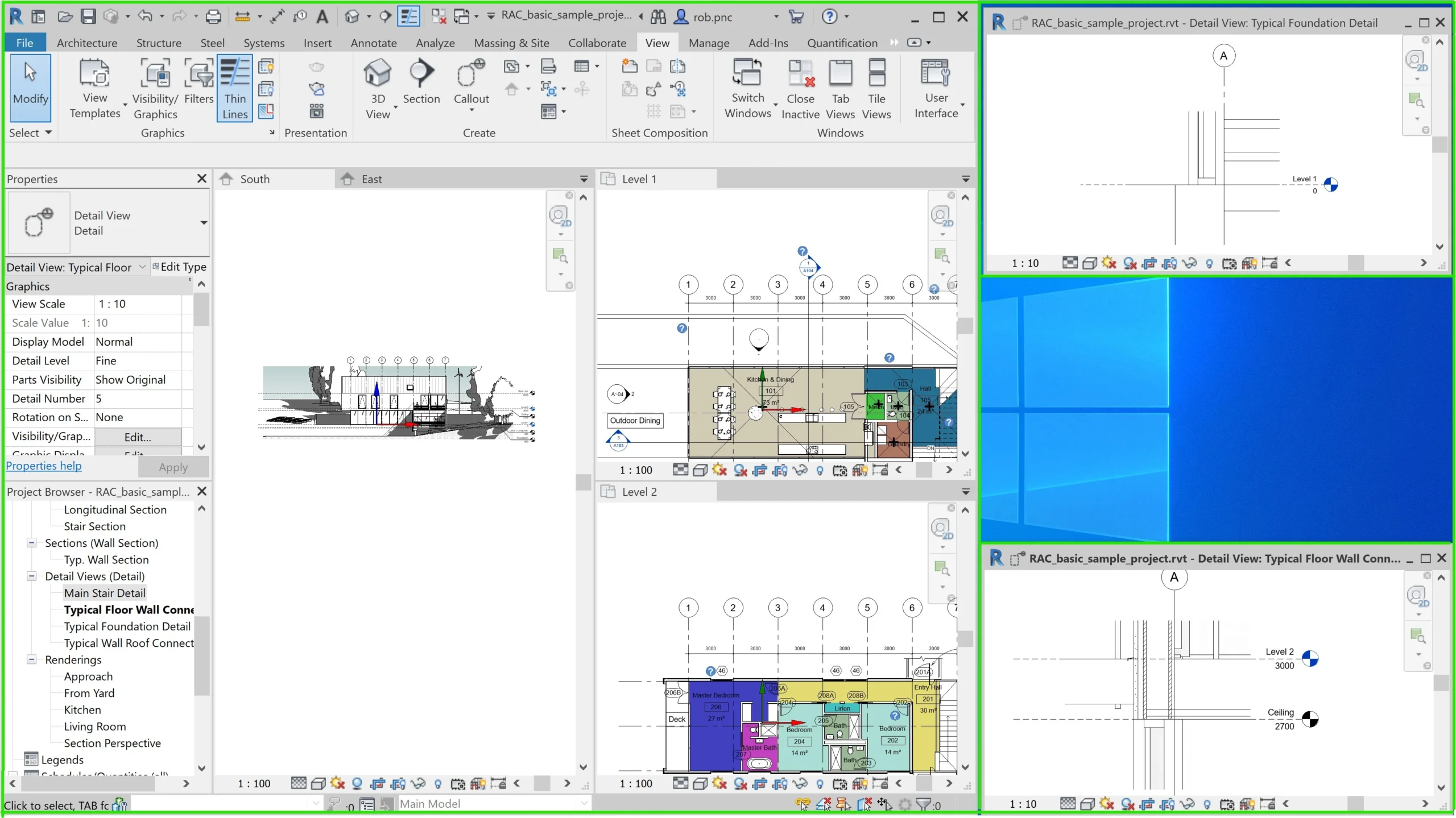
Revit Architecture remains the industry standard for multi-discipline BIM. Most engineers, contractors, and public agencies expect Revit models as a baseline for coordination.
Strengths:
- Parametric modeling with a full Building Information Modeling structure
- Strong discipline integration with MEP and structural models
- Large library support and a broad plugin ecosystem
- Detailed documentation tools for CDs, schedules, and sheets
When Revit is the right choice:
- Markets where consultants already use Revit
- Firms working with public agencies
- Teams relying on point-cloud-to-BIM workflows
- Complex coordination where accuracy and multi-disciplinary alignment matter
Don’t want to run Revit yourself?
Picking the software is the easy part; keeping models clean and sheets moving is where firms lose time. Remote AE’s Revit-trained Virtual Architects handle modeling, family creation, BIM cleanup, and sheet setup so your team designs while we build. See architecture outsourcing options!
2. AutoCAD
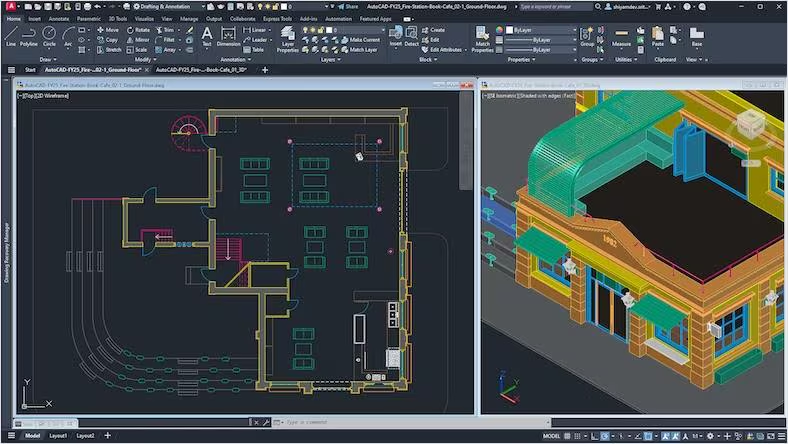
Even with BIM’s rise, AutoCAD remains essential for architectural studios. Many jurisdictional details, manufacturer drawings, and legacy standards still come in DWG format.
Key strengths:
- Precision drafting: Ideal for details, diagrams, and 2D plans that do not require full BIM modeling.
- Strong compatibility: DWG files connect easily with Revit, Civil 3D, and consultant workflows.
- Reliable sheet production: AutoCAD supports quick redline updates and clean detail sheet layouts.
Why architects still rely on AutoCAD:
- Some permitting authorities request DWG details.
- Many consultants use AutoCAD for shared files and coordination.
Certain details are faster to document in 2D than in BIM. Remote AE provides pre-tested candidates, enabling AEC firms to outsource CAD drafting quickly.
3. ArchiCAD: architect-first BIM with strong design focus
Archicad is popular with design-focused studios that want a smooth 2D–3D workflow and an architecture-first toolset.
Strengths:
- Clean modeling and drafting experience
- Strong Teamwork system (BIMcloud)
- Efficient for design-to-documentation workflows
- Works well for small to mid-size firms, especially mixed macOS/Windows setups
Limitations:
Market adoption varies. In regions where Revit dominates, finding ArchiCAD-trained staff can take longer. Some consultants may also request IFC exchanges instead of native files.
Want a more detailed comparison? Check Revit vs ArchiCAD vs Allplan.
4. Vectorworks Architect
Vectorworks is the all-in-one favourite of small studios that want BIM, 2D drafting, and presentation tools in a single environment without juggling multiple licenses. It runs natively on both Windows and macOS, which makes it a common pick for design-led and Mac-based practices.
Strengths:
- Combined BIM + 2D + rendering in one tool, fewer handoffs for small teams
- Strong site and landscape modeling for mixed-use and residential work
- Native macOS support and flexible, free-form modeling
When Vectorworks fits:
Solo practitioners and small firms that want one platform to author, document, and present without standing up a full Revit ecosystem.
5. Rhino
Rhino stands out for its ability to model freeform geometry and explore complex shapes. It pairs well with Revit and ArchiCAD through direct links or exports.
Key strengths:
- Precise surface tools: Ideal for façades, parametric elements, and sculpted massing.
- Grasshopper integration: Supports algorithmic design and parametric studies.
- Compatibility: Easy to pass Rhino models into BIM platforms during design development.
6. Civil 3D
While Civil 3D is primarily a civil engineering tool, architects often rely on it when site and building coordination overlap, especially in large mixed-use, campus, or infrastructure-adjacent projects.
Key strengths:
- Surface modeling: Existing and proposed grades, contour adjustments, and cut-fill analysis.
- Alignments: Horizontal and vertical geometry for site circulation and roadway layouts.
- Grading and corridor design: Supports site planning, access roads, and parking layouts.
How architects benefit:
- Early understanding of site slopes and constraints
- Accurate building pads and grading relationships
- Cleaner coordination between building and site geometry
7. BIM 360
BIM 360, part of Autodesk Construction Cloud, supports remote collaboration, version tracking, and centralized data management for architectural teams.
Key strengths:
- Centralized model access: Teams open and publish Revit models from anywhere.
- Issue tracking: Design and coordination issues stay organized.
- Document control: Upload, mark, compare, and distribute drawings.
BIM 360 has become essential for firms working across offices or collaborating with remote employees and consultants.
8. Lumion
Lumion is one of the most intuitive visualization tools available to architects. Known for its speed and realism, it transforms BIM models into persuasive visuals that support both design development and client presentations.
Key strengths:
- Real-time rendering: Updates appear instantly when materials or lighting change.
- Easy scene building: Drag-and-drop trees, people, lighting, and landscape elements.
- Large material and asset libraries: Architects can quickly set up scenes with minimal manual adjustments.
Lumion is especially helpful when teams want to communicate mood, atmosphere, and spatial qualities early in the design process.
9. Enscape
Enscape provides fast, real-time visualization directly inside Revit, SketchUp, ArchiCAD, and Rhino. Its ease of use has made it a favorite for architectural teams that want immersive visuals without exporting models into a separate rendering engine.
Key strengths:
- Direct model link: Any change in the BIM model updates instantly in Enscape.
- Smooth VR walkthroughs: Clients can explore spaces at full scale, improving design understanding.
- Simple control over lighting and materials: Useful for quick design reviews and daylight studies.
This makes Enscape an excellent choice for firms that need rapid visualization during design meetings or client presentations.
Which BIM software should architects learn first?
The right starting point depends on your region, career goals, and project types. With BIM now central to hiring decisions, making strategic choices can open more opportunities and build long-term job security.
For job security and global demand
Across most international markets, Autodesk Revit remains the most requested skill. Engineering teams, contractors, and public-sector clients increasingly expect Revit-native models rather than IFC-only deliverables.
This makes Revit the safest “first BIM language” for career mobility. Its ecosystem, Revit Architecture, BIM 360, and Autodesk Construction Cloud, creates a complete pipeline from early design to construction coordination.
If you are design- and form-focused
For studios that work in conceptual or high-design environments:
- Revit or ArchiCAD → For structured BIM modeling
- Rhino + Grasshopper → For explorative modeling, parametric forms, and façade logic
- Enscape → For quick visualization throughout design development
This path is common in firms specializing in cultural, institutional, or boutique residential work.
If you want to stand out with visualization
Architects who support rendering, animation, and client presentations should learn:
- Revit/ArchiCAD → Base BIM models
- Lumion or Enscape → High-speed visualization
- Optional: Twinmotion or V-Ray for deeper control
Visualization skills help designers communicate ideas quickly and improve client engagement throughout the project lifecycle.
BIM software and the rise of remote AEC teams
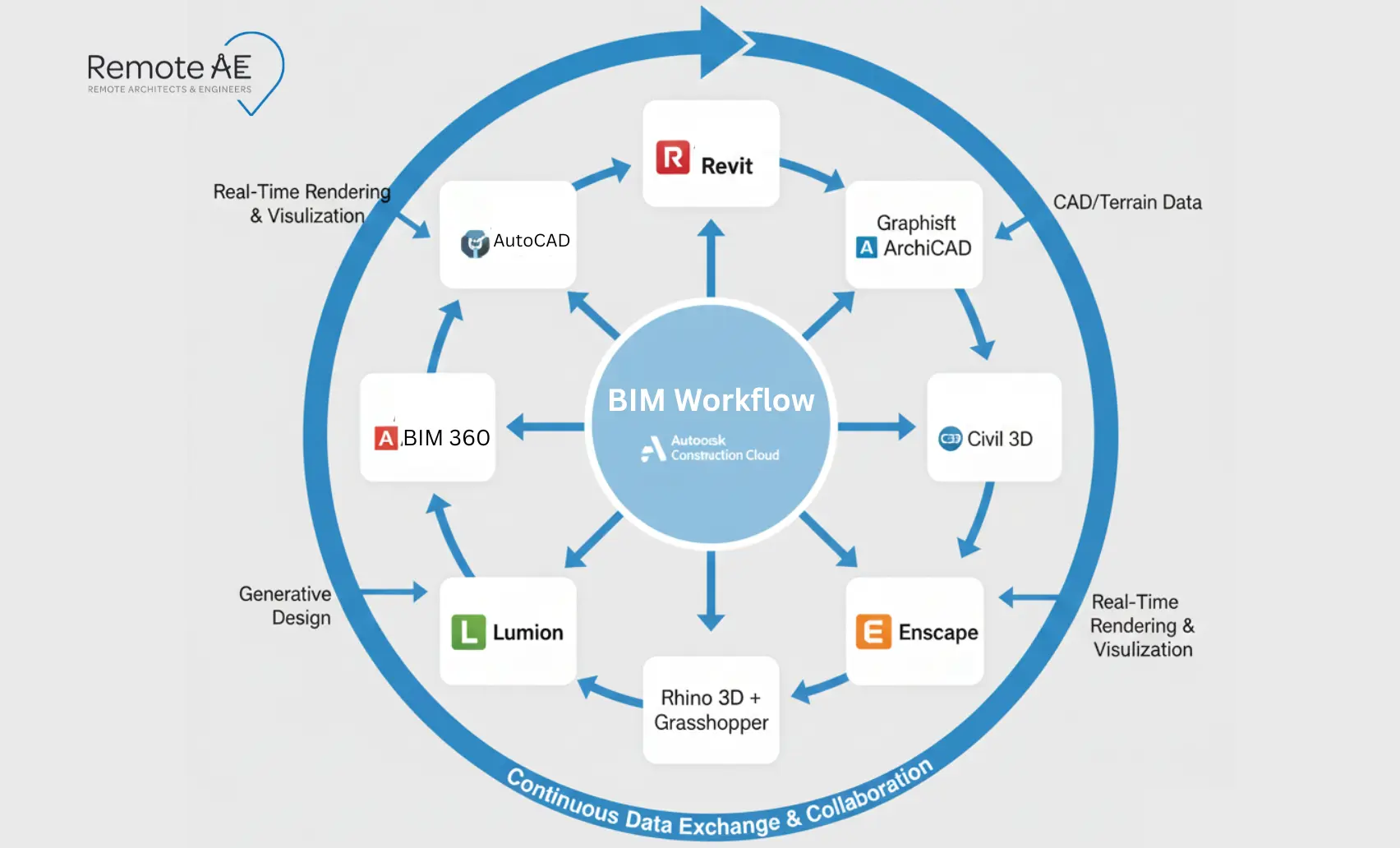
Remote collaboration is now standard across architecture and construction. Distributed teams rely on BIM outsourcing services not just for modeling, but for communication, documentation, and coordination.
Why do more firms outsource BIM work
Global design firms face labor shortages, rising costs, and tight deadlines. Outsourcing BIM helps them:
- Scale production quickly
- Maintain 24/7 delivery cycles
- Reduce backlog during peak deadlines
- Move documentation tasks to trained BIM specialists
- Handle BIM surge work without hiring full-time staff
The global BIM market continues to grow as studios shift toward distributed delivery and cloud-supported collaboration.
How Remote AE supports Revit, SketchUp, Archicad, and Vectorworks teams
Remote AE provides BIM and design support across major platforms, including:
- Revit modelers and detailers
- ArchiCAD specialists for documentation and teamwork workflows
- AutoCAD drafters for detail sheets and redlines
- Civil 3D support for site plans and grading
- Rhino modelers and Grasshopper specialists
- Lumion and Enscape visualization assistants
- BIM 360–ready staff who can plug into live projects immediately
These professionals follow your templates, standards, and review routines, ensuring consistent output across remote and in-house teams.
Practical steps to add a remote BIM specialist to your team
- Define toolset, LOD, views, sheets, and naming standards.
- Share a clean template pack and a pilot scope.
- Set daily/weekly cadences and issue tracking in ACC/Teams/Slack.
- Start with a 1–2 week trial. Scale once quality is proven.
Alt text: Onboarding checklist for remote architects showing steps: access, standards, pilot, cadence, QA gates.
Ready to level up your BIM capacity, without slowing delivery?
The right tools need the right people behind them, and Remote AE makes that possible. Our Virtual Architects and Engineering Assistants support Revit, Archicad, SketchUp, Vectorworks, and ReCap workflows so your team stays productive, coordinated, and ahead of deadlines. Book a 15-minute consult to add a remote BIM specialist to your team this month.
FAQs – Best BIM Software For Architects
What is the best BIM software for architects right now?
There isn’t a single “best” for every firm. Revit dominates large, multi-discipline teams and contractor workflows. Archicad excels for design-centric studios and Mac users.
Is Revit better than Archicad for architects?
It depends on your ecosystem. Revit integrates tightly with MEP/structural and contractor tools, great for complex, multi-trade projects. Archicad offers elegant modeling, lighter hardware demands, and native Mac support, popular with design-led practices.
Which BIM software should architecture students learn first?
Learn Revit or Archicad for core BIM skills; either builds strong employability. Add Rhino + Grasshopper for computational design and Twinmotion/Enscape for visualization.
What BIM tools do small architecture firms use most?
Common mixes: Revit LT or Archicad Solo for authoring; Vectorworks Architect for all-in-one BIM + 2D; SketchUp + Layout for design and quick CDs; Twinmotion/Enscape for visuals. Selection often follows collaborators’ needs and budget.