
Remote AEC work is now routine. It isn’t just about Zoom calls; it’s about moving massive BIM models, collaborating across continents, and meeting project deadlines without sacrificing quality. The question isn’t if BIM fits remote teams; it’s which platform fits your setup. Revit, ArchiCAD, and Allplan are three of the most widely used BIM platforms, but they’re not equally suited for remote workflows.
This guide compares their collaboration tools, cloud integration, licensing flexibility, and performance over real-world networks. You’ll see where each tool shines, where it struggles, and how your team’s size, discipline mix, and technical setup affect the choice.
How to Choose in 60 Seconds
The 60-second answer:
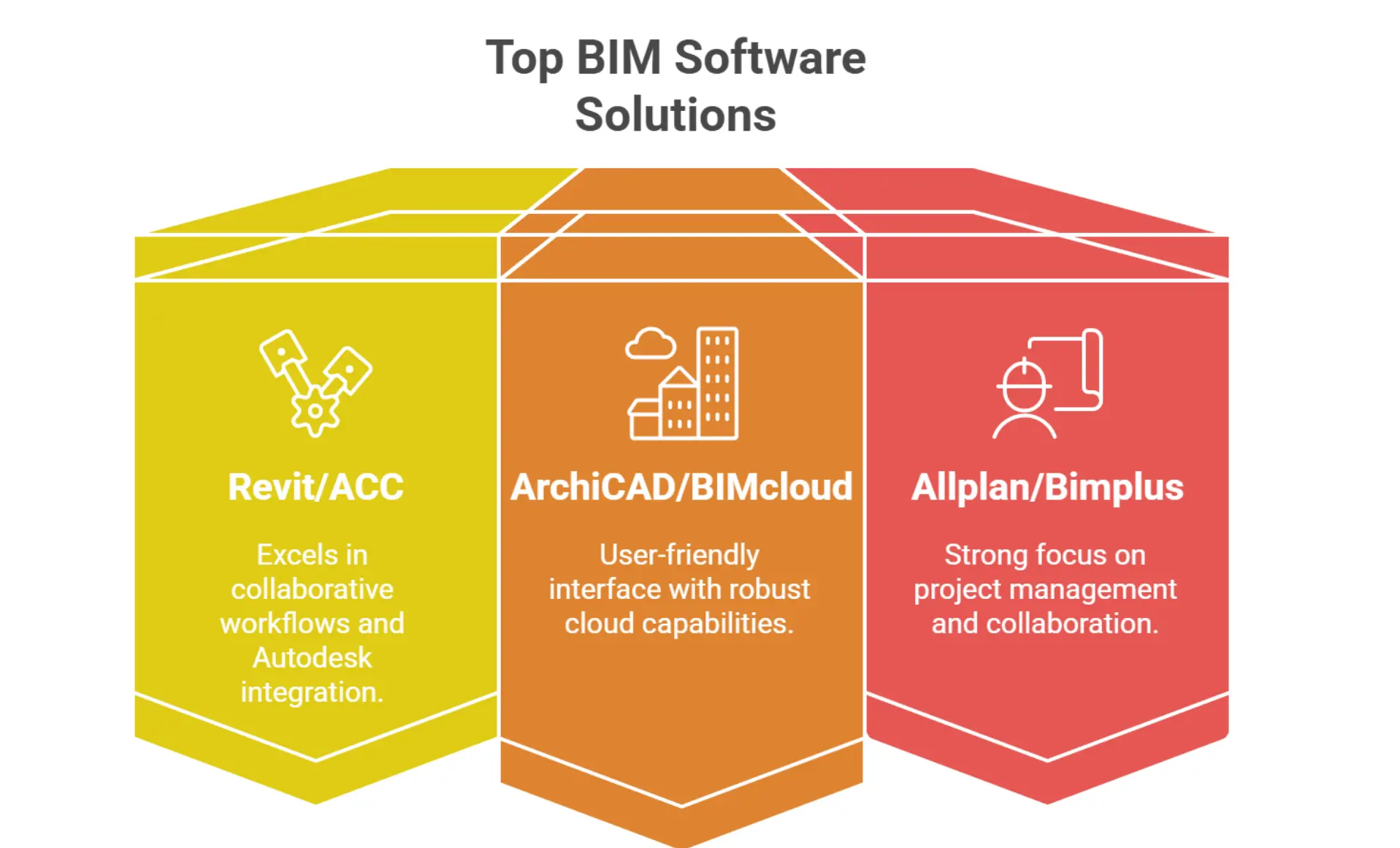
- Pick Revit for multi-discipline firms deep in the Autodesk ecosystem.
- Pick ArchiCAD for design-led or mixed Mac/Windows studios that want easier sync.
- Pick Allplan for structural and infrastructure teams that need precision detailing.
Already committed to Revit? Hire a vetted remote Revit modeler.
The Remote Work Landscape in the AEC Industry
The AEC industry has shifted from in-office setups to hybrid and fully remote teams. Large-scale projects now often involve architects, engineers, and contractors spread across multiple time zones. In 2024, 94% of U.S. construction firms reported difficulty hiring, a key driver of remote collaboration and outsourced support (AGC, 2024).
Unique remote AEC challenges include:
- Large file sharing: BIM models can exceed 500MB, creating bottlenecks over slow networks.
- Real-time collaboration: Teams need to co-author without overwriting each other’s work.
- Cross-time-zone coordination: Handovers must be seamless for continuous progress.
- Version control & data security: Multiple stakeholders require strict access control to avoid errors or breaches.
The role of BIM:
Building Information Modeling (BIM) provides a centralized, data-rich model that acts as the single source of truth. Cloud-enabled BIM platforms enable the editing, sharing, and validation of designs in near real-time, adhering to ISO 19650 standards for information management.
Overview of the Three BIM Platforms
1. Revit
Developer: Autodesk
Known for: Market dominance in architecture, MEP, and multi-discipline BIM workflows, making it the default BIM solution for many large AEC firms worldwide.
Revit has become a standard because of its deep integration with Autodesk’s software suite and its ability to handle large, complex projects with multiple disciplines working in parallel. It is also backed by a massive user community, training ecosystem, and industry-recognized workflows, which makes it easier to find skilled talent.
Core strengths:
- Rich library ecosystem: Families for all major manufacturers and building types.
- Deep Autodesk integration: Works seamlessly with Navisworks for remote teams, Civil 3D, and AutoCAD.
- Interoperability: Supports IFC exports, BCF workflows, and integration with Autodesk Construction Cloud.
Negatives for Remote Teams
- Learning curve: Revit is not beginner-friendly, requiring a structured onboarding process.
- Performance dependency: Heavy models need high-spec hardware or robust VDI setups.
- Internet dependency: Cloud Worksharing performance drops significantly with high latency.
While Windows-only, Revit enables remote teamwork through Revit Cloud Worksharing, leveraging BIM 360 Docs or ACC to centralize models. Performance is sensitive to WAN latency and bandwidth, making network optimization key for distributed teams.
2. ArchiCAD
Developer: Graphisoft
Known for: A design-first approach and open BIM interoperability that appeals to architecture-led studios and creative teams.
ArchiCAD has built a loyal following for its ease of use, cross-platform availability, and integrated collaboration tools. It runs on both Mac and Windows, which is a major advantage for studios with mixed operating systems. ArchiCAD also has a lighter hardware footprint compared to Revit, making it more forgiving for remote users on less powerful setups.
Core strengths:
- User-friendly interface: Less intimidating for new BIM users.
- Cross-platform support: Runs on both Windows and Mac, appealing to design studios.
- Built-in collaboration: BIMcloud offers real-time teamwork, role-based access, and project permission control.
Negatives for Remote Teams
- Lower adoption in North American large-scale AEC firms compared to Revit.
- Fewer dedicated MEP tools, which may require third-party plugins.
- BIMcloud Basic requires an IT setup if not using the SaaS version.
ArchiCAD often produces smaller project files, which helps reduce sync delays when working over cloud platforms or VPN. Its IFC-based open BIM approach ensures compatibility with other AEC tools, and it also integrates well with BCF issue tracking systems.
Related article: Check out the best BIM software for architects (includes ArchiCAD)
3. Allplan
Developer: Nemetschek
Known for: Precision modeling and strong adoption in civil engineering, infrastructure, and structural-heavy projects.
Allplan has carved out a niche with its detailed modeling tools for concrete reinforcement, bridges, and large-scale infrastructure. It’s widely used in European markets and among engineering teams that need exact dimensional accuracy.
Core strengths:
- Advanced detailing: Ideal for infrastructure-heavy projects.
- Structural integration: Strong links with engineering tools and reinforcement detailing.
- Flexible licensing: Offers network and floating licenses for distributed teams.
Negatives for Remote Teams
- Smaller global user base than Revit or ArchiCAD, meaning fewer ready-to-hire specialists.
- Steeper learning curve for design studios used to more visual, less technical interfaces.
- Larger models may require higher bandwidth for smooth remote work.
For remote collaboration, Allplan Share remote collaboration connects distributed teams, while the Bimplus platform facilitates multi-model data exchange and IFC-based interoperability. The software benefits from its BIM coordination features, though its global adoption is smaller compared to Revit and ArchiCAD. It’s a strong choice for engineering-driven workflows where precision is critical.
Check our comprehensive guide on the Best BIM software for civil engineers.
Key Criteria for Remote Work Compatibility
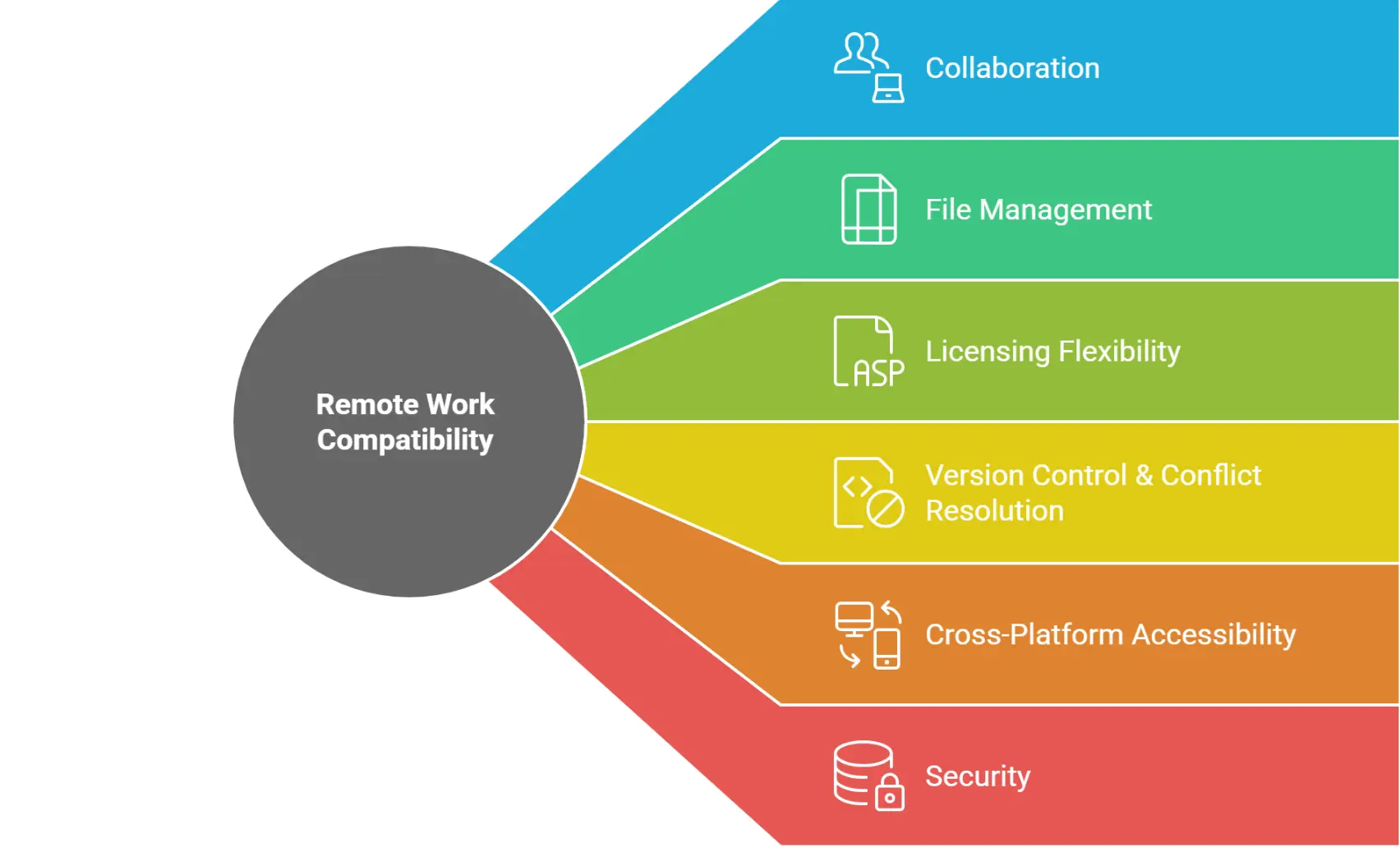
When evaluating Revit, ArchiCAD, or Allplan for remote workflows, AEC teams need to look beyond modeling features. Remote project delivery introduces unique demands for collaboration, file management, and security.
Collaboration Features
- Real-time vs asynchronous:
- Revit Cloud Worksharing (via BIM 360/ACC) enables multiple users to edit a central model in near real time. Gamuda documented 88–91% time/productivity savings for specific workflows on ACC, evidence that cloud-hosted processes cut back-and-forth (Autodesk case study).
- ArchiCAD BIMcloud supports real-time co-authoring with role-based permissions. Its Delta Server™ sends only changes, which reduces network traffic to a minimum, useful for home/field users on modest links (Graphisoft Help—BIMcloud features).
- Allplan Share allows multiple contributors to work simultaneously with Bimplus for coordination.
Choosing between these often depends on internet quality, WAN latency, and how often live editing is needed versus check-in/check-out workflows.
File Sharing & Cloud Integration
- Revit: Optimized for Autodesk Construction Cloud; file sizes can be large, requiring stable high-speed connections.
- ArchiCAD: Smaller files ease transfer; integrates with BIMcloud Basic/SaaS and supports third-party sync via IFC.
- Allplan: Uses Bimplus for cross-project data exchange; efficient for structural data but may require training for mixed-discipline teams.
Cross-Platform Accessibility
- Revit: Windows-only; requires virtualization (Azure Virtual Desktop Revit, Citrix, NICE DCV) for Mac users.
- ArchiCAD: Native Mac and Windows support; ideal for studios with mixed OS setups.
- Allplan: Primarily Windows; Mac use is possible only through virtualization or Boot Camp.
Team Communication Integration
While none of the platforms have built-in video/voice chat, all can integrate indirectly with other platforms. Native chat lives in BIMcloud; ACC/Bimplus provides issue threads and assignments. Pair any of these with Slack/Teams/Zoom at the PM level.
Version Control & Conflict Resolution
- Revit: Central model with Worksets; built-in element borrowing avoids direct file overwrites.
- ArchiCAD: Change tracking in BIMcloud with restore points.
- Allplan: Bimplus handles revision history, though setup requires discipline.
For more information, check out our guide on Version control for BIM models, especially for remote teams.
Licensing Flexibility
- Revit: Named-user subscription; offline up to 30 days is allowed (Autodesk). However, needs account management for switching users.
- ArchiCAD: Offers both perpetual and subscription licenses via BIMcloud SaaS (Graphisoft); more options for shared use.
- Allplan: Floating licenses are well-suited for distributed teams that don’t work at the same time.
Security Measures
All three support:
- Role-based access
- SSO (where supported)
- Data encryption for cloud storage
ACC uses AES-256 at rest and TLS in transit, with SOC 2 reporting (Autodesk). Graphisoft states encryption at rest/in transit for BIMcloud (Graphisoft Security Statement). Compliance with ISO 19650 workflows is possible in all, but requires a correct setup in the chosen platform.
Head-to-Head Comparison Table
| Criteria | Revit | ArchiCAD | Allplan |
| Real-time collaboration | Yes (Revit Cloud Worksharing) | Yes (BIMcloud) | Yes (Allplan Share) |
| Cloud hosting | Native BIM 360 / Autodesk Construction Cloud | BIMcloud | Bimplus |
| Cross-platform | No (Windows only) | Yes (Windows & Mac) | Yes (Windows + VDI) |
| Offline tolerance | Low | Medium | Medium |
| VDI-friendliness | High (AVD) | Medium | Medium |
| Licensing flexibility | Medium | High | High |
| File size efficiency | Medium | High | Medium |
| Market adoption | High | Medium | Low |
| Learning curve | Steep | Moderate | Steep |
Quick Verdict for Remote Teams
- Best for Multi-Discipline Firms – Revit + ACC
Ideal for large, cross-discipline teams needing deep integration with Autodesk tools. Powerful but demands strong hardware and a stable internet. - Best for Design-Led Studios – ArchiCAD + BIMcloud
Great for creative teams using both Mac and Windows. Smooth real-time collaboration with smaller files and lower latency impact. - Best for Engineering-Focused Workflows – Allplan + Allplan Share
Strong choice for structural and civil projects requiring precision modeling. Smaller global user base, but highly accurate for detail-heavy work.
Verdict by Firm Size: Which BIM Platform Fits Your Team?
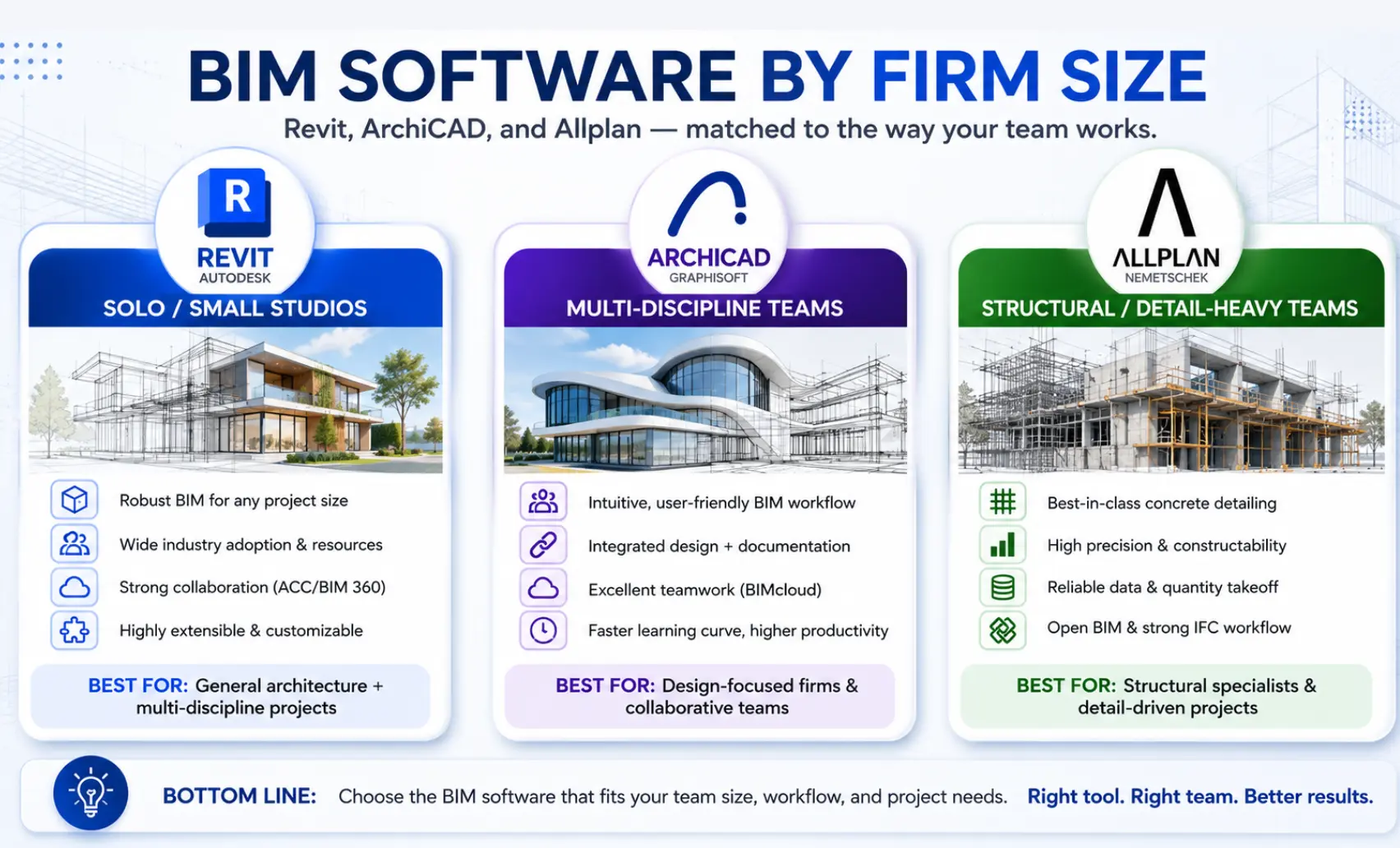
The right platform depends less on features and more on who’s using it. Below is a quick decision guide by firm profile, drawn from the collaboration, licensing, and network factors compared above. For a direct head-to-head on the two most-confused options, see the ArchiCAD vs Allplan note that follows.
| Firm profile | Best pick | Why | Watch-out |
| Solo / small design studio (1–5) | ArchiCAD + BIMcloud | Runs on Mac & Windows, lighter hardware footprint, smaller files, easy sync on home links | Fewer dedicated MEP tools; may need plugins |
| Growing multi-disciplinary firm (5–25) | Revit + ACC | Deepest Autodesk integration and the largest hire-ready talent pool for scaling teams | Steep learning curve; needs strong hardware/VDI and low-latency links |
| Structural/civil & infrastructure team | Allplan + Allplan Share | Precision detailing for concrete, reinforcement, and bridges; floating licenses suit distributed work | Smaller global talent pool; steeper for design-led users |
| Mixed-OS creative team (Mac + PC) | ArchiCAD + BIMcloud | Native cross-platform support and Delta Server sync that sends only changes | Lower North American large-firm adoption |
ArchiCAD vs Allplan: the short answer
Choose ArchiCAD if you’re design-led, run a mixed Mac/Windows shop, and want the easier learning curve and smaller files. Choose Allplan if your work is structural- or infrastructure-heavy, and dimensional precision and reinforcement detailing matter more than interface friendliness.
Both offer flexible licensing for distributed teams; ArchiCAD has the larger talent pool, and Allplan has the deeper engineering toolset.
Network Reality: Bandwidth, Latency, and File Sync
Remote BIM lives or dies on network math. Here’s what the vendors publish and what it means on a workday.
Minimum Practical Speeds for Cloud Models
Cloud BIM tools thrive on stable bandwidth. Below are recommended minimum practical speeds for remote teams:
| Platform | Recommended Min Download | Recommended Min Upload | Notes |
| Revit (BIM 360/ACC) | 50 Mbps | 20 Mbps | Higher needed for large central models |
| ArchiCAD (BIMcloud) | 25 Mbps | 10 Mbps | Smaller files ease strain |
| Allplan (Bimplus) | 30 Mbps | 15 Mbps | A stable VPN or SSO improves performance |
For Revit Cloud Worksharing latency, Autodesk notes that WAN latency under 100 ms is crucial for smooth syncing. ArchiCAD’s BIMcloud Delta Server is optimized for low-bandwidth connections, which can be a big win for global teams.
Latency vs. Bandwidth: Which Matters More and When
- Bandwidth matters most when transferring large BIM files, such as initial project downloads or major model updates.
- Latency becomes critical in real-time collaboration; high ping can cause noticeable delays in model updates.
Revit: Autodesk’s technical note indicates cloud worksharing is more sensitive to bandwidth than latency (recommended under ~400 ms to AWS), but high latency still slows open/sync. Aim for stable links and keep burst bandwidth available.
ArchiCAD: Graphisoft’s BIMcloud guidance rates latency 1–15 ms (good), 15–50 ms (average), 50–100 ms (acceptable), and 100+ ms (poor); community notes emphasize ping matters more than raw Mbps for Teamwork sync feel.
Actionable tip: If home links hover at 60–100 ms, schedule big publishes during off-hours and keep day-to-day edits small (deltas), especially on BIMcloud/Delta Server.
Recommendations Based on Team Type
- Small architectural studios – Go with ArchiCAD for its ease of use, built-in collaboration, and Mac/Windows flexibility.
- Large multidisciplinary firms – Choose Revit for ecosystem depth and compatibility with consultants and contractors.
- Engineering-focused teams – Opt for Allplan for unmatched precision and structural integration features.
(Alt text: BIM software recommendations by team type: ArchiCAD for studios, Revit for multidisciplinary firms, Allplan for engineering teams)
How Can RemoteAE Support Your BIM Remote Team?
Remote BIM success requires the right people, processes, and technical setup. RemoteAE delivers all three.
Staffing Expertise
We connect you with BIM modelers, coordinators, and project managers experienced in remote collaboration. Even if you work in Revit + ACC, ArchiCAD + BIMcloud, or Allplan + Allplan Share, you’ll get professionals fluent in your tools and workflows.
Talent-availability insight
Platform choice also shapes hiring. Revit’s market dominance means the deepest pool of ready-to-hire modelers and coordinators. However, ArchiCAD and Allplan specialists are rarer and worth securing through a managed partner rather than open job boards.
Whichever stack you standardize on, we match you with professionals already fluent in that tool and in remote collaboration, so onboarding stays measured in weeks, not months.
Training and Onboarding
We speed up adoption of remote workflows with role-specific training covering:
- Model sync best practices
- ISO 19650-compliant file naming
- Version control to prevent conflicts
- Secure access with SSO and role-based permissions
FAQs – Revit vs ArchiCAD vs Allplan
Can I use Revit over VPN, or should I use ACC?
You can use Revit over VPN, but performance often suffers on large models. Autodesk Construction Cloud (ACC) with cloud worksharing generally gives faster, more stable access for distributed teams. So, Revit remote work VPN + cloud setup is a better option.
What bandwidth do I need for Allplan Share?
A stable 20–50 Mbps connection is recommended for smooth Allplan Share use. Faster speeds help with large model syncs, but low latency is even more important.
Does Archicad offer a cloud license for remote logins?
Yes. Archicad supports cloud-based licensing through the Graphisoft License Manager Tool, allowing remote logins without a physical dongle.
Is Revit better than Archicad?
It depends on your workflow. Revit offers stronger integration for multi-discipline BIM, while Archicad is favored for speed, intuitive modeling, and design-focused tools.
Can I use Revit and Archicad together?
Yes. You can exchange models using IFC or DWG formats, but expect some cleanup. Coordination tools like Solibri or BIMcollab help reduce translation issues.
Should I put BIM users on Azure Virtual Desktop?
It’s a good option for remote teams needing high-spec machines. Performance depends on GPU-enabled instances and low latency to the Azure region hosting your desktop.
Ready to Build Your Remote BIM Team?
Remote AE makes it simple to staff and manage skilled BIM professionals anywhere in the world.
- Hire Revit, ArchiCAD, or Allplan experts with proven remote collaboration experience.
- Get help setting up BIMcloud, Autodesk Construction Cloud, or Allplan Share environments.
- Train your team to work effectively across time zones and platforms, and onboard experts in just 4-5 weeks normally, and in an emergency in 2 weeks. How?
Start building your high-performance remote BIM team today. Book a Consultation with Remote AE