


Shop drawings are where design intent becomes a buildable reality. When they are clean, coordinated, and fabrication-ready, projects move faster with fewer RFIs, fewer clashes, and less field rework. When they’re sloppy, small gaps turn into schedule hits: wrong dimensions, missing tags, and unclear install notes. Outsourcing shop drawing services offers a practical way to maintain production speed without sacrificing quality. The use of experienced detailers, BIM coordinators, drafting teams, contractors, and fabricators can produce accurate, standards-compliant deliverables while scaling output.
This guide explains what shop drawings include, why fabrication-ready detail matters, and how outsourcing helps reduce rework and keep projects moving.
What shop drawings are (and what they are not)
Shop drawings are detailed drawings prepared by fabricators and contractors. They translate the contract documents into fabrication and erection-level details, with dimensions, connection information, piece marks, and installation notes.
AISC guidance describes shop detail drawings as documents that show the details, dimensions, material requirements, and other information needed to fabricate and erect components in conformance with the contract documents
Types of Shop Drawings You Can Outsource
Different trades produce different types of shop drawings, each with specific requirements and standards.
- Structural steel shop drawings: These include fabrication drawing sets, erection drawing packages, connection details, and bolt schedules. They follow standards such as AISC and material specifications like ASTM A615.
- MEP shop drawings: These cover HVAC, electrical, and plumbing systems. Typical deliverables include spools, hangers, penetrations, and routing layouts. These drawings often reference SMACNA standards and NFPA 13 for fire protection systems.
- Architectural millwork drawings: These include detailed joinery, finishes, and CNC-ready dimensions. Precision is critical to avoid fabrication errors.
- Precast and rebar detailing: Rebar detailing includes placing drawings with bar marks, bends, and schedules. Precast drawings define embeds, lifting points, and tolerances.
Shop drawings vs construction drawings vs as-builts
Confusion between drawing types leads to rework and delays. Each serves a different purpose.
- Construction drawings (CDs): Created by the design team. They define design intent.
- Shop drawings/fabrication drawings: Prepared by contractors or fabricators. They define how elements are built.
- As-built drawings: Reflect what was actually installed after construction.
A shop drawing must align with construction documents but also include fabrication-specific details such as Bill of Materials (BOM), spools, and installation tolerances.
Why Fabrication-Ready Drawings Matter
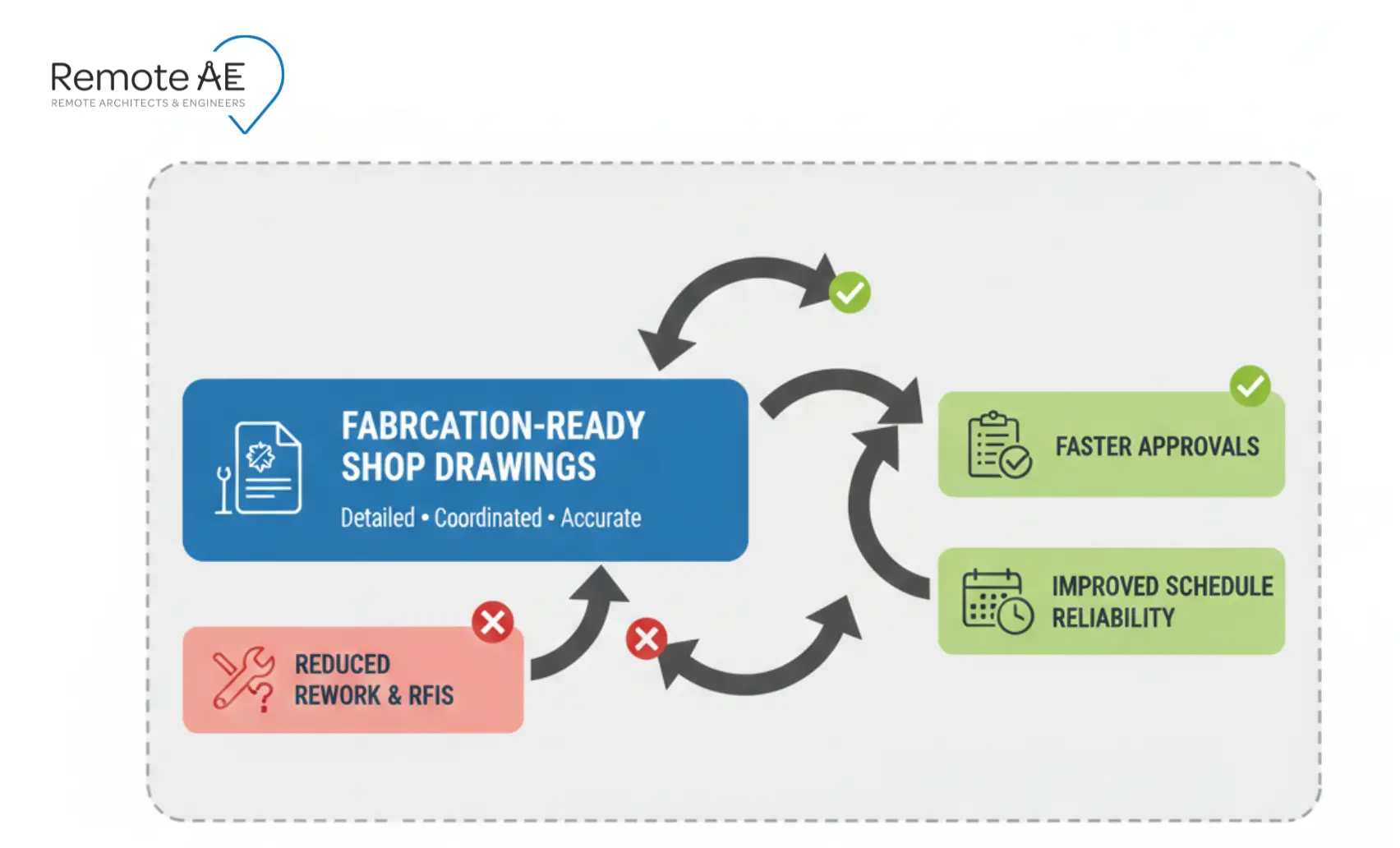
Fabrication-ready shop drawings reduce uncertainty. That means fewer rework loops, fewer RFIs, and faster approvals.
Globally, an average of 52% of rework was caused by poor project data and communication, representing $280B in 2018 (FMI + PlanGrid, 2018).
Reduce Errors and Rework
Fabrication-ready shop drawings reduce errors before materials reach the site.
They ensure:
- Accurate dimensions and tolerances
- Clear connection details
- Alignment with other trades
When teams rely on incomplete drawings, clashes appear during installation. This leads to rework, cost overruns, and schedule delays.
Using coordinated models and clash detection in tools like Navisworks helps identify conflicts early.
Improve Coordination Across Teams
A project involves multiple stakeholders, architects, engineers, contractors, and fabricators. Each discipline produces its own drawings.
Without coordination, conflicts emerge between:
- Structural framing and MEP routing
- Electrical pathways and architectural finishes
- Fire protection systems and ceiling layouts
Fabrication drawing services confirm that all disciplines align within a shared coordination model.
This is where BIM workflows and IFC export formats become essential. They allow different systems to communicate and integrate.
Support Faster Project Execution
Delays often come from incomplete or unclear shop drawings.
Common causes include:
- Missing information
- Inconsistent dimensions
- Unresolved RFIs
Fabrication-ready drawings reduce these issues.
- Fewer RFIs are generated
- Submittals move faster through review
- Fabrication starts earlier
Ensure Compliance with Codes and Standards
Shop drawings must comply with both design documents and industry standards.
Examples include:
- AISC for structural steel
- ACI for concrete
- SMACNA for HVAC systems
- NFPA 13 for fire protection
Failure to meet these standards leads to rejected submittals and costly revisions. Accurate shop drawing outsourcing ensures compliance before submission, not after rejection.
What “fabrication-ready” looks like
“Fabrication-ready” means a shop can build from it without guessing, and a field crew can install from it without improvising.
Fabrication-ready checklist
A fabrication-ready shop drawing includes all information needed for manufacturing and installation.
A universal checklist that holds up across trades:
- Dimensions shown at the right scale
- Tolerances and critical fits are called out
- Materials and grades specified
- Fasteners and connections specified
- Tags/piece marks or equipment IDs included
- Revision clouds and revision dates included
- BOM / schedules where required
- Install notes and field-verify notes where needed
Trade-by-trade deliverables
Each trade has specific requirements for fabrication-ready output.
- Structural steel detailing: Includes shop detail drawings, erection drawing packages, weld symbols, and connection details.
- Rebar detailing/placing drawing: Includes bar marks, bend shapes, schedules, and placement instructions.
- MEP shop drawing services: Include spool drawings, hanger details, routing layouts, and coordination views.
- Fire protection drawings: Follow NFPA 13 requirements and include pipe sizing, sprinkler layouts, and system calculations.
- Millwork and specialty trades: Require CNC-ready dimensions and tight tolerances to avoid fabrication errors.
Each of these must align with project standards and coordination models.
Level of Detail (LOD 300 to LOD 500)
Level of Detail (LOD) defines how much information a model or drawing contains.
- LOD 300 – Design intent
- LOD 400 – Fabrication-ready details
- LOD 500 – As-built condition
Fabrication drawing services typically work at LOD 400. This level ensures that drawings include all necessary fabrication and installation information.
Integration with BIM Models
Modern shop drawing workflows rely on BIM integration.
Using Revit, Tekla Structures, and Navisworks, teams create coordinated models that support:
- Clash detection
- Coordination reviews
- IFC exports for interoperability
This process ensures that shop drawings align with the broader project model. It reduces conflicts before fabrication begins.
Why Companies Choose to Outsource Shop Drawing Services
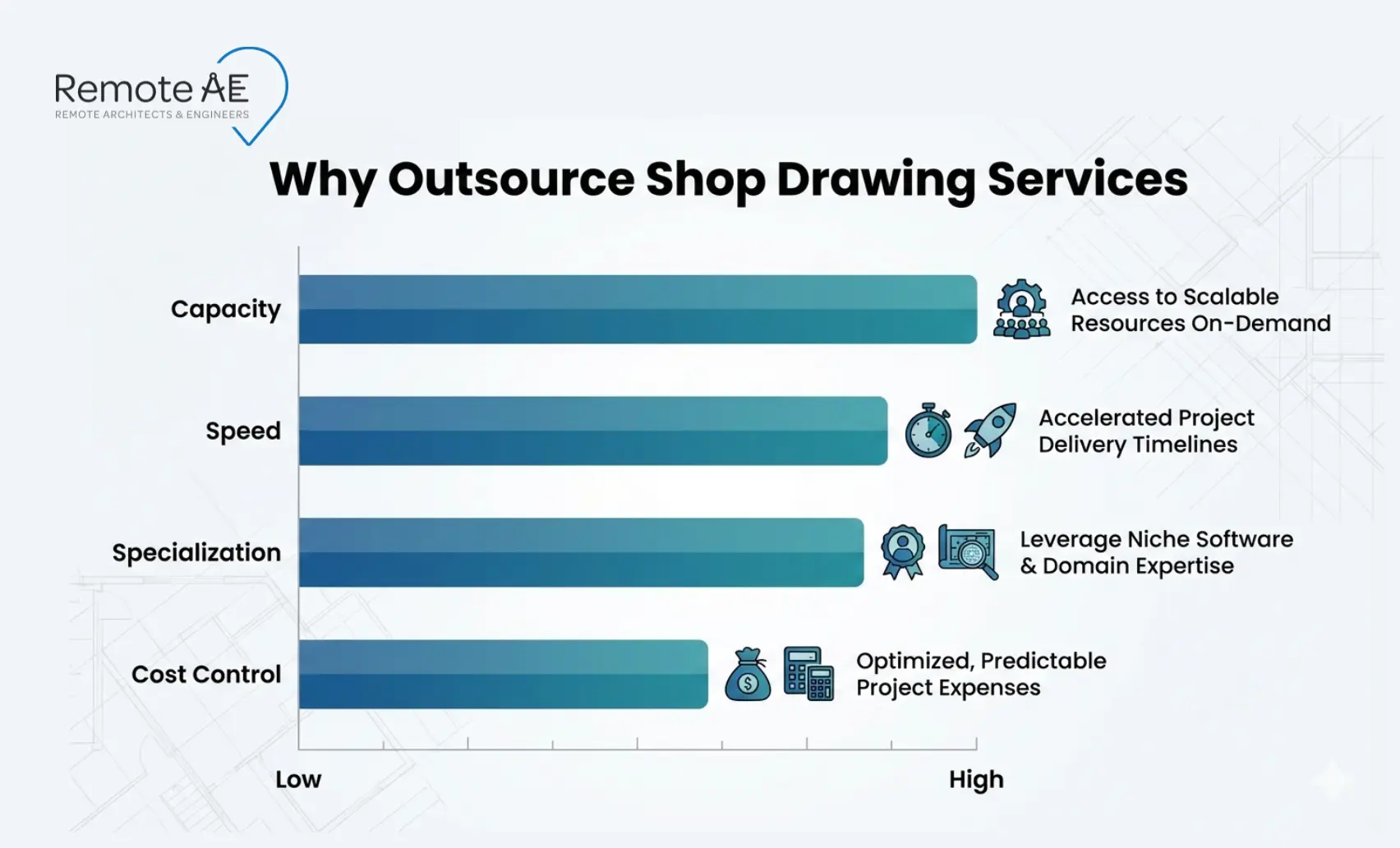
Most firms outsource shop drawing services for capacity and specialization. The goal is simple: keep deadlines without lowering standards.
Access to Skilled AEC Professionals
Many contractors and fabricators struggle to find experienced detailers for complex projects. Shop drawing outsourcing gives access to trained professionals who already understand fabrication workflows, codes, and coordination requirements.
These teams typically include:
- Detailers experienced in steel detailing outsourcing
- MEP specialists for MEP shop drawing services
- BIM/VDC coordinators familiar with coordination models
- Engineers who understand standards like AISC, ACI, SMACNA, and NFPA 13
Cost Efficiency Without Compromising Quality
Maintaining an in-house detailing team involves ongoing costs, even when the workload drops.
These costs include:
- Salaries and benefits
- Software licenses (AutoCAD, Revit, Tekla Structures)
- Training and onboarding
- Management overhead
Shop drawing outsourcing shifts this to a flexible model. You pay for production when needed, not for idle capacity.
At the same time, quality improves because experienced detailers follow structured workflows, including revision logs, transmittals, and QA processes.
Faster Turnaround Times
Project schedules rarely allow for delays in shop drawings. Outsourcing helps maintain speed by using dedicated teams that work across time zones. This allows:
- Overnight updates based on redlines
- Faster RFI resolution cycles
- Continuous progress without waiting for office hours
Scalability for Large Projects
Large projects often create sudden spikes in detailing demand.
In-house teams struggle to handle:
- Multiple submittals at the same time
- Complex coordination across trades
- Tight deadlines for fabrication
Outsourced teams can scale quickly to handle peak workloads. This flexibility allows contractors to maintain momentum without hiring delays or overloading existing staff.
Benefits of Outsourcing to Remote AE
Remote AE supports shop drawing outsourcing with AEC-focused staffing and controlled workflows.
15+ Years of AEC Staffing Experience
Remote AE brings over 15 years of experience in AEC production support. The team understands how contractors, subcontractors, and fabricators work. This verifies that deliverables align with real construction workflows, not just drafting standards.
- Industry-Specific Expertise
- Guaranteed Quality & Reliability
- No Long-Term Commitment
- From 499$/week
- No upfront costs: Consult without any initial financial commitment.
- Risk-free replacement: Up to two assistant replacements within the first year.
Dedicated Virtual Assistants for AEC
Remote AE provides dedicated virtual assistants who focus on AEC workflows.
These include:
- Construction VAs for shop drawing coordination
- Architectural assistants for detailing
- Engineering support for technical drawings
Each assistant has real industry experience and understands submittals, RFIs, and revision cycles.
Flexible Staffing Models
Every project has different needs.
Remote AE offers flexible engagement options:
- Full-time support for ongoing projects
- Part-time support for specific scopes
- Project-based support for peak workloads
Quality Control and Industry Standards
Quality is built into the process.
Remote AE follows structured workflows that include:
- Redline tracking
- Revision logs
- Submittal packaging
- QA checks before delivery
Drawings are aligned with standards such as AISC, ACI, SMACNA, and NFPA 13.
How to Vet a Shop Drawing Partner (or Remote Hire)
The goal is predictable output under your standards, not “pretty drawings.”
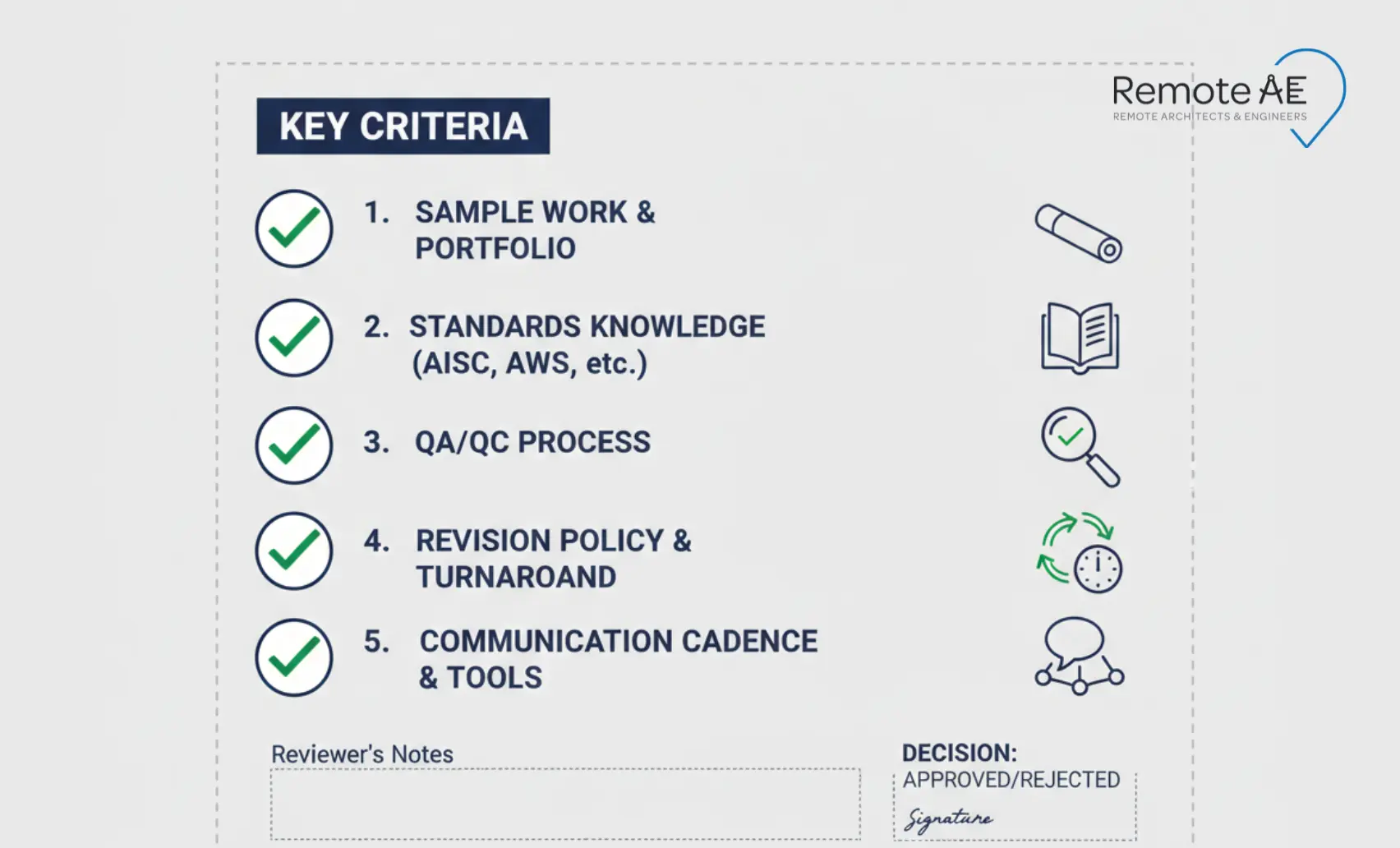
Evaluation Checklist
Choosing the right partner is critical for success.
Evaluate based on:
- Sample shop drawings and fabrication drawings
- Knowledge of industry standards (AISC, ACI, SMACNA, NFPA 13)
- Revision management process
- QA/QC workflows
- Communication and reporting cadence
Security + IP
Shop drawings often involve sensitive project information.
Ensure your partner follows:
- NDAs for confidentiality
- Access controls for file security
- Secure file transfer processes
- Version tracking and audit trails
Add Fabrication-Ready Capacity Without Hiring Delays!
You do not need more overhead to keep up with demand. You need reliable production support that understands construction workflows.
Remote AE helps you:
- Outsource shop drawing services with experienced AEC professionals
- Deliver fabrication drawing services aligned with industry standards
- Scale your team during peak workloads
- Reduce RFIs, rework, and coordination delays
Schedule a call with Remote AE for a fast scope review and a clear weekly quote.
FAQs – Outsource Shop Drawing Services
What is included in a shop drawing package?
A shop drawing package typically includes detailed fabrication drawings, dimensions, materials, connection details, tolerances, finishes, and reference notes tied to the contract documents. It may also include product data, calculations (if required), and a transmittal sheet identifying revision numbers and related spec sections.
Who is responsible for shop drawings, the contractor or the engineer?
The contractor or subcontractor is responsible for preparing and submitting shop drawings. The engineer or architect of record reviews them for design intent only—not for fabrication means and methods. Final fabrication accuracy remains the contractor’s responsibility under most standard contracts.
How long do shop drawings take from kickoff to submittal?
Timelines vary by trade and complexity. Simple components may take 1–2 weeks, while structural steel, curtain wall, or MEP systems may require 3–6+ weeks, including internal coordination. Lead times depend on drawing clarity, revision cycles, and review turnaround.
What files should I provide to start outsourced shop drawings?
Provide the latest contract drawings, specs, structural calculations (if applicable), BIM models or CAD files, and any addenda. Include scope boundaries, tolerances, and reference details. Clear existing conditions and revision logs help reduce rework and resubmittals.
What software is typically used for shop drawings (AutoCAD, Revit, Tekla)?
Common tools include AutoCAD for 2D detailing, Revit for BIM-based coordination, and Tekla Structures for steel detailing and fabrication-level modeling. The choice depends on trade, required level of detail, and whether the project is model-driven or drawing-based.