

PlanGrid and FMI estimated that poor project data and miscommunication accounted for more than $31.3B in U.S. rework, much of it tied to miscommunication, outdated drawings, and poor document control on-site. Choosing the right field management app directly reduces that exposure. This article compares PlanGrid, Procore, and Fieldwire across the workflows that matter most, drawing management, RFIs, submittals, punch lists, daily logs, and mobile performance. Also, maps each platform to the firm types and roles where it genuinely delivers. If you’re migrating off PlanGrid, scaling a general contractor operation, or equipping a specialty contractor crew, this comparison gives you a clear answer.
Quick Answer: Which App Fits Which Team?
Skip the feature lists if you’re already close to a decision. Here’s the short version.
- Procore: Best for large general contractors running complex, multi-stakeholder commercial projects. It covers the full project lifecycle, from RFIs and submittals to budgeting and scheduling, in one platform.
- Fieldwire: Best for specialty contractors and field crews who need fast adoption, task management, and punch list tools without a steep learning curve or enterprise price tag.
- Autodesk Build / Autodesk Construction Cloud: Best for teams searching for PlanGrid. Autodesk retired PlanGrid as a standalone product and migrated its capabilities into Autodesk Build, the current offering within the Autodesk Construction Cloud suite.
If someone on your team is still searching for “PlanGrid,” they need to know: the product they remember no longer exists as a standalone app. Autodesk Build is where those workflows now live.
Why Choosing the Right Field App Matters
The wrong field app doesn’t just slow teams down. It creates compounding problems that show up in your schedule, your budget, and your subcontractor relationships.
Poor communication on-site drives rework. Rework on U.S. construction projects accounts for 5–12% of total project cost on average. A figure that climbs when drawing management and version control break down in the field.
A superintendent working from an outdated drawing set, because the mobile app didn’t sync overnight, creates conflicts that take days to resolve. A project manager who can’t close RFIs from the field delays design decisions that hold up entire work packages.
The right field app also determines how effectively remote teams and virtual construction assistants can support field operations. When document control, daily logs, and punch list data live in a well-structured platform, a remote assistant can manage updates, track issues, and generate reports without requiring constant on-site presence.
At a Glance Comparison Table
Use this table as your starting framework.
| Factor | PlanGrid (Autodesk Build) | Procore | Fieldwire |
| Pricing Model | Subscription via ACC suite | Annual, unlimited users | Public tiered pricing |
| Starting Cost | Part of ACC bundle | Custom quote (typically $375–$700+/mo) | Free tier; paid from ~$54/mo |
| Core Strength | Drawing management, markups | End-to-end project management | Task management, field execution |
| Ease of Use | Moderate | Moderate to steep | High |
| Mobile App | Strong | Strong | Very Strong |
| Best Use Case | Document-heavy site teams | Large GC enterprise workflows | Field crew task and punch management |
| Target User | Project managers, document control | General contractors, enterprise firms | Specialty contractors, superintendents |
| RFIs & Submittals | Yes (via Autodesk Build) | Yes — full workflow | Limited |
| Offline Access | Yes | Yes | Yes |
What is PlanGrid?
PlanGrid launched in 2011 as a blueprint management app built specifically for the field. It became the go-to tool for superintendents and project managers who needed fast, reliable access to current drawings on a tablet or mobile device, without hauling paper sets around a job site.
Autodesk acquired PlanGrid in 2018 and has since migrated its core capabilities into Autodesk Build, the field and project management module within Autodesk Construction Cloud. As of 2023, PlanGrid is no longer sold as a standalone product. Teams still referencing it by name are effectively evaluating Autodesk Build.
Core Features
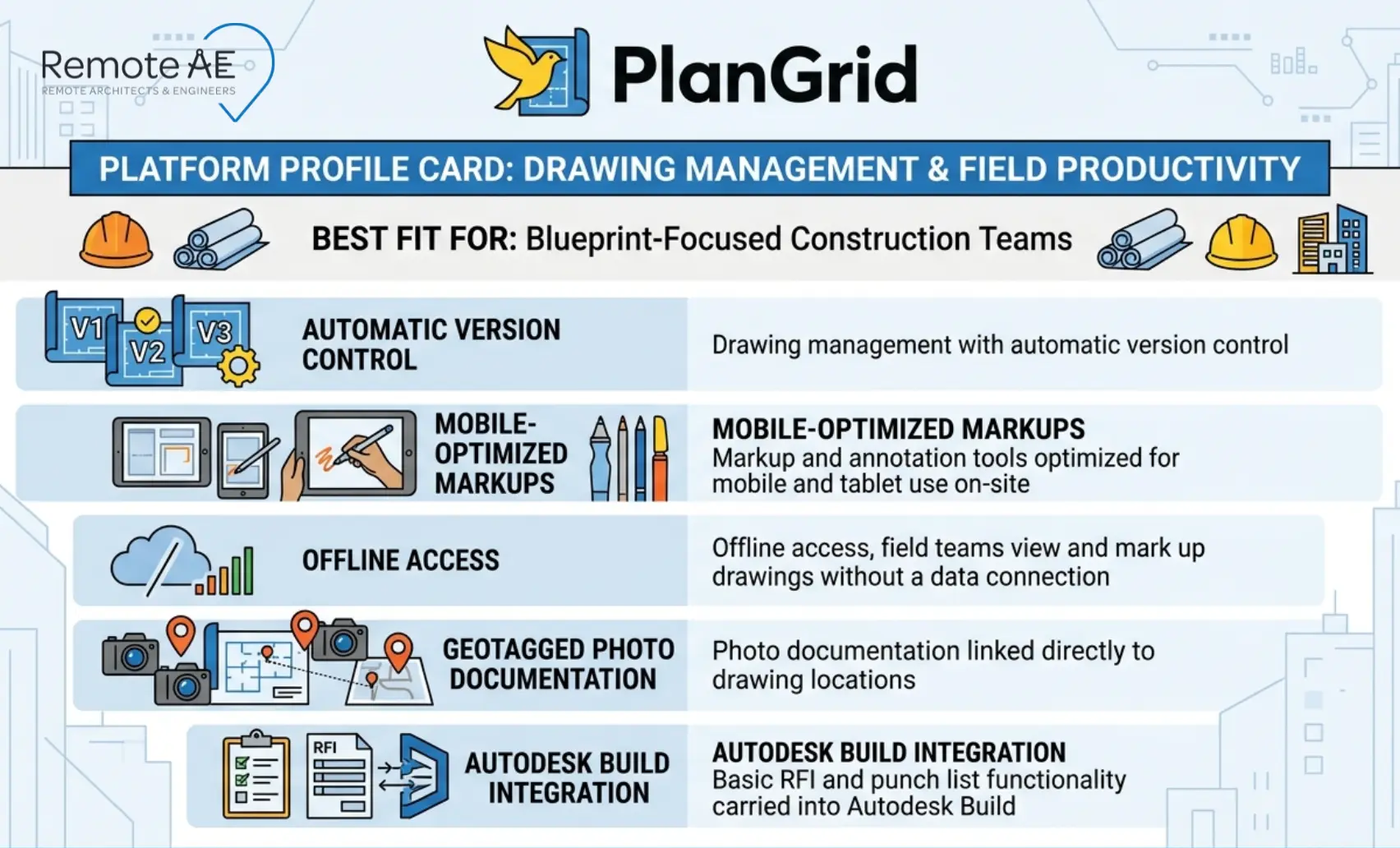
- Drawing management with automatic version control, new sheet revisions are pushed to all users instantly
- Markup and annotation tools optimized for mobile and tablet use on-site
- Offline access, field teams view and mark up drawings without a data connection
- Photo documentation linked directly to drawing locations
- Basic RFI and punch list functionality carried into Autodesk Build
Pros
- Simple, clean interface that field crews adopt without formal training
- Industry-leading blueprint handling is still the benchmark for drawing management on mobile
- Reliable offline performance in low-connectivity job site environments
Cons
- Limited project management depth, budgeting, scheduling, and advanced document control require the broader Autodesk Construction Cloud suite
- Innovation pace slowed post-acquisition as Autodesk shifted focus to Autodesk Build
- Teams migrating from legacy PlanGrid to Autodesk Build face a transition cost in retraining and workflow reconfiguration
Best Fit
Teams whose primary need is drawing access, version control, and field markups, without requiring a full project management platform. Autodesk-heavy firms already working within Autodesk Construction Cloud get the most value, since Autodesk Build extends PlanGrid’s drawing tools into a broader workflow suite.
What is Procore?
Procore is the dominant construction management platform in the enterprise segment. It covers the full project lifecycle, from preconstruction through closeout, in a single connected environment. For large general contractors managing complex multi-stakeholder projects, it is the most comprehensive option available in this comparison.
Founded in 2002 and publicly listed since 2021, Procore serves over 16,000 customers globally and processes more than $1 trillion in construction volume annually.
Core Features
- End-to-end construction management covering preconstruction, project execution, and financial management
- Full RFIs and submittals workflow with configurable routing and approval chains
- Budgeting, cost forecasting, and change order management
- Scheduling tools with integration to Microsoft Project and Primavera P6
- Drawing management and document control with version history
- Strong third-party integrations, accounting, ERP, BIM tools, and more
- Daily logs, punch list, and inspection tools for field teams
Pros
- All-in-one solution, project managers, superintendents, owners, and subcontractors work in one platform
- Scales for large, complex commercial and infrastructure projects without workflow fragmentation
- Reporting and analytics depth give project managers and executives real-time cost and schedule visibility
- Unlimited user pricing model removes per-seat friction on large project teams
Cons
- Pricing is opaque and typically high; enterprise contracts commonly run $30,000–$100,000+ annually, depending on construction volume.
- Steeper learning curve than Fieldwire or legacy PlanGrid, full adoption typically requires dedicated admin support and structured onboarding
- Feature depth can overwhelm smaller teams that only need field execution tools
Best Fit
Large general contractors and enterprise-level firms running multi-phase commercial, infrastructure, or healthcare projects where RFIs, submittals, document control, budgeting, and field execution must reside in a single connected system.
What is Fieldwire?
Fieldwire is a field-first construction management app built around task management, plan viewing, and punch list execution. Hilti acquired Fieldwire in 2021, bringing enterprise-level support infrastructure to a product already known for fast deployment and ease of use.
Where Procore serves the project manager’s office, Fieldwire serves the superintendent’s trailer. Its design prioritizes speed and simplicity, tools a field crew can pick up and use on day one without IT support or formal training programs.
Core Features
- Task management with assignee tracking, due dates, and completion status, built for daily field coordination
- Plan viewing and markup tools optimized for iOS and Android mobile app performance
- Punch list and inspection workflows with photo documentation and sign-off tracking
- Daily logs for field reporting
- Basic drawing management with version control
- Form builder for site safety and quality inspections
Pros
- Fastest onboarding in this comparison, field crews are productive within hours, not days
- Clean, intuitive mobile app that performs reliably on job sites with poor connectivity
- Transparent public pricing, no sales call required to understand what you’ll pay
- Affordable entry point makes it accessible for specialty contractors and smaller project teams
Cons
- Limited advanced project management features,, no native budgeting, cost management, or contract tools
- RFI and submittal workflows are basic compared to Procore, not suited for complex multi-party approval chains
- Not designed for enterprise-scale document control or multi-project portfolio management
Best Fit
Specialty contractors, subcontractors, and small to mid-sized construction teams who need fast field adoption, reliable task management, and punch list tools without the cost or complexity of an enterprise platform. Superintendents running active job sites get the clearest day-one value from Fieldwire.
PlanGrid vs Procore vs Fieldwire: Side-by-Side by Workflow
Features listed in isolation don’t tell you much. What matters is how each platform performs on the specific workflows your team runs every day. Here’s the honest breakdown.
Drawing and Document Management
Drawing management is where PlanGrid built its reputation, and where Autodesk Build now carries that legacy forward.
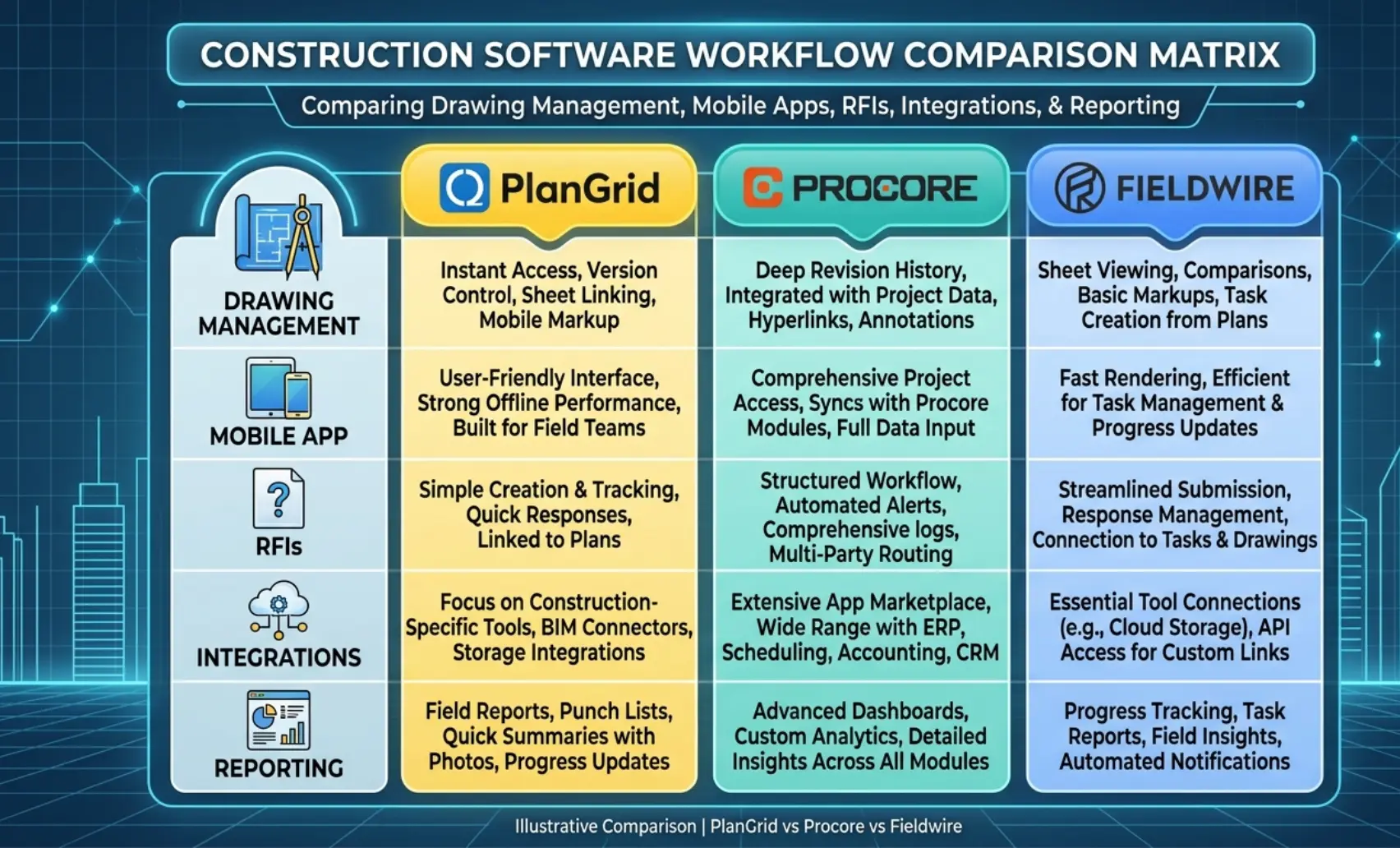
- Autodesk Build / PlanGrid: Still the strongest pure drawing management experience in this comparison. Version control is automatic, sheet revisions push instantly to all users, and the mobile app handles large drawing sets without performance issues. Document control for teams within Autodesk Construction Cloud is comprehensive.
- Procore: Drawing management is solid and integrates directly with RFIs, submittals, and document control workflows. Version history is reliable. Where Procore leads is in connecting drawing changes to cost and schedule impact, something neither PlanGrid nor Fieldwire does natively.
- Fieldwire: Plan viewing and markup tools are well-executed for field use. Version control works for straightforward projects. It is not built for complex document control requirements; teams managing large drawing registers across multiple disciplines will hit its limits quickly.
Winner for drawing management: Autodesk Build for pure field drawing access. Procore for document control is connected to broader project workflows.
Task and Field Collaboration
This is Fieldwire’s home ground.
- Fieldwire: Task creation, assignment, tracking, and completion flow naturally on the mobile app. A superintendent can assign a punch list item to a subcontractor, attach a photo, set a due date, and track resolution, all from the field in under two minutes.
- Procore: Task and field collaboration tools are capable but secondary to its project management depth. Daily logs, punch lists, and inspections work well, but the interface feels more office-oriented than field-first.
- Autodesk Build: Field collaboration has improved significantly over legacy PlanGrid. Issues, RFIs, and daily logs connect across the Autodesk Construction Cloud suite. For teams already in the ACC ecosystem, the integration is seamless.
Winner for field collaboration: Fieldwire for speed and simplicity. Procore for accountability tracking across large multi-party teams.
Project Management Capabilities
Only one platform in this comparison covers the full project management stack.
- Procore: RFIs, submittals, scheduling, budgeting, change orders, and contract management in one environment. For a project manager running a large commercial project, nothing in this comparison comes close.
- Autodesk Build: RFIs and submittals are strong within Autodesk Construction Cloud. Cost management requires additional ACC modules. For teams already in the Autodesk ecosystem, the suite approach works well, but it requires investment beyond a single app.
- Fieldwire: Project management beyond task tracking and punch lists requires integration with other tools. It is not a standalone project management solution for complex projects.
Winner for project management: Procore, no close second.
Mobile Experience – iOS and Android
All three platforms have capable mobile apps. The differences show up under real job site conditions.
- Fieldwire: Best mobile experience in this comparison. Fast load times, intuitive navigation, and reliable offline access make it the field crew’s choice. The mobile app is the product, not a companion to a desktop platform.
- Autodesk Build: Strong mobile performance. Drawing access and markup tools on iOS and Android are reliable. Offline functionality works well for drawing-heavy workflows.
- Procore: Mobile app covers the full platform feature set, which is both its strength and its complexity challenge. Superintendents who only need field tools navigate more than they need. That said, daily logs and punch list tools work cleanly on mobile.
Winner for mobile experience: Fieldwire. Autodesk Build second for drawing-focused field use.
Reporting and Analytics
- Procore: The strongest reporting suite in this comparison. Custom dashboards, cost analytics, productivity reports, and portfolio-level visibility give project managers and executives real-time decision-making data.
- Autodesk Build: Reporting has improved within Autodesk Construction Cloud. For drawing management and RFI tracking, reporting is solid. Financial analytics require additional ACC modules.
- Fieldwire: Basic reporting covers task completion rates, punch list progress, and inspection summaries. Sufficient for field team management, not designed for executive-level portfolio reporting.
Winner for reporting: Procore for project managers and executives. Fieldwire for fast field-level progress snapshots.
Pricing and Rollout Reality
Feature comparisons matter, but so does what it actually costs to deploy and run each platform at your firm’s scale.
Procore: Annual Pricing, Unlimited Users, Heavier Setup
Procore prices by annual construction volume, not by user seat. That unlimited-user model benefits large teams where per-seat licensing would otherwise inflate costs significantly.
- Entry-level contracts typically start around $375–$700/month for smaller firms
- Mid-market and enterprise contracts range from $30,000 to $100,000+ annually, depending on construction volume and modules activated
- Implementation typically requires dedicated admin time; plan for four to eight weeks of structured onboarding for a full deployment (G2 Procore reviews)
The rollout investment is real. Firms that underinvest in Procore onboarding consistently underutilize the platform, paying enterprise pricing for field-app-level adoption.
Fieldwire: Public Pricing, Faster Rollout, Easier to Test
Fieldwire publishes its pricing openly, a meaningful differentiator in a market where most platforms require a sales conversation before revealing costs.
- Free tier: Up to five users, basic plan viewing, and task management
- Pro tier: Approximately $39/user/month, adds unlimited plans, RFI tools, and reporting
- Business tier: Approximately $64/user/month, adds custom forms, time-based permissions, and priority support (Fieldwire pricing)
PlanGrid / Autodesk Build: Transition Costs and Suite-Fit Questions
Teams migrating from legacy PlanGrid to Autodesk Build face two honest questions before committing.
First, do you need Autodesk Build standalone or the full Autodesk Construction Cloud suite? Autodesk Build delivers its strongest value when connected to Autodesk Docs, BIM 360, and other ACC modules. Standalone, it competes well on drawing management, but loses ground to Procore on project management depth and to Fieldwire on field simplicity.
Second, what are your transition costs? Migrating drawing sets, reformatting projects, and retraining teams from PlanGrid’s legacy interface to Autodesk Build’s current environment takes time and internal resources. Budget for it explicitly; it is not a one-click migration.
How Remote Teams Can Maximize These Tools
The right field app creates structure. A virtual construction assistant fills that structure with consistent, accurate data every day, across every active project.
Role of Virtual Construction Assistants
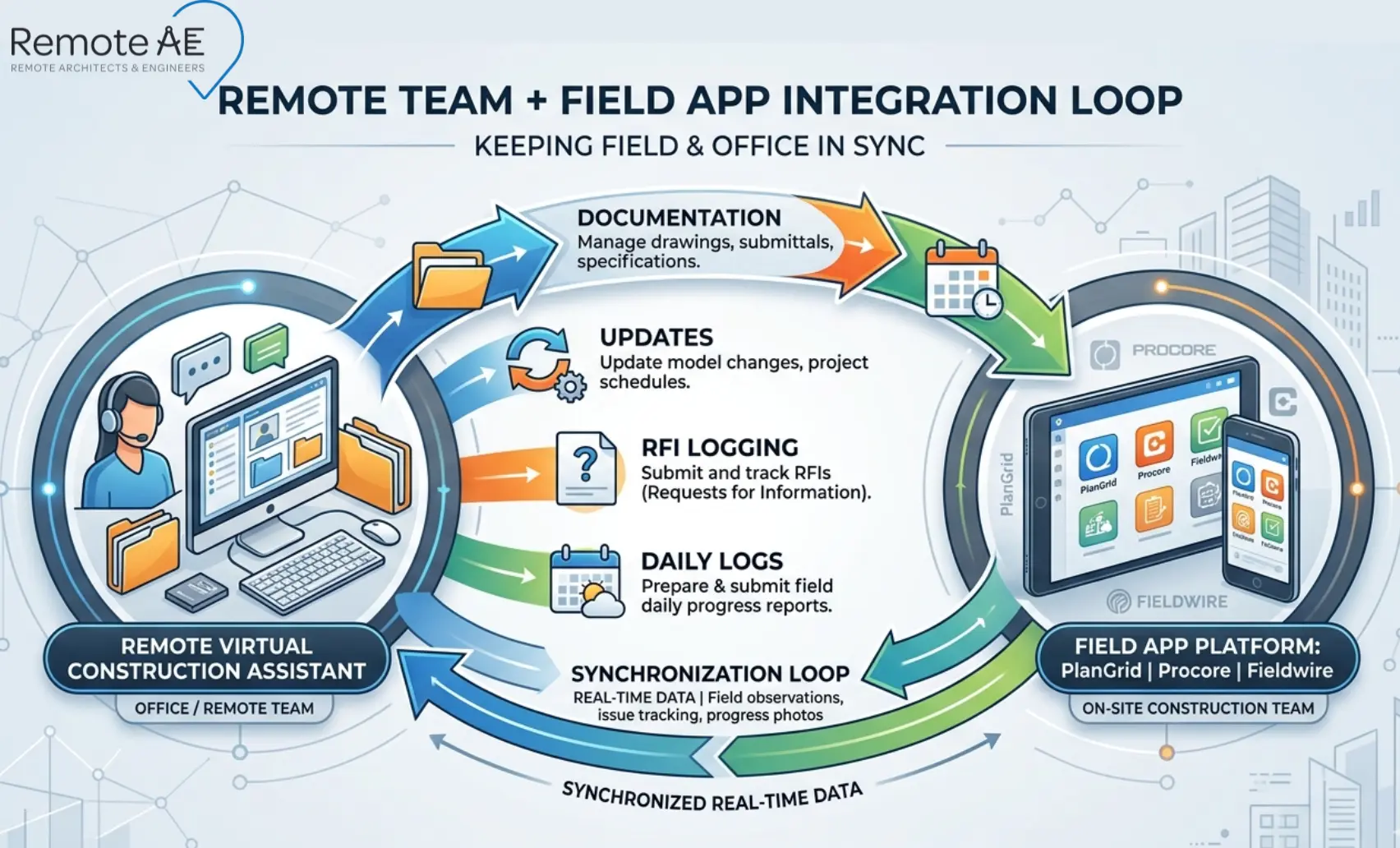
A virtual construction assistant operating inside Procore, Fieldwire, or Autodesk Build handles the administrative workload that currently consumes your project manager’s and superintendent’s time.
- Logging and tracking RFIs through full resolution cycles
- Processing and routing submittals according to your approval workflow
- Updating daily logs from field reports and superintendent inputs
- Managing punch list items, creating, assigning, tracking, and closing
- Maintaining drawing registers and version control logs in document control
- Generating weekly status reports from platform data for project managers and owners
Delegating Documentation and Updates
The delegation model is straightforward. Your superintendent calls the issues. Your project manager makes the decisions. Your virtual construction assistant handles the documentation, data entry, and tracking that connect field activity to project records.
Keeping Field and Office in Sync
The most common breakdown in construction project communication is the gap between what happens in the field and what gets recorded in the project management platform. A virtual construction assistant closes that gap, processing field inputs, updating platform records, and flagging unresolved issues before they compound into schedule problems.
How Remote AE Helps
Remote AE has been providing virtual construction assistants customized particularly for the AEC industry for more than 15 years. Every assistant arrives trained in the platforms your projects run on, Procore, Fieldwire, Autodesk Build, and Autodesk Construction Cloud, and integrates into your workflows without a lengthy onboarding program.
- Industry-specific expertise – no time spent explaining RFI workflows or submittal registers
- Guaranteed quality and reliability – deliverables meet your standards or get resolved immediately
- No long-term commitment – engage on a project basis or as an ongoing resource
- Staffing from $499/week – accessible for general contractors and specialty contractors at every scale
- No upfront costs – consult with the Remote AE team without any initial financial burden. There is no cost or obligation until the contractual phase begins
- Risk-free replacement – in the first year, Remote AE offers risk-free replacements for up to two virtual assistants if a placement does not meet your standards
The Right Platform Works Better With the Right Support!
Procore, Fieldwire, and Autodesk Build are only as effective as the team managing them. If your RFI log is backlogged, your daily logs are incomplete, and your punch list is growing faster than it closes, the platform isn’t the problem. Capacity is.
Remote AE places pre-vetted virtual construction assistants who are trained in Procore, Fieldwire, Autodesk Build, and Autodesk Construction Cloud, ready to own your document control, RFI tracking, submittals, daily logs, and punch list management from day one.
Stop letting administrative backlog slow your field operations.
Book a Free Consultation with Remote AE Today, no obligation, no pressure. Just a direct conversation about what your team needs right now.
FAQs – PlanGrid vs Procore vs Fieldwire
Is PlanGrid still available in 2026?
No. PlanGrid has been fully retired. Autodesk migrated its functionality to newer cloud platforms. Existing users were transitioned to Autodesk Construction Cloud tools, and PlanGrid is no longer sold or supported as a standalone product.
What replaced PlanGrid?
The closest replacement is Autodesk Build within Autodesk Construction Cloud. It combines drawings, RFIs, submittals, and field workflows in one system, essentially absorbing PlanGrid’s core features while adding broader project management capabilities.
Is Procore better than Fieldwire for field teams?
Procore is stronger for full project management—RFIs, submittals, cost tracking, and reporting. Fieldwire is simpler and faster for field crews doing daily tasks, punch lists, and markups. “Better” depends on whether you need depth (Procore) or simplicity (Fieldwire).
Which app is easier for superintendents to learn?
Most teams find Fieldwire easier. It has a lighter interface, faster onboarding, and focuses on task management and drawings. Procore and Autodesk Build are more powerful but require more setup and training before superintendents can use them efficiently.
Which tool makes more sense for a small contractor?
For small teams, Fieldwire is often the easiest starting point due to lower cost and simplicity. If you need more structure—RFIs, submittals, and growth-ready workflows—Autodesk Build or Procore becomes a better long-term choice.