

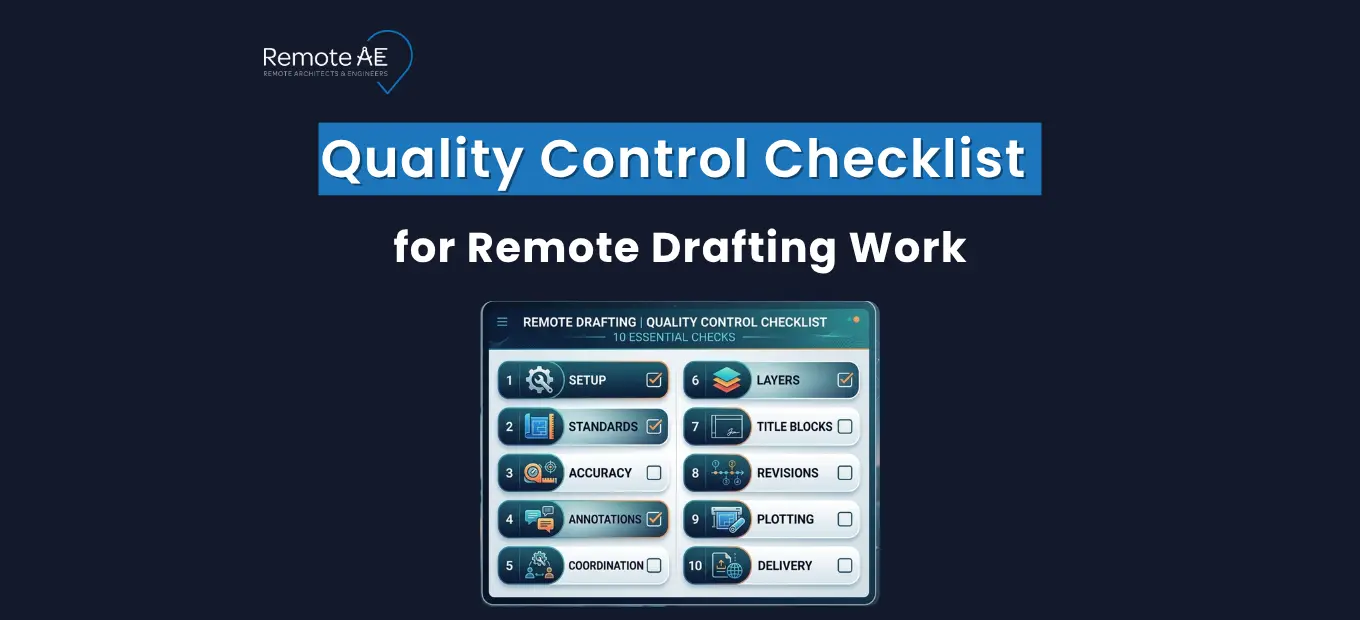
Remote drafting succeeds when teams treat quality as a system, not a last-minute inspection. Missed redlines/markups, wrong revision control, or a broken sheet index/cover sheet can trigger rework and delays.
This article gives a practical quality control checklist for remote drafting work you can run in CAD drafting and BIM, across Revit and AutoCAD, inside a Common Data Environment (CDE) like Autodesk Construction Cloud / BIM 360. You’ll see when QC should happen, what to check, and how to build repeatable review gates.
Why Quality Control Matters in Remote Drafting
Remote drafting introduces risk because the feedback loop is largely text-based and file-based. When a mistake slips, it spreads across models, sheets, and exports fast.
The hidden cost of missed redlines and rework
A missed markup is rarely “one small fix.” It can create downstream churn in architectural drawings and engineering drawings, plus extra coordination rounds. Poor data and communication are documented as a rework driver.
Example: A reviewer clouds a wall shift, but the drafter updates only the plan view. The wall tag, dimension string, and door schedule stay old. The next issue triggers RFIs and more review time.
Why remote AEC teams need a documented QC workflow
A documented workflow is what keeps output consistent across time zones and handoffs. This is where ISO 9001 thinking helps: it emphasizes defining and controlling processes with the right level of documented information.
Remote teams also benefit from ISO 19650 concepts around information management and controlled states in a Common Data Environment (CDE).
Example: If “WIP vs Published” isn’t clear in your CDE, remote drafters can pull the wrong base file and unknowingly draft on an outdated background.
QA vs QC in drafting: What is the difference?
- QA/QC in drafting is often used as one phrase, but the intent differs.
- QA is the process you set up to prevent defects (templates, standards, training).
- QC is the inspection you run to catch defects before issue (checks, reviews, sign-offs).
When Quality Control Should Happen in Remote Drafting
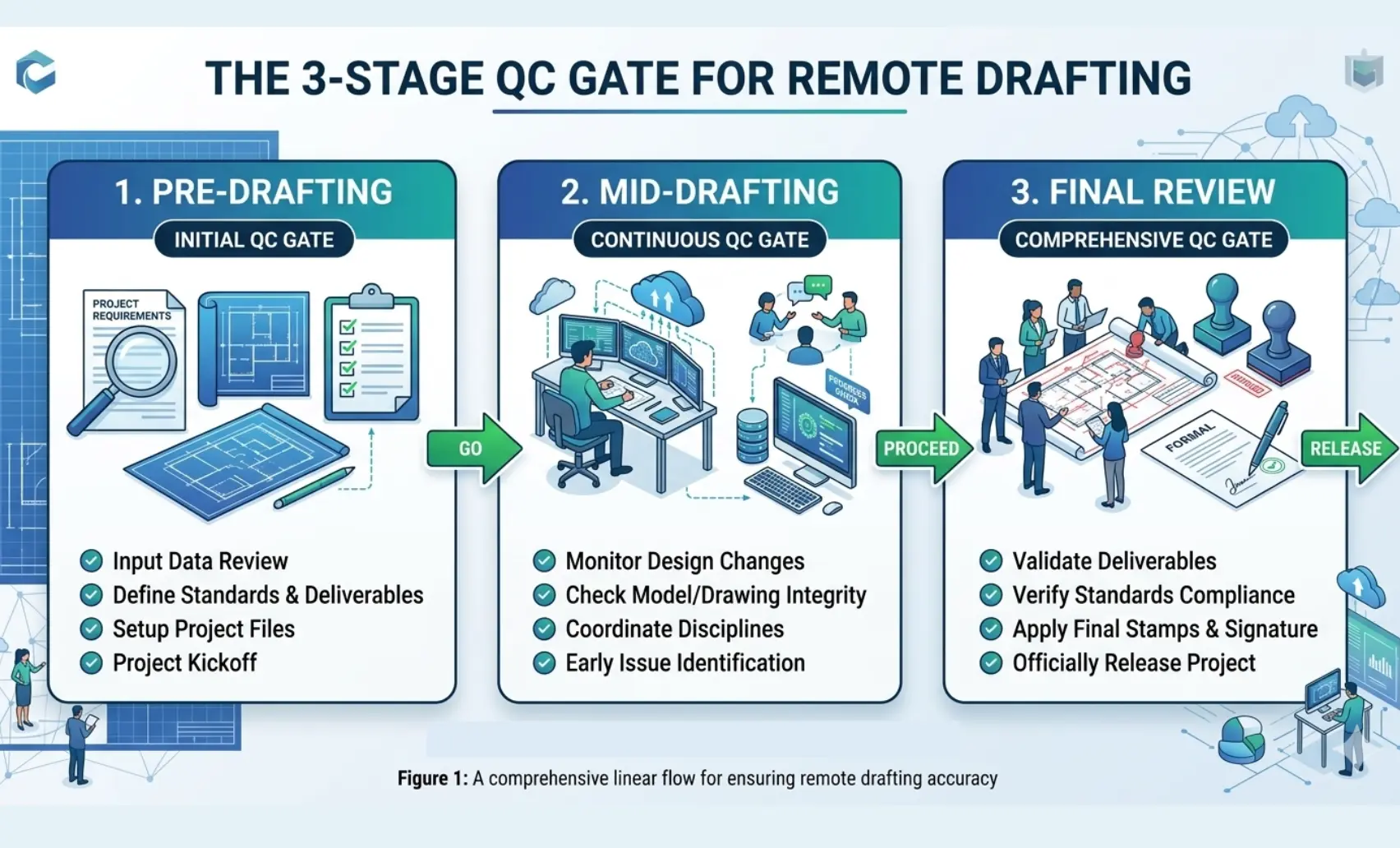
Run QC in stages. Don’t wait until the PDF is about to go out with a transmittal and an issue log entry.
Pre-Drafting Quality Review
Before drafting begins:
- confirm scope,
- verify reference drawings,
- confirm CAD standards (including layer standards, title blocks, and plotting)
Example: If you don’t confirm units and scale up front, a Revit model or AutoCAD file can be built on the wrong setup, and every dimension check becomes unreliable.
Mid-Drafting Internal Checks
During production:
- validate layer structure and visibility
- Verify critical dimensions and alignments,
- confirm alignment with design intent
- Verify xrefs / linked models are current and correctly pathed
Example: A remote drafter attaches an old xref. The plan looks fine locally, but the published set is wrong.
Final Drawing Review
Before submission:
- coordinate with consultants (models and sheets)
- Confirm annotation clarity and sheet completeness
- Verify revision control and publish state in the CDE
- Check the coordination/clash detection outcomes if the deliverable depends on model coordination
- Verify exports and package contents (PDF/DWG/RVT), including the sheet index
This stage becomes your drawing review checklist for remote drafters and sets up the full QA/QC checklist for CAD drafting.
The Complete Quality Control Checklist for Remote Drafting Work
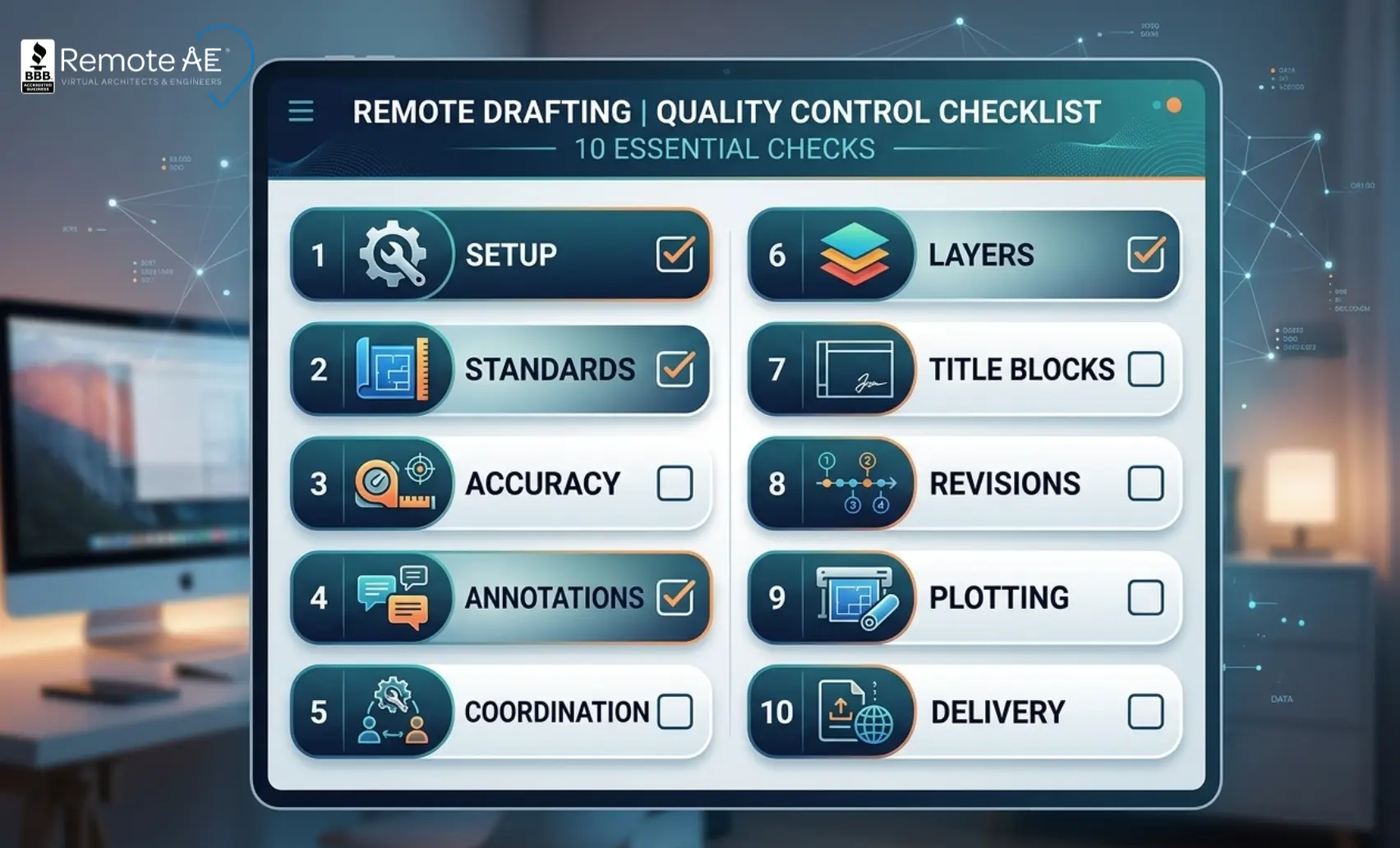
Here is the practical quality control checklist for remote drafting work you can run daily or at milestone gates. Treat it as your remote CAD quality assurance checklist for both AutoCAD and Revit deliverables in BIM and CAD.
1. Project Setup Verification
Ensure the project environment is correct.
Checklist items:
- correct CAD template
- correct units (imperial / metric)
- title block accuracy
- project number verification
- correct drawing scale
Example: Using the wrong unit system can distort dimensions.
2. CAD Standards Compliance
Confirm adherence to company drafting standards.
Checklist:
- layer naming conventions
- line weights
- font standards
- dimension style settings
- plotting configuration
This ensures drawings from different drafters look consistent.
3. Drawing Accuracy Checks
Verify technical accuracy.
Checklist:
- dimensions match design calculations
- correct elevations
- geometry alignment
- structural grid placement
- wall thickness verification
Concrete example: A wall thickness error changes usable corridor width and forces late coordination changes in both architectural drawings and engineering drawings.
4. Annotation and Labeling Review
Poor annotations are common in remote drafting.
Checklist:
- clear room labels
- correct section markers
- correct callouts
- legible notes
- consistent text height
Concrete example: A wrong detail reference sends the contractor to the wrong connection note and triggers RFIs.
5. Cross-Discipline Coordination
Critical for AEC projects.
Checklist:
- structural columns align with architectural plans
- HVAC ducts avoid structural beams
- electrical layouts coordinate with ceilings
- plumbing stacks align vertically
Concrete example: A duct passing through a beam becomes a late coordination change unless your coordination/clash detection step catches it early.
6. Layer Management and File Organization
Checklist:
- unused layers removed
- correct layer visibility
- standardized layer colors
- no duplicate layers
- clean file structure
This improves file usability for the entire team.
Concrete example: Duplicate layers with similar names cause plotting mistakes and make future edits slower.
7. Title Blocks and Sheet Details
Checklist:
- correct project name
- drawing number accuracy
- revision block updated
- Consultant details included
- sheet index updated
Concrete example: A sheet index mismatch breaks deliverable packaging and increases review time for PMs and clients.
8. Revision Tracking
Revision mistakes cause confusion.
Checklist:
- Revision clouds added
- revision notes included
- revision numbers updated
- previous revisions archived
Concrete example: If a revision cloud is missing, reviewers can’t confirm what changed, which increases back-and-forth.
9. Plot and Print Verification
Checklist:
- correct paper size
- scale verified
- line weight visibility
- PDF output quality
- sheet orientation
Example: A wrong plotting scale can invalidate permit drawings.
10. Final File Delivery Check
Checklist:
- correct file format (DWG / RVT / PDF)
- naming conventions followed
- Files zipped properly
- linked files included
- version control applied
This is where xrefs / linked models must be included and paths validated.
How to Build a Remote QA/QC Workflow Around the Checklist
A checklist works only when it is part of a workflow with clear gates and owners. This is the simplest BIM drafting QA/QC process that scales.
Self-check, peer check, lead review, final issue
A repeatable gate model:
- Self-check: drafter runs the checklist on their own work
- Peer check: another drafter spot-checks critical items
- Lead review: discipline lead verifies intent, coordination, and risk items
- Final issue: PM/lead approves the package for publication
Using Bluebeam, ACC/BIM 360, and markups to track comments
A clean remote workflow uses:
- Bluebeam for redlines/markups and consolidated review notes
- Autodesk Construction Cloud / BIM 360 as the Common Data Environment (CDE) for storage, controlled states, and distribution
- a structured issue log to track open items with owners and due dates
How often to run the checklist: daily, milestone, pre-client issue
Use three frequencies:
- Daily: small self-check on active sheets/models
- Milestone: peer + lead checks before SD/DD/CD gates
- Pre-client issue: full checklist + package verification before transmittal
Daily checks prevent “standards drift.” Pre-client checks prevent wrong-version issue packages.
Best Practices for Managing Remote Drafters Without Losing Quality
Remote drafting quality holds when teams remove ambiguity. Your drafters should never guess what “done” means, where files live, or how to apply standards.
Create a one-page drafting standard and “definition of done.”
This is the fastest way to reduce repeat mistakes. Keep it short and enforceable:
- title block rules
- layer standards basics
- revision control expectations
- plotting defaults
- required checklist items before “Ready for review.”
Tie it to your remote drafting quality control checklist, so drafters know what to check every time.
Concrete example: “Done” means: correct title block, correct sheet index, revision clouds added, xrefs resolved, PDF export verified, and issue log updated.
Use sample sheets and recorded walkthroughs
Remote teams learn faster when they can copy a known-good output.
- Provide one “golden” sheet for architectural drawings and one for engineering drawings.
- Record a short walkthrough showing naming, publishing, and export steps.
A 5-minute recorded walkthrough showing how to publish to the Shared folder in the Common Data Environment (CDE) prevents repeated “wrong folder” mistakes.
H3: Set response-time and handoff rules across time zones
Remote drafting improves when handoffs are predictable.
- Define when redlines are due back.
- Define how questions are asked (with sheet + grid + screenshot).
- Define escalation when a blocker exists (missing permissions or a missing linked model).
Keep remote drafters in scope of QA/QC, not final professional signoff
Remote drafters should run QC and prepare clean packages. They should not own professional stamping, code decisions, or final responsibility.
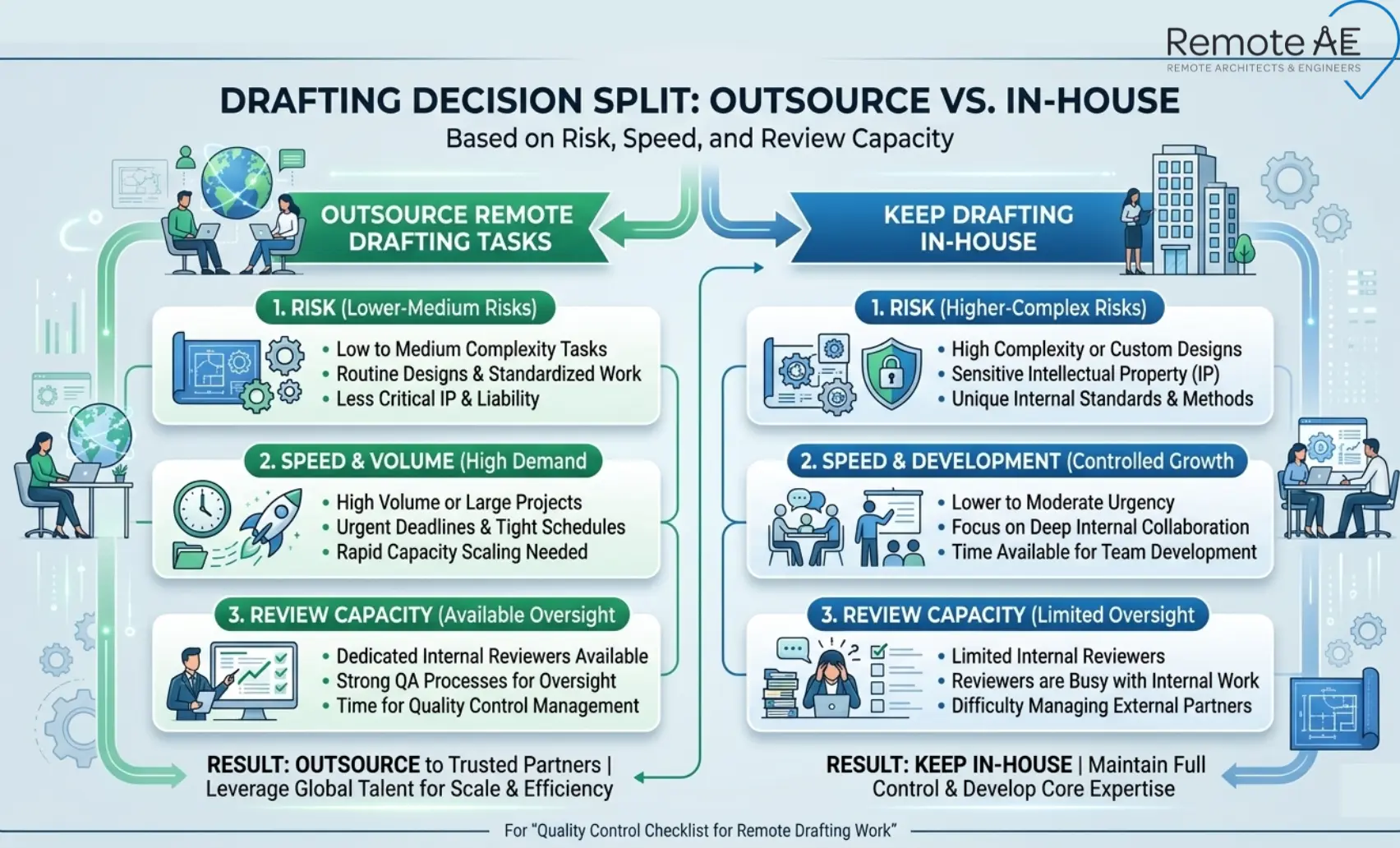
When to Outsource Remote Drafting and When to Keep It In-House
Outsourcing works best when you start with low-risk production tasks and keep approvals in-house.
Low-risk tasks to outsource first
Start with tasks that are repeatable and easy to backcheck:
- applying redlines/markups to sheets
- sheet setup and plotting prep
- sheet index/cover sheet maintenance
- revision clouds and revision notes updates
- transmittal packaging support
- issue log updates and cleanup
A Virtual Construction Assistant consolidates markups, updates the issue log, and prepares a clean transmittal package for the lead’s approval.
Signs your firm needs a vetted remote drafting partner
Common signals:
- Recurring deadline crunch for CD updates
- PMs doing production work at night
- Repeated version-control errors in the Common Data Environment (CDE)
- growing coordination load (more xrefs / linked models)
- QA/QC reviewers are spending too long fixing formatting and standards issues
How Remote AE supports standards-ready drafting teams
Remote AE supports remote drafting teams with AEC-trained virtual assistants backed by years of real project delivery experience. You get standards-ready help that keeps your quality control checklist for remote drafting work active every week, so redlines close faster, files stay organized, and issue packages go out clean.
- AEC-focused expertise you can plug into your workflow
- Reliable delivery and consistent QC habits tied to your standards
- Flexible staffing without locking into long-term commitments
- Starting at $399/week
- Consult-first onboarding with no upfront cost or obligation until you move into the contract phase
- Replacement coverage in the first year, with up to two risk-free swaps if you need a different fit
Keep Remote Drafting Clean, Consistent, and Issue-Ready!
If your team needs a reliable quality control checklist for remote drafting work that actually gets followed, Remote AE can help you run consistent review cycles without adding in-house overhead. Remote AE supports Remote drafting with standards-ready delivery in CAD drafting and BIM, including Revit and AutoCAD workflows, backed by a repeatable QA/QC checklist for CAD drafting and a practical drawing review checklist for remote drafters. Your team keeps approvals and professional signoff.
Schedule a call today to hire standards-ready drafting support from 399$/week!
FAQs – Quality Control Checklist for Remote Drafting Work
What should be included in a remote drafting quality control checklist?
A good checklist covers layers or view templates, dimensions, annotations, sheet numbering, title blocks, scale consistency, references (Xrefs or links), and file cleanup. It should also verify that redlines are resolved, notes match specifications, and exports (PDF or DWG) follow company standards before delivery.
How do you review CAD or Revit files before sending them to a client?
Start with an internal self-check, then run a second review by a senior drafter or coordinator. Confirm standards compliance, purge unused elements, audit models, and verify dimensions and tags. Export a final PDF and compare it side-by-side with the markup set to confirm every redline was addressed.
What is the difference between QA and QC in drafting work?
Quality Assurance (QA) focuses on the process, templates, standards, and workflows that prevent errors. Quality Control (QC) focuses on the output, reviewing drawings and models to catch mistakes before delivery. QA builds consistency; QC verifies that the finished drawings meet expectations.
How can remote drafters avoid missing redlines?
Use a structured approach. Track every comment in a redline log or markup summary, resolve items one by one, and mark them complete only after checking the sheet again. Working from a single markup file or Bluebeam Session prevents scattered feedback across email or chat.
How often should you run QC checks on remote drafting projects?
QC should happen at multiple stages: after initial setup, before coordination reviews, and before each client submission. On longer projects, many teams perform weekly QC reviews to catch issues early and reduce large correction cycles later.