

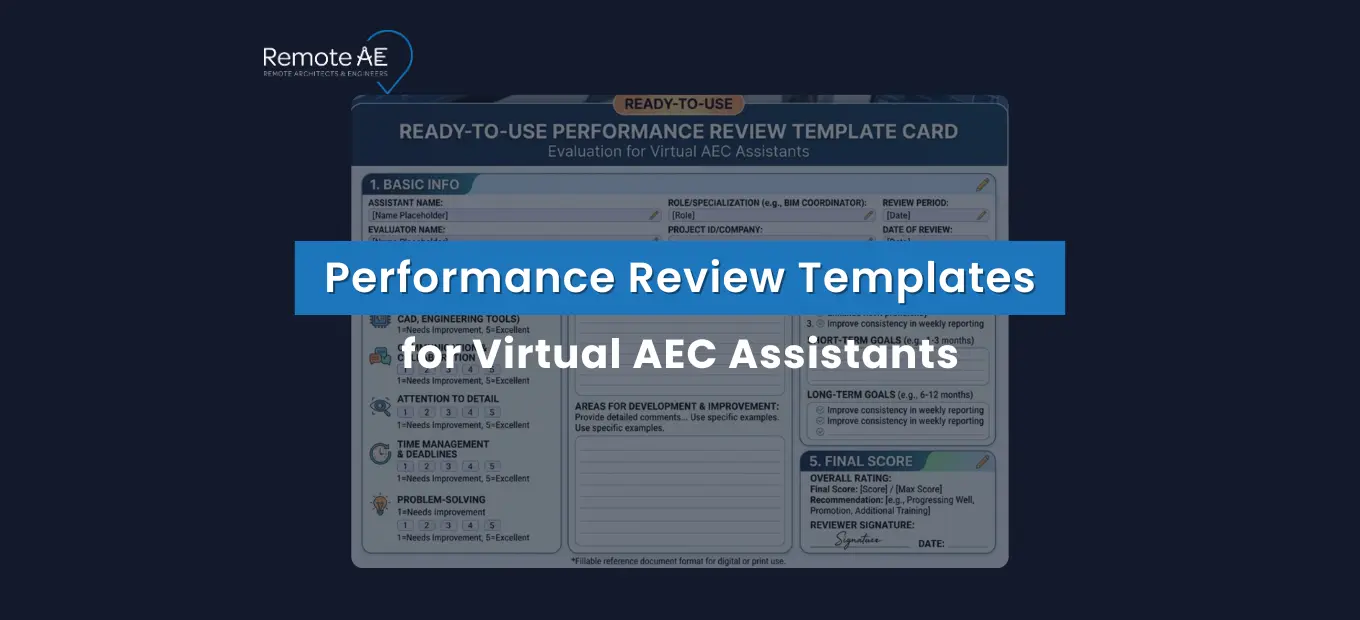
Remote staffing in Architecture, Engineering, and Construction (AEC) is growing fast, but most firms still evaluate virtual assistants using generic templates built for office administrators, not technical project contributors. That gap costs firms in rework, miscommunication, and avoidable turnover. Gallup reports employees who strongly agree their manager involves them in goal setting are 3.6x more likely to be engaged, and engaged remote workers deliver measurably better output quality.
This article delivers ready-to-use performance review templates, role-specific KPIs, and a 30-60-90 review framework built specifically for virtual AEC assistants, so you can evaluate what actually matters.
Why Performance Reviews Matter for Virtual AEC Teams
Remote staffing in AEC has moved from a workaround to a standard operating model. Firms across architecture, engineering, and construction now rely on virtual assistants for document control, BIM coordination, RFI management, submittal tracking, and project coordination, roles that directly affect project delivery.
But without structured performance reviews, that reliance creates risk. The shift toward remote staffing in AEC is accelerating.
Common challenges surface quickly without review structures:
- Lack of visibility: Project managers can’t see what a virtual assistant is working on, how long tasks take, or whether output meets QA/QC standards, until a problem surfaces in the field or a client flags it
- Communication gaps: Without regular check-ins tied to measurable outcomes, remote work drifts, assistants work hard on the wrong priorities, while critical tasks sit unaddressed
- Quality control concerns: RFI logs fall behind, submittals get misfiled, and Revit models drift from firm standards, not because the assistant lacks skill, but because no one defined the standard or measured against it
Structured performance reviews solve all three problems:
- Accountability: Clear KPIs and review cycles create mutual expectations, the virtual assistant knows what’s being measured, and the project manager has a framework for consistent evaluation
- Project alignment: Regular reviews surface misalignments early, before a missed deadline or a document control failure becomes a project issue
- Long-term retention: Virtual assistants who receive regular, specific feedback stay longer and perform better. Retention in remote roles is directly correlated with how well-managed the engagement feels from the assistant’s side
Why Generic Performance Review Templates Fall Short for Virtual AEC Assistants
A standard remote employee performance review template measures things like “responsiveness,” “attitude,” and “time management.” These categories are not wrong, but they are incomplete for a virtual assistant managing Procore logs, processing submittals, or maintaining a BIM 360 coordination model.
Remote Work Changes What Managers Should Measure
In a remote work context, traditional presence-based signals, hours logged, meetings attended, and desk availability tell you very little about actual contribution. A virtual assistant who attends every check-in but produces inaccurate RFI responses is a performance problem.
One who works async across time zones but delivers clean, ISO 19650-compliant document control is a high performer.
The measurement shift is from activity to outcomes. What did the assistant produce? Was it accurate? Did it meet the project’s QA/QC standard? Did it arrive on time and in the right format for the next person in the workflow?
AEC Assistants Are Judged by Deliverables, Not Desk Time
A virtual architect assistant’s value shows up in sheet accuracy, redline turnaround speed, and Revit model hygiene, not in hours logged. A virtual engineering assistant’s performance is visible in clash resolution cycle time, RFI turnaround support, and BIM coordination reliability.
Generic templates miss all of this. They were built for roles where output is hard to quantify. In AEC, output is highly quantifiable, and that’s exactly what a well-designed performance review template for virtual AEC assistants should measure.
What Every Virtual AEC Assistant Performance Review Template Should Include
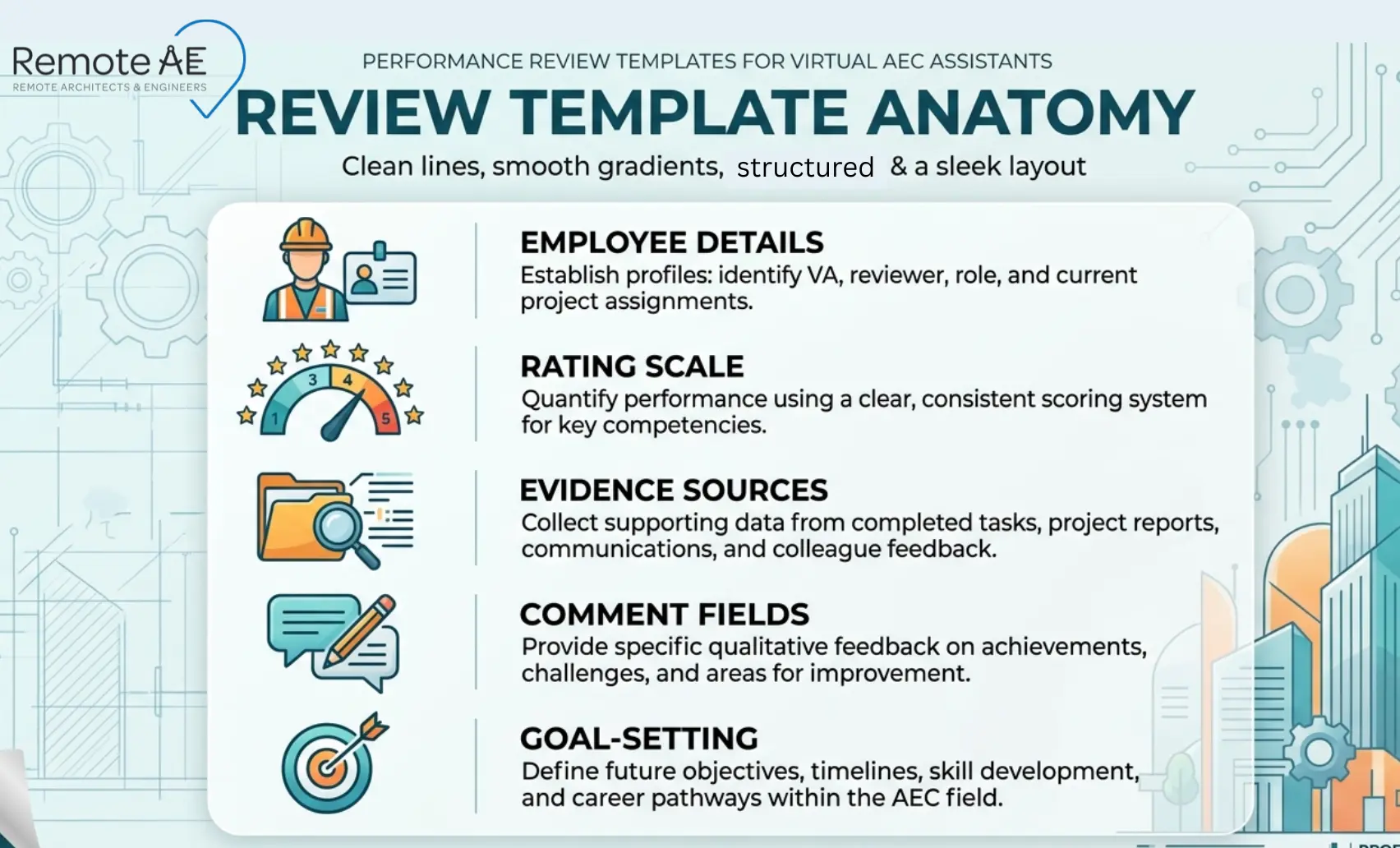
A performance review template that works for remote AEC roles must cover five structural elements. Skip any one of them, and the review becomes either incomplete or unenforceable.
Employee Details, Review Period, Project Scope, and Reviewer
Every review starts with context, and context in AEC is project-specific.
- Assistant name and role: Virtual Draftsperson, BIM Modeler, Virtual Construction Assistant, or Virtual Engineering Assistant, be specific. Generic role labels produce generic reviews.
- Review period: Weekly, monthly, quarterly, or project-based, defined before the review, not chosen retroactively
- Project scope: Which projects did this assistant support during the review period? List them explicitly. Performance on a fast-moving commercial project looks different from performance on a long-form infrastructure program.
- Reviewer name and relationship: Direct project manager, BIM lead, or document controller, whoever has firsthand visibility into the assistant’s daily output
Without this context block, the review floats in abstraction. With it, every rating and comment anchors to real work on real projects.
Rating Scale, Comment Fields, and Goal-Setting Section
A clean rating structure makes reviews consistent across reviewers and comparable across review periods.
Recommended rating scale:
| Rating | Label | Meaning |
| 5 | Exceeds expectations | Consistently delivers above the defined standard |
| 4 | Meets expectations | Reliable output at the required quality level |
| 3 | Partially meets expectations | Output quality is inconsistent or requires frequent correction |
| 2 | Below expectations | Recurring issues affecting project delivery |
| 1 | Unsatisfactory | Significant quality or reliability failure requiring immediate action |
Every rating field must be paired with a mandatory comment field; a score without evidence is not a review, it’s an opinion. The comment field forces the reviewer to cite a specific example, which is both fairer to the assistant and more useful for improvement planning.
The goal-setting section closes every review with forward momentum, what changes, what improves, and what gets measured next cycle.
Evidence Sources: Revit, Procore, ACC/BIM 360, Bluebeam, Email Logs
Performance reviews for virtual AEC assistants must be evidence-based, not impression-based. Pull data from the platforms the assistant actually works in.
Evidence source checklist:
- Autodesk Revit: Model audit logs, element count changes, workset discipline, naming standard compliance
- Procore: RFI log completion rate, submittal register accuracy, daily log entries, response timestamps
- Autodesk Construction Cloud / BIM 360: Coordination issue resolution rate, document version history, and clash detection participation
- Bluebeam Revu: Markup accuracy, redline turnaround time, markup session participation records
- Email and communication logs: Response time to project queries, handoff documentation quality, escalation frequency
When a reviewer says “turnaround time was slow,” they should be able to point to a Procore timestamp that proves it. When they say “model quality was strong,” a Revit audit log should support the claim. Evidence turns subjective impressions into defensible, actionable assessments.
Types of Performance Review Templates, With Use Cases
No single review cadence fits every remote AEC engagement. Match the review type to the role structure and project pace.
Weekly Check-In Template
Focus: Task tracking and short-term feedback. Best for: Fast-moving construction projects where deliverable volumes change weekly
The weekly check-in is not a formal performance review; it’s a lightweight pulse check. It covers three questions: what was completed, what is blocked, and what is next. It takes 15 minutes to complete and keeps the project manager informed without creating review fatigue.
Key fields:
- Tasks completed this week vs planned
- Quality issues flagged or resolved
- Blockers requiring manager action
- Priority tasks for next week
Monthly Performance Review Template
Focus: Productivity trends and skill improvement. Best for: Ongoing remote support roles, document control, BIM coordination, project administration
The monthly review steps back from individual tasks and looks at patterns. Is turnaround time improving? Are QA/QC errors decreasing? Is the assistant building proficiency in Procore, Autodesk Construction Cloud, or Bluebeam Revu?
Key fields:
- KPI scores across core responsibilities
- Trend comparison vs. the previous month
- Skill development progress
- One specific improvement target for next month
Quarterly Evaluation Template
Focus: Strategic contribution and long-term growth. Best for: Senior virtual assistants, BIM coordinators, lead estimators, senior document controllers
The quarterly review is the most comprehensive evaluation cycle. It covers KPI performance, role development, project impact, and 90-day SMART goals. This is the right cadence for virtual assistants who have completed their 30-60-90 onboarding period and moved into sustained project delivery.
Key fields:
- Full KPI scorecard with ratings and evidence
- Written feedback on strengths and development areas
- 90-day SMART goal commitments
- Training recommendations and platform development targets
Project-Based Review Template
Focus: Deliverables tied to specific projects. Best for: Contract-based or milestone-driven engagements
When a virtual assistant is engaged for a defined project scope, a permit package, a BIM coordination sequence, or a submittal burst, the review evaluates performance against that scope’s deliverables, not a time-based KPI set.
Key fields:
- Deliverable completion rate vs scope
- Quality rating per deliverable type
- Schedule adherence
- Client or team feedback on output
- Recommendation for future project engagement
Sample Performance Review Template: Ready to Use
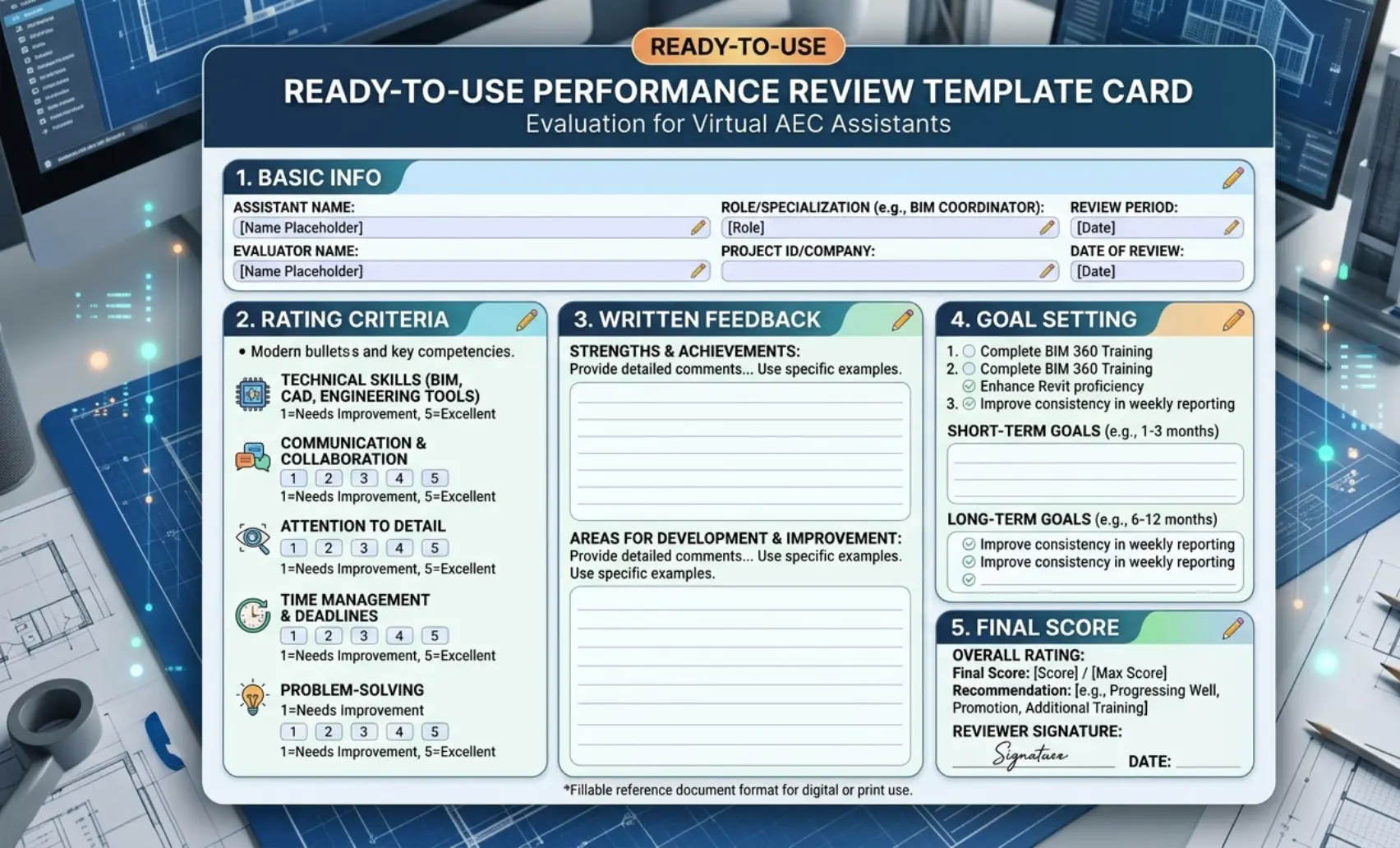
Copy this template directly into your firm’s review system. Adapt field labels to match your role titles and project types.
Basic Information Section
| Field | Detail |
| Assistant Name |
_ |
| Role | e.g., Virtual Draftsperson / BIM Modeler / Virtual Construction Assistant |
| Review Period | e.g., Q3 2024 / October 2024 / Project X |
| Projects Supported | List active projects during the review period |
| Reviewer Name and Role |
_ |
| Review Date |
_ |
Rating Criteria Section
Rate each criterion on a 1–5 scale. Mandatory comment required for any rating of 3 or below.
| Criterion | Rating (1–5) | Evidence / Comment |
| Technical accuracy | _ | e.g., Revit model audit, Procore log review |
| Communication effectiveness | _ | e.g., response time, handoff documentation quality |
| Timeliness | _ | e.g., RFI turnaround, submittal processing speed |
| Initiative | _ | e.g., flagged issues proactively, suggested workflow improvements |
| Tool proficiency | _ | e.g., Bluebeam Revu, BIM 360, Autodesk Construction Cloud |
| QA/QC compliance | _ | e.g., ISO 19650 naming adherence, document control accuracy |
Written Feedback Section
Strengths observed: (Cite specific deliverables, project contributions, or platform performance)
Areas for improvement: (Be specific, name the task type, the platform, or the standard that needs development)
Notable contributions: (Highlight one standout contribution from the review period, a resolved coordination clash, a submittal register overhaul, a document control improvement)
Goal Setting Section
| Goal Type | Goal Description | Measurement | Target Date |
| Short-term goal | 30 days | ||
| Skill development target | 60 days | ||
| Training recommendation | 90 days |
SMART goal example for a virtual construction assistant:
“Process all incoming submittals within 48 hours of receipt and maintain a submittal register accuracy rate of 98% or above through Q4 2024, measured weekly via Procore submittal log.”
Final Score and Summary
| Overall rating (average) | /5 |
| Manager summary comments | _ |
| Assistant acknowledgment | I have reviewed this evaluation and understand its contents. |
| Assistant comments | (Optional — assistant response to the review) |
| Next review date |
_ |
How to Run a Fair Review for a Remote AEC Assistant
A fair review is not a soft review. It is an evidence-based, balanced, and forward-looking evaluation that gives the assistant a clear picture of where they stand and what comes next.
Pull Examples From Real Project Data
Never conduct a performance review from memory. Pull data from the platforms the assistant works in before the review session begins.
- Open Procore and export the RFI and submittal log for the review period, look at completion rates, timestamps, and error flags
- Run a Revit model audit and check naming standard compliance against your BEP requirements
- Review Bluebeam Revu session histories for markup turnaround times on issued redlines
- Check Autodesk Construction Cloud or BIM 360 issue logs for coordination participation and resolution rates
- Review email or async communication logs for response time patterns and handoff documentation quality
Specific examples from real project data make feedback credible and actionable. Vague impressions, “your communication could be better”, produce defensiveness, not improvement.
Balance Output, Communication, and Quality
The most common review imbalance is over-weighting output volume while underweighting communication and quality. A virtual construction assistant who logs 50 submittals per week but files 20% of them in the wrong CDE folder is not a high performer; they are a high-volume problem.
Balance three dimensions in every review:
- Output: Volume and speed of task completion against agreed targets
- Communication: Responsiveness, handoff clarity, escalation judgment, and async update quality
- Quality: First-pass accuracy rate, QA/QC compliance, ISO 19650 adherence, and rework frequency
An assistant who scores well across all three dimensions is genuinely performing. One who excels in output but consistently produces rework is masking a quality problem behind speed, and the review should name that clearly.
End With SMART Goals and a Training Plan
Every performance review must close with a forward-looking commitment, not just a backward-looking score. SMART goals give the assistant a clear, measurable target for the next review period.
SMART goal structure for AEC virtual assistants:
- Specific: Name the exact task, deliverable, or platform, “Procore submittal log accuracy,” not “document control improvement.”
- Measurable: Define the metric, “98% accuracy rate,” not “fewer errors.”
- Achievable: Set targets based on current performance trajectory, a jump from 70% to 98% in 30 days is not achievable; 70% to 82% is
- Relevant: Connect the goal to a real project need; the assistant must understand why the improvement matters
- Time-bound: Every SMART goal gets a deadline, 30, 60, or 90 days, depending on complexity
Pair each SMART goal with a training recommendation, a Procore tutorial, a Revit standards walkthrough, and a BIM 360 coordination onboarding session. The review becomes a development tool, not just an evaluation event.
Common Review Mistakes AEC Firms Should Avoid
These three mistakes consistently undermine performance management for virtual AEC assistants, and all three are avoidable with the right template structure.
Measuring Activity Instead of Outcomes
Tracking hours logged, meetings attended, or messages sent tells you how busy an assistant appears, not how well they are performing.
- A virtual assistant who attends every check-in but produces inaccurate RFI responses is a performance problem hidden behind visible activity
- Replace activity metrics with outcome metrics, submittal accuracy rate, clash resolution cycle time, and document control compliance rate
- If your current review template has a field called “time management” with no connection to a deliverable outcome, replace it with a KPI tied to a real project output
Using Generic Admin KPIs for Technical AEC Work
A virtual construction assistant managing a Procore submittal register is not performing the same role as a general office administrator. Evaluating them on generic criteria, “organizational skills,” “professionalism,” “reliability”, misses the entire technical dimension of the role.
- Generic KPIs produce generic feedback that gives the assistant no clear signal about what technically needs to improve
- Role-specific KPIs, redline turnaround for virtual architect assistants, clash resolution cycle time for virtual engineering assistants, and produce feedback that the assistant can act on immediately
- Build your KPI set from the deliverables the role actually produces, then measure against those deliverables every review cycle
Ignoring QA/QC, File Standards, and Handoff Quality
The most expensive performance failures in remote AEC work show up in QA/QC gaps, not in missed deadlines. A file named incorrectly and filed in the wrong CDE folder costs the next person in the workflow 20 minutes of confusion and a potential coordination failure.
- QA/QC compliance, first-pass accuracy rate, rework frequency, and error type patterns must be scored criteria in every AEC assistant performance review
- ISO 19650 naming standard adherence is a measurable, binary KPI; either the file is named correctly, or it is not
- Handoff quality: Does the assistant’s output arrive in a state the next person can immediately use, without reformatting or correction? This is one of the clearest signals of a high-performing remote AEC professional
How Remote AE Helps You Manage Performance Better
Managing virtual AEC assistants well requires two things working together: the right people and the right performance infrastructure. Remote AE delivers both.
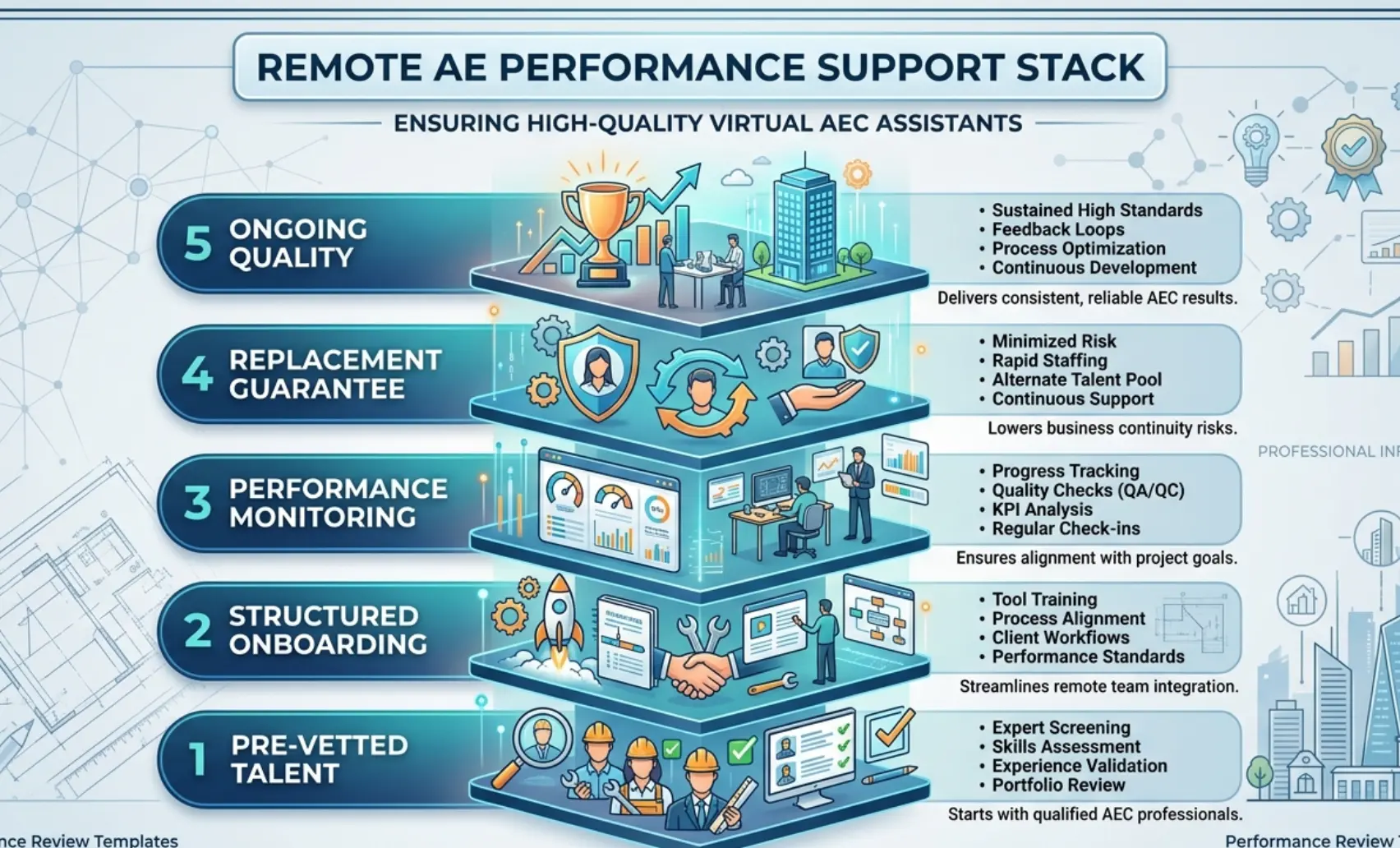
Remote AE has been providing pre-vetted virtual assistants tailored specifically for the Architecture, Engineering, and Construction (AEC) industry for more than 15 years. Every placement comes with structured onboarding, defined performance standards, and ongoing quality monitoring built into the engagement, not bolted on after problems surface.
When a Remote AE assistant joins your team, you are not starting a performance management process from zero. You are starting from a verified baseline.
Structured Onboarding and the 30-60-90 Review Framework
Remote AE builds the 30-60-90 review cycle into every new placement, so performance expectations are set from day one rather than discovered through trial and error.
This structured onboarding framework removes the guesswork from early-stage remote performance management. It gives both the project manager and the assistant a clear shared understanding of what success looks like.
Ongoing Performance Monitoring
Performance management doesn’t stop after onboarding. Remote AE maintains quality oversight throughout every active engagement.
- Regular output quality checks against your defined QA/QC standards
- Proactive escalation when performance trends signal a developing issue, before it reaches the project manager’s desk as a problem
- Direct support for project managers running quarterly reviews, helping define KPIs, interpret platform data, and structure SMART goal conversations
Why AEC Firms Choose Remote AE
- Industry-specific expertise: Virtual assistants trained in AEC workflows, tools, and delivery standards from day one, no time spent explaining what an RFI log is or why submittal tracking matters
- Guaranteed quality and reliability: Deliverables meet your defined QA/QC standards, or the issue gets resolved immediately, not at the next review cycle
- No long-term commitment: Engage on a project basis or as an ongoing resource. Monthly or quarterly, the model fits your pipeline
- Staffing from $499/week: Professional virtual AEC assistant support accessible for firms at every growth stage
- No upfront costs: Consult with the Remote AE team without any initial financial burden. There is no cost or obligation until the contractual phase begins. Evaluate fit before you commit
- Risk-free replacement: In the first year, Remote AE offers risk-free replacements for up to two virtual assistants. If a placement does not meet your performance standards, it gets resolved without disrupting your active project or your budget
Build a Performance-Driven Remote AEC Team!
A performance review template is only as good as the assistant it evaluates. The firms that get the most from remote AEC staffing start with pre-vetted talent, structured onboarding, and clear KPIs, not with a generic hire and a hope that things work out.
Remote AE places virtual architect assistants, virtual engineering assistants, and virtual construction assistants who are trained in the platforms, standards, and workflows your projects depend on, and supports your performance management process from the 30-day check-in through to annual review.
Stop managing performance gaps. Start building a remote AEC team that delivers.
Book a Free Consultation with Remote AE Today, no obligation, no pressure. Just a direct conversation about what your virtual AEC team needs to perform at its best.
FAQs – Performance Review Templates for Virtual AEC Assistants
How do you evaluate a virtual assistant fairly?
Use a mix of output, quality, and process metrics. Compare delivered work against clear standards, not personal style. Review completed tasks, error rates, and responsiveness over time. Avoid one-off judgments, look at trends across multiple weeks or deliverables.
What KPIs should you use for a virtual AEC assistant?
Key KPIs include:
- Task completion rate (on time)
- First-pass approval rate
- RFI/submittal turnaround time
- Redline accuracy
- Hours saved for senior staff
Pick 3–5 metrics tied directly to your workflow, not generic productivity scores.
How often should you review a remote assistant?
Start with weekly reviews during the first 2–4 weeks. Once workflows stabilize, move to biweekly or monthly reviews. Keep quick feedback loops between reviews so issues are corrected early, not saved for formal meetings.
What is the best review format for a new remote AEC assistant: 30-60-90 days or quarterly?
For new hires, 30-60-90 day reviews work best. They create clear milestones and faster course correction. After the initial ramp-up, switch to quarterly reviews for long-term performance tracking and development.
How do you measure ROI for a virtual architect, engineering, or construction assistant?
Track:
- Time saved by senior staff
- Increased project output (more sheets, models, or bids completed)
- Reduced rework or errors
- Cost per deliverable vs in-house
If higher-value staff spend less time on production, the ROI improves.