

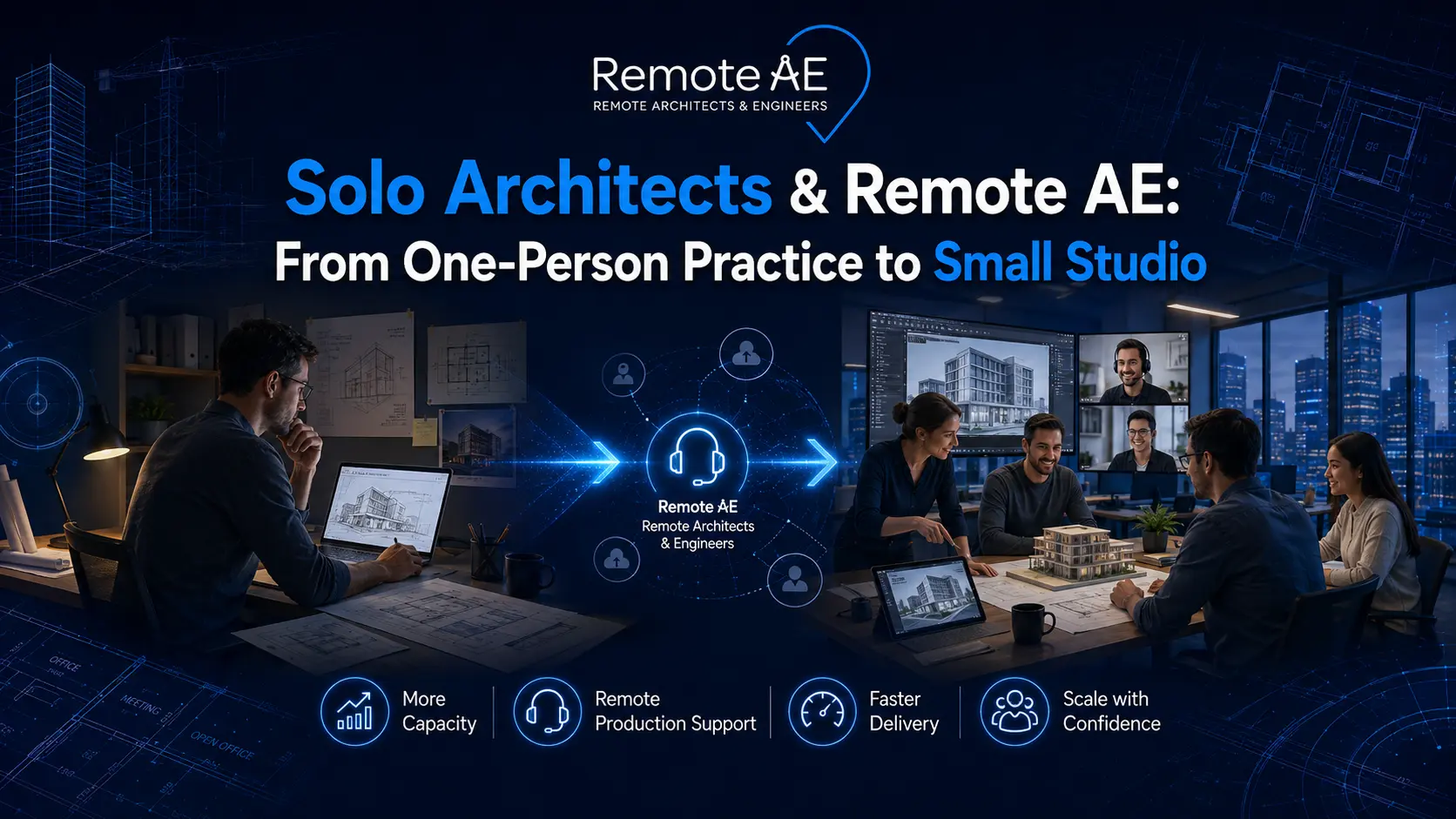
Most architecture firms in the United States are small, and a significant share are run by sole practitioners carrying every project responsibility alone. The American Institute of Architects reports that 28% of architecture firms are sole practitioners, 32% have two to four employees, and approximately 75% have fewer than ten employees. For the solo architect juggling schematic design, construction documents, client communication, CA administration, and billing simultaneously, growth is not blocked by talent or ambition; it is blocked by bandwidth.
This article shows how a remote architect assistant from Remote AE gives sole practitioners the production capacity to take on more work, deliver better, and build toward a small studio, without the overhead of a full-time hire.
Why Many Solo Architects Struggle to Grow
Why Solo Practices Hit a Capacity Ceiling
The “I do everything” trap is the defining operational challenge of the solo architecture practice. Every project phase, from the first schematic design sketch through construction administration punch lists, flows through a single person.
On a typical week, a sole practitioner juggles:
- Revit and AutoCAD drafting, floor plans, elevations, sections, and redline updates
- Client emails and meeting notes
- Specification review and code compliance research
- Construction administration, RFI responses, submittal tracking, and site visit reports
- Billing, invoicing, and proposal writing
The result is a practice where the architect of record is also the drafter, the project coordinator, the office manager, and the business development team, simultaneously. Something always suffers.
Growth Does Not Have to Mean Building a Large Firm
Many solo architects are not trying to become a 50-person firm. They want a small studio, three to five people, a curated project portfolio, and design work they are proud of. That is a legitimate and achievable ambition.
Remote support is a controlled capacity for exactly this model. A virtual architect assistant adds production depth without adding permanent overhead, office space, or the management complexity of a growing in-house team.
The sole practitioner stays in charge of design and client relationships, and the remote assistant handles the production and coordination work that currently fills every available hour.
Why Traditional Hiring Does Not Always Work for Small Firms
Hiring a local drafter or junior architect is the obvious solution, but it rarely fits the reality of a solo architecture practice.
- High overhead costs: Salary, payroll taxes, benefits, and equipment add 30–40% on top of base wages
- Recruiting challenges: Finding an experienced Revit and AutoCAD professional who fits a small studio takes months
- Office space and software expenses: A new workstation, software licence, and desk space add costs before the first drawing is produced
- Long onboarding cycles: A new hire typically reaches independent productivity after four to eight weeks, during which the principal supervises more than they delegate
- Uncertain workload pipelines: A sole practitioner with two active projects cannot guarantee a full-time hire enough consistent work to justify the fixed cost
Why Remote AE Fits the One-Person-to-Small-Studio Transition
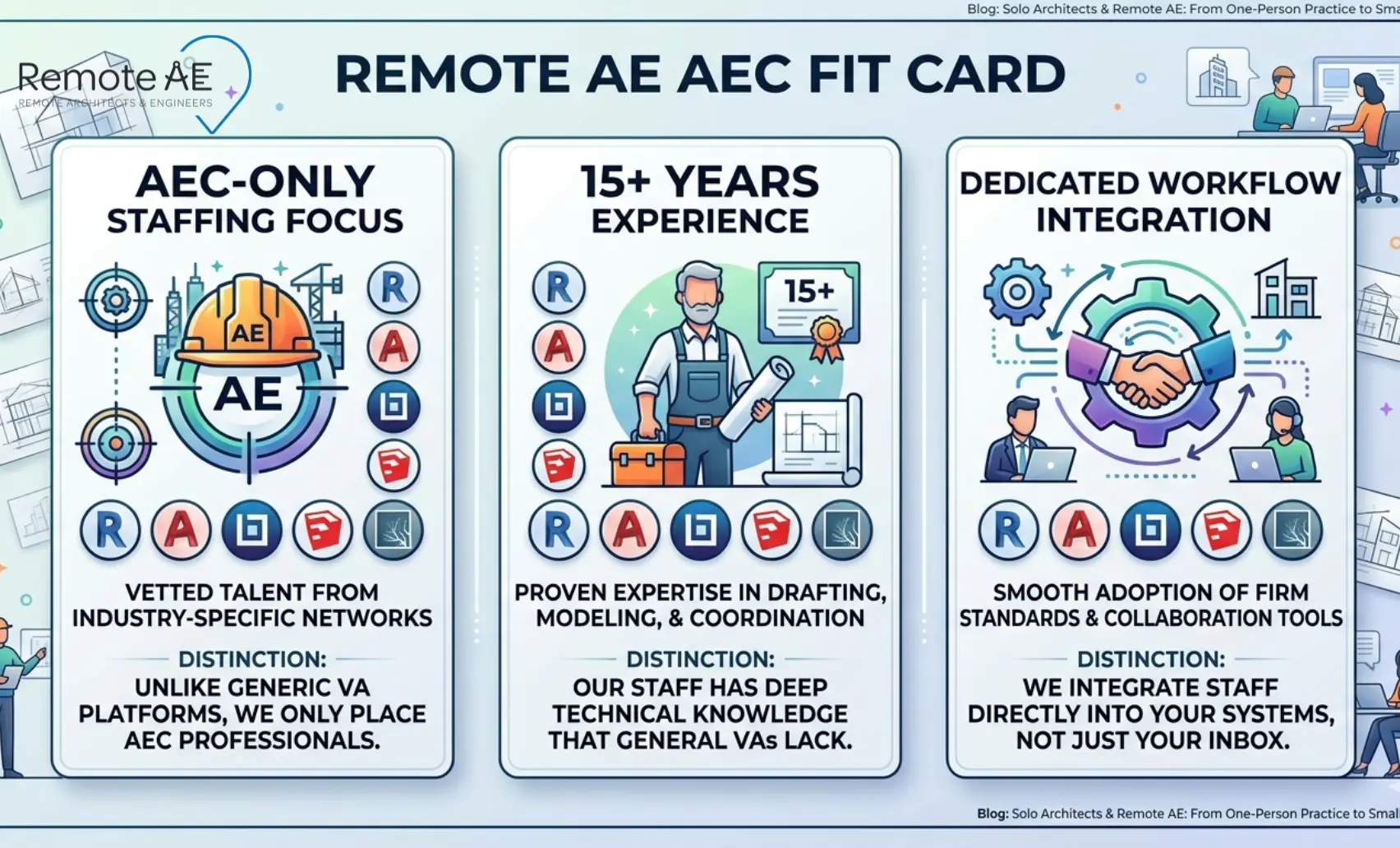
Remote AE provides AEC outsourcing staffing exclusively for architecture, engineering, and construction firms. Every remote architect assistant and virtual architect assistant placed by Remote AE carries genuine AEC production experience, not repurposed administrative skills applied to technical roles.
With over 15 years of AEC-focused virtual assistant support, Remote AE has built a staffing model specifically around the workflows, tools, and quality standards that architecture firms depend on.
Remote Architect Assistants Work Inside the Firm’s Process
Remote AE assistants integrate into the sole practitioner’s existing tool stack and project workflows, not a separate system the architect has to manage alongside their real work.
Tool coverage includes:
- Design and modeling: Revit, AutoCAD, SketchUp, Rhino
- Visualization: Lumion, V-Ray, Enscape
- Markup and documentation: Bluebeam
- Communication and coordination: Microsoft Teams, Zoom, Slack
Remote AE candidate profiles include architecture degrees, licensing credentials, and verified software experience across AutoCAD, Revit, SketchUp, Rhino, Lumion, V-Ray, and Bluebeam, meaning the assistant arrives ready to work within the firm’s production environment from day one.
Dedicated Support Beats One-Off Task Outsourcing
Hiring a freelancer for a single task delivers one drawing. Hiring a dedicated remote architect assistant delivers a production partner who learns how the practice works.
Over time, a dedicated assistant builds familiarity with:
- The firm’s Revit families, templates, and drawing standards
- File naming conventions and folder structure
- Client communication preferences and project delivery rhythms
- QA habits and quality expectations before the client issues
That accumulated knowledge reduces supervision burden, improves output quality, and allows the sole practitioner to delegate with increasing confidence, rather than checking every task from scratch each time.
What Solo Architects Should Delegate First
Not all tasks carry equal delegation risk. The safest and most effective approach is to build delegation progressively, starting with low-risk production tasks and expanding scope as trust and quality are established.
Level 1: Low-Risk Production Tasks
Start here. These tasks are repeatable, well-defined, and require minimal design judgment, making them the safest first delegation for a sole practitioner.
- Redline updates, converting Bluebeam-marked PDFs into updated Revit or AutoCAD drawing sheets
- Sheet setup, creating new sheets, populating title blocks, and organising view placement
- View organisation, setting up plan, elevation, section, and detail views within the Revit model
- Drawing index updates, maintaining the sheet list, and coordinating sheet numbers across the set
- Basic AutoCAD and Revit drafting, floor plans, elevations, and detail updates to existing drawings
- PDF markups, annotating drawing sets for internal review or consultant coordination
- As-built updates, incorporating field-marked drawings into the current record set
Level 2: Documentation and Coordination Tasks
Once Level 1 quality is confirmed, expand into documentation and project coordination.
- Door, finish, and material schedules are maintained and updated as design decisions are confirmed
- Specification review, cross-checking drawing notes and details against specification sections for consistency
- Drawing coordination, confirming that architectural, structural, and MEP drawings reference the same dimensions and details
- RFI logs, tracking open RFIs, logging responses, and updating the register
- Submittal tracking, managing submittal status from receipt through architect review and contractor return
- Permit package preparation, assembling, and organising the drawing set for building department submission
Level 3: Design Support Tasks
With a proven production track record, the remote architect assistant can support the design phases directly.
- Mood board and concept board assembly for client presentations
- Programming support, area calculations, adjacency diagrams, and room data sheets
- Space planning drafts, furniture layout options, and circulation studies for client review
- Concept model updates, SketchUp or Revit massing updates, following the design direction from the architect
- Presentation sheet layout, formatted client presentation documents to firm standards
- Visualization support, rendering setup, camera configuration, and output formatting in Lumion or V-Ray
Level 4: Studio Operations Support
The administrative and operational tasks that consume sole practitioner time without contributing directly to project delivery.
- Meeting notes, documenting decisions, action items, and next steps from client and consultant calls
- Client follow-up drafts, prepared email responses for the architect review, and sent
- File organisation, maintaining a consistent folder structure across all active projects
- Research, code compliance research, product specification research, and due diligence support
- Project trackers, maintaining active project status boards, and deadline logs
- Closeout documentation, assembling operation and maintenance manuals, as-builts, and warranty records
Remote AE confirms support across drafting, modeling, detailing, specification review, code compliance, drawing updates, due diligence, SD, DD, construction administration, punchlists, and as-builts.
What Should Stay With the Architect
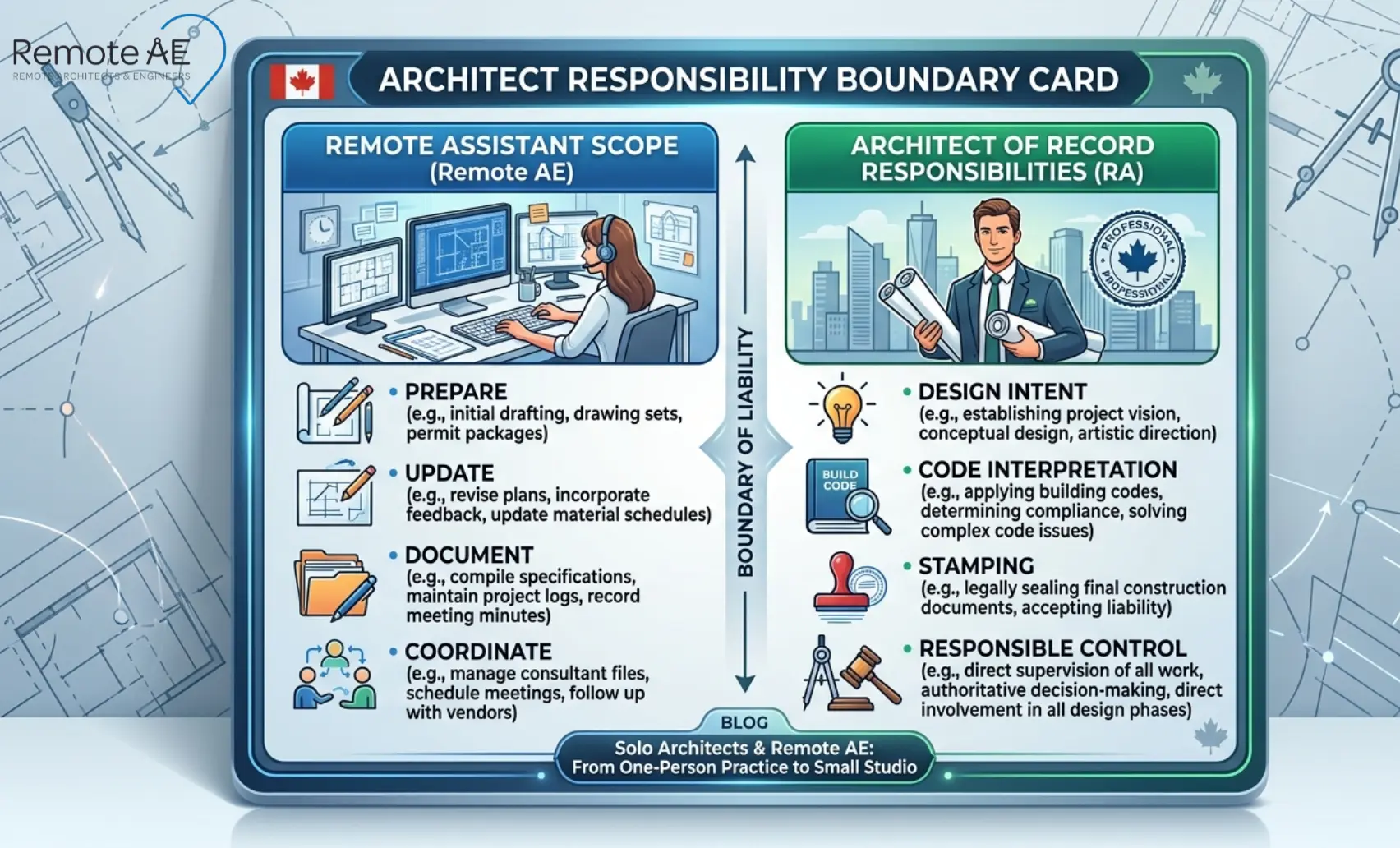
Delegation works best when boundaries are explicit. These responsibilities belong with the sole practitioner, and a well-structured remote staffing engagement never blurs these lines.
Design Intent and Client Strategy
The architect’s design vision, project strategy, and client relationship are non-delegatable. A remote architect assistant prepares, updates, and documents, and the principal directs.
- Design concept development and design direction decisions stay with the architect
- Client meetings, presentations, and relationship management remain the principal’s responsibility
- Strategic decisions about project scope, fee structure, and consultant selection require an architect’s judgment
The remote assistant supports delivery, and the architect leads the project.
Code Interpretation and Final Compliance Calls
A remote architect assistant can research code sections, organise compliance notes, and flag potential issues, but the architect makes the final compliance determination.
- Code research and compliance matrix preparation can be delegated
- Identifying potential code conflicts and organising them for architect review is a remote assistant task
- The final code interpretation decision, particularly on life safety, egress, and occupancy, stays with the licensed architect
This division protects both the quality of the compliance documentation and the architect’s professional standing.
Stamping, Approvals, and Liability
The Architect of Record retains full Responsible Control over all documents bearing their seal, and that responsibility cannot be shared, transferred, or delegated to a remote assistant regardless of their skill level.
The AIA defines Responsible Control as the architect’s direct personal supervision of and knowledge of the technical content of technical submissions under their seal. A remote architect assistant prepares and organises the technical content, the architect reviews, approves, and seals.
This boundary is not a limitation of the remote staffing model; it is the structure that makes it professionally sound. The remote assistant expands the architect’s production capacity. The architect retains professional accountability.
Signs Your Solo Practice Is Ready for Remote Support
You’re Spending More Time Drafting Than Designing
- Redline revisions and drawing updates are consuming the majority of your working day
- Repetitive production tasks, sheet setup, schedule updates, and view organisation are pushing design and client work to evenings and weekends
- You are a licensed architect spending most of your hours doing work that does not require a license
Your Pipeline Is Growing Faster Than Your Capacity
- Project enquiries are coming in faster than you can respond to or take them on
- Existing project turnaround times are slipping because new work is competing for the same limited hours
- You are quoting longer lead times than clients want, and losing work to firms that can deliver faster
You Want to Compete for Larger Projects
- The projects you want to pursue require more production capacity than you currently have as a sole practitioner
- Clients expect faster delivery, more polished presentations, and more responsive CA management than one person can sustain
- You need scalable production support to credibly compete against small studios with dedicated staff
Administrative Tasks Are Slowing Down the Business
- Coordination emails, meeting notes, submittal tracking, and file organisation are consuming hours that should be billable
- Client follow-ups are delayed because production work takes priority
- Studio operations feel like a second full-time job running alongside the actual architecture practice
From One-Person Practice to Small Studio: A Practical 90-Day Plan
Days 1–15: Define the Role and Select Tasks
Start by identifying where your time is going, not where you wish it was going.
- Pick five to ten repeatable tasks that follow the same steps every time
- Write a simple project brief showing the assistant what a completed task looks like
- Confirm software access, Revit licence, AutoCAD, Bluebeam, and shared cloud folders
- Prepare two to three templates the assistant can work from immediately, sheet templates, drawing schedules, and email follow-up formats
Days 16–30: Start With Production Work
Build confidence through low-risk, high-volume production tasks before expanding scope.
- Redlines, the clearest delegation starting point. Marked-up PDF in, updated drawing out.
- Sheet updates, view placement, title block population, and sheet index maintenance
- Schedules, door, finish, and material schedules updated from confirmed design decisions
- Existing condition updates, as-built drawing reconciliation from field notes
- Drafting cleanup, AutoCAD, and Revit drawing tidying ahead of permit set preparation
Days 31–60: Add Coordination
With production quality confirmed, expand into project coordination.
- RFI tracking, open RFI log maintained and updated after every response
- Submittal logs, submittal register tracked from receipt through architect review and return
- Permit package preparation, drawing set organised and formatted for building department submission
- Consultant coordination notes, tracking outstanding information requests and responses from structural, MEP, and civil consultants
Days 61–90: Build the Studio System
This phase converts a working delegation arrangement into a repeatable studio operation.
- Formal QA checklist, a pre-delivery list that the assistant runs before any drawing reaches the architect for review
- Weekly priorities board, a shared task list issued at the start of each week with clear deliverables and deadlines
- Standard project tracker, a single document showing every active project’s status, open items, and next actions
- Delegation map, a clear reference showing which task types sit with the assistant and which stay with the architect
- Reusable SOPs, one-page process documents for the five to ten most common task types the assistant handles
The QA Loop That Prevents Rework
Quality control is what separates reliable delegation from expensive supervision.
According to a study by Autodesk and FMI, construction professionals spend 35% of their time on non-productive work, including searching for information, resolving conflicts, and dealing with mistakes or rework. A structured QA loop prevents this pattern in architectural production:
- The remote assistant runs a pre-delivery checklist before submitting any drawing
- Marked-up returns, the architect returns corrections with Bluebeam markups rather than verbal descriptions
- Status tracked by sheet, every drawing has a current status: in progress, under review, approved, or issued
- Review before client issue, no document reaches the client without the architect’s approval
- Final approvals always stay with the architect of record
How Remote AE Helps Architects Hire Without Guesswork
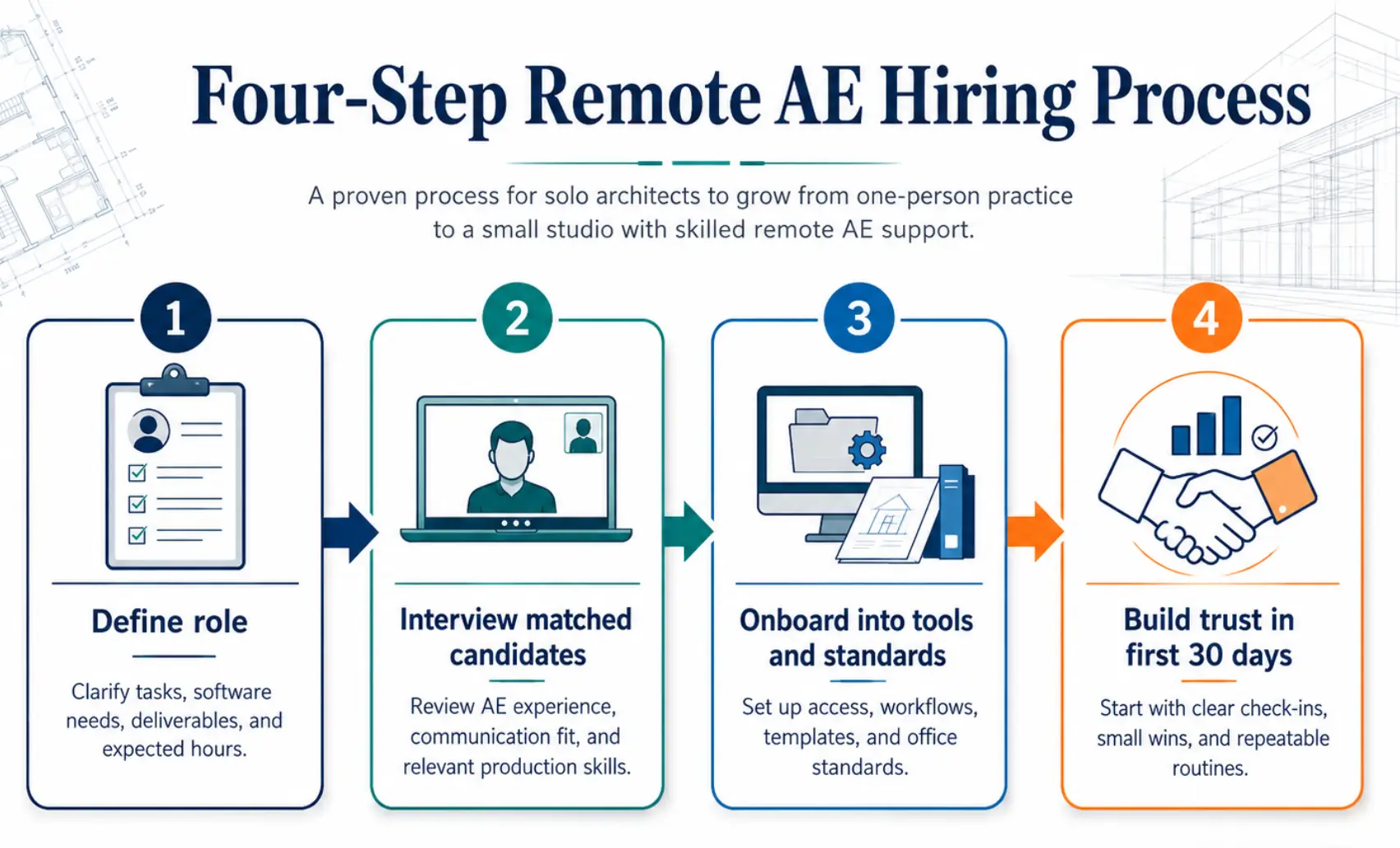
Step 1: Define the Role
Start with a specific role definition, not a general request for “architecture support.”
Common starting roles for sole practitioners:
- Drafting assistant: AutoCAD and Revit production, drawings, redlines, sheet updates
- Revit modeler: BIM model production, view setup, family management, and sheet population
- Documentation assistant: Drawing schedules, specification review, permit package preparation
- Visualization support: SketchUp, Lumion, and V-Ray rendering preparation and output formatting
- Admin and technical hybrid: Studio operations plus light drafting support, the most common starting configuration for sole practitioners
Step 2: Interview Matched Candidates
Remote AE handles sourcing and screening; the architect chooses from the shortlist.
- Remote AE reviews the role definition and selects candidates from its pre-screened AEC professional pool
- A three-stage screening process covers technical skills, software proficiency, and communication quality
- Two matched candidates are presented to the architect for an interview
- No financial obligation exists at this stage; the architect selects and then moves to the contract
Step 3: Onboard Into Tools and Standards
A structured onboarding document prevents the most common early-stage delegation failures.
Onboarding package for a remote architect assistant:
- Folder structure, active projects, issued drawings, templates, and archive
- Revit template, firm-standard template with correct title block, sheet naming, and family library
- CAD standards, layer naming, lineweight table, and drawing organisation conventions
- Bluebeam markup rules, markup layer names, colour conventions, and callout formats
- Naming conventions, file naming format for drawings, PDFs, and correspondence
- Review cadence, agreed turnaround times, and check-in frequency for the first 30 days
Remote AE’s onboarding process includes a 30-minute transition meeting, schedule setup, daily routines, software access confirmation, communication protocols, task assignment, and ongoing check-ins.
Step 4: Use the First 30 Days to Build Trust
The first month determines whether the remote staffing engagement succeeds or stalls.
- Start with redlines and sheet setup, the clearest, most verifiable production tasks
- Add schedules and coordination tasks once redline quality meets the firm’s standard
- Move into design support, mood boards, space planning, and concept model updates, once the assistant demonstrates consistent quality on production work
- Keep final client-facing approvals with the architect throughout. This is not a quality risk; it is the correct professional structure
Your Solo Practice Has More Capacity Than You Think!
The ceiling on a solo architecture practice is rarely talent. It is time, and the production tasks that consume it. Remote AE places dedicated remote architect assistants with AEC-specific experience, trained in Revit, AutoCAD, BIM, Bluebeam, SketchUp, Lumion, and V-Ray, ready to handle your redlines, schedules, permit sets, CA documentation, and studio operations while you focus on design, clients, and growing your practice.
FAQs – Solo Architects & Remote AE
When should a solo architect hire a remote architect assistant?
A solo architect should hire remote support when redlines, permit sets, drafting, or admin tasks start pulling time away from design and client work. If deadlines slip or evenings are spent on production, remote help can add capacity without committing to a full local hire.
What tasks can a remote architect assistant handle first?
Start with low-risk production tasks: AutoCAD/Revit drafting, redline updates, sheet setup, PDF exports, as-builts, meeting notes, and document organization. Once standards are clear, they can help with BIM updates, permit packages, and coordination logs.
Can a remote architect assistant work in Revit or AutoCAD?
Yes. Most AEC-trained remote architect assistants can work in Revit, AutoCAD, Bluebeam, and Autodesk Construction Cloud/BIM 360. They can follow your templates, title blocks, layers, view standards, and naming rules under your direction.
Is a dedicated remote assistant better than a freelance drafter?
A dedicated assistant is often better for ongoing work because they learn your standards, clients, and project flow. Freelancers are useful for short, one-off drafting tasks. If you need steady support each week, dedicated remote help usually gives more consistency.
How long does it take to hire a Remote AE architect assistant?
Timelines vary by role and availability, but many firms can start with a remote architect assistant within a few days to two weeks. Onboarding is faster when you already have templates, sample drawings, software access, and clear task instructions ready.