

Data center BIM breaks when nobody “owns” the model. Files drift, links break, and weekly coordination turns into damage control. Data Center Model Management Services address this issue by prioritizing governance and file standards over production. This guide explains how data center model management services help restore structure to BIM programs. Additionally, what real model management looks like, how governance frameworks prevent rework, and why weekly outputs matter more than one-off reports. We also cover file standards for hyperscale, edge, and colocation facilities, and how Remote AE supports BIM and VDC leaders with dedicated assistants who manage models, logs, and audits without long hiring cycles.
What Are Data Center Model Management Services?
Data center model management services focus on control, not just production. They govern how models move, who owns them, and how outputs are tracked each week.
Model management means owning the system around the model. It defines who can publish, when files are released, and how coordination happens across disciplines.
What “model management” means in data center delivery
Model management is the control layer that keeps project models usable for coordination, issue tracking, and weekly decision-making. It treats the model as project information that needs defined status, revision, and approval, similar to how ISO 19650 frames information management across models, meeting records, and project documentation.
In data centers, control matters because MEP density and change frequency stay high. Small mistakes can ripple through rack layouts, containment, and power/cooling routes.
How they differ from normal BIM support
Traditional BIM support focuses on modeling tasks. Data center model management services focus on preventing failure. The emphasis stays on:
- Centralized file ownership
- Defined handoff rules between teams
- Weekly tracking of deliverables, not monthly reviews
This shift from production to governance is what protects programs with thousands of linked files.
Mini-stat (why weekly control matters in data centers): Modular deployment timelines can be as short as 6 to 12 months for modular data centres, which pushes fast, repeatable coordination cycles (RED Engineering)
Why Governance Matters in Data Center BIM Programs
Governance is not a buzzword in data center work. It is the only way to prevent cascading model failures across complex environments.
Uptime Institute frames data center expansion work as complex and high-value, which is why teams need disciplined project baselines and controls.
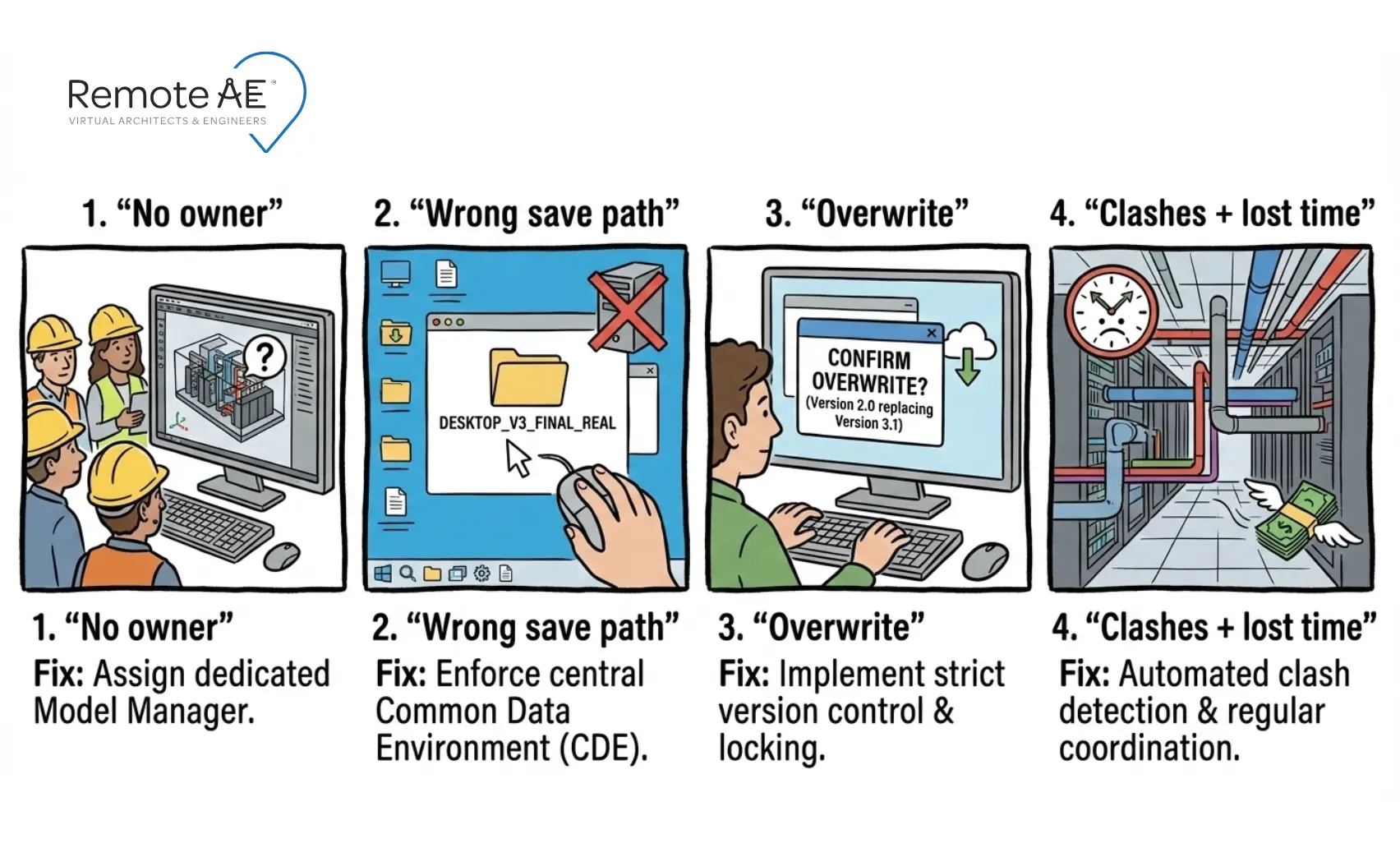
Common Governance Failures
Most data center teams run into the same issues.
- No one owns the federated model.
- No approval chain exists for publishing.
- No weekly audit process checks file health.
A common example appears when one MEP model overwrites the core shell file because release permissions were not defined.
How Remote AE Prevents Governance Failures
Your Remote AE model management assistant:
- Sets role-based permissions.
- Applies file lock and release rules.
- Runs a fixed weekly audit cycle.
Every week includes:
- Link health and coordinate checks
- Clash runs with resolution logs
- Model health reports with risk flags
This is not optional overhead. It is what keeps BIM usable.
Governance Framework Every BIM/VDC Manager Needs
You don’t need fancy tools to start. You need rules that teams follow every week.
Role-based permissions
Set who can edit, who can publish, and who can approve.
ISO 19650 guidance uses clear container states and status codes to separate work-in-progress from shared and published information.
File lock and release rules
Use “lock and release” logic so teams don’t publish midweek surprises.
Suggested rule set:
- WIP files stay editable by task teams only.
- Shared files require a QA check before release.
- Published files require sign-off and a logged reason for the issue.
This aligns with ISO 19650’s idea of controlled status transitions
Weekly review calendar
Governance fails when audits happen “when we have time.”
Use a fixed rhythm:
- Tue: link health check + coordinates check
- Thu: clash run + issue log update
- Fri: model health report + publish “weekly drop”
This structure turns firefighting into routine operations.
File Standards That Prevent Rework and Clashes
Remote AE does not just inherit your standards. We protect them.
Folder Structures for Hyperscale, Edge, and Colocation Builds
Different data center types have different delivery rhythms. But the folder structure should stay consistent so teams don’t “reinvent” it each job.
Our assistants enforce a controlled structure across all data center model management services:
- 00_Admin
- 01_WIP (discipline folders)
- 02_Shared (for coordination)
- 03_Published (issued drops)
- 04_Clash_Reports
- 05_Exports (NWC/NWD/PDF)
- 06_Archive
Use cases
- Hyperscale data center model management services: massive file volumes.
Same structure, stricter permissions, more frequent federation exports. - Edge data center model management services: fast-track timelines.
Same structure, tighter weekly cadence, repeatable templates. - Colocation data center model management services: tenant-specific zones.
Same structure, plus tenant subfolders and phased publish packs.
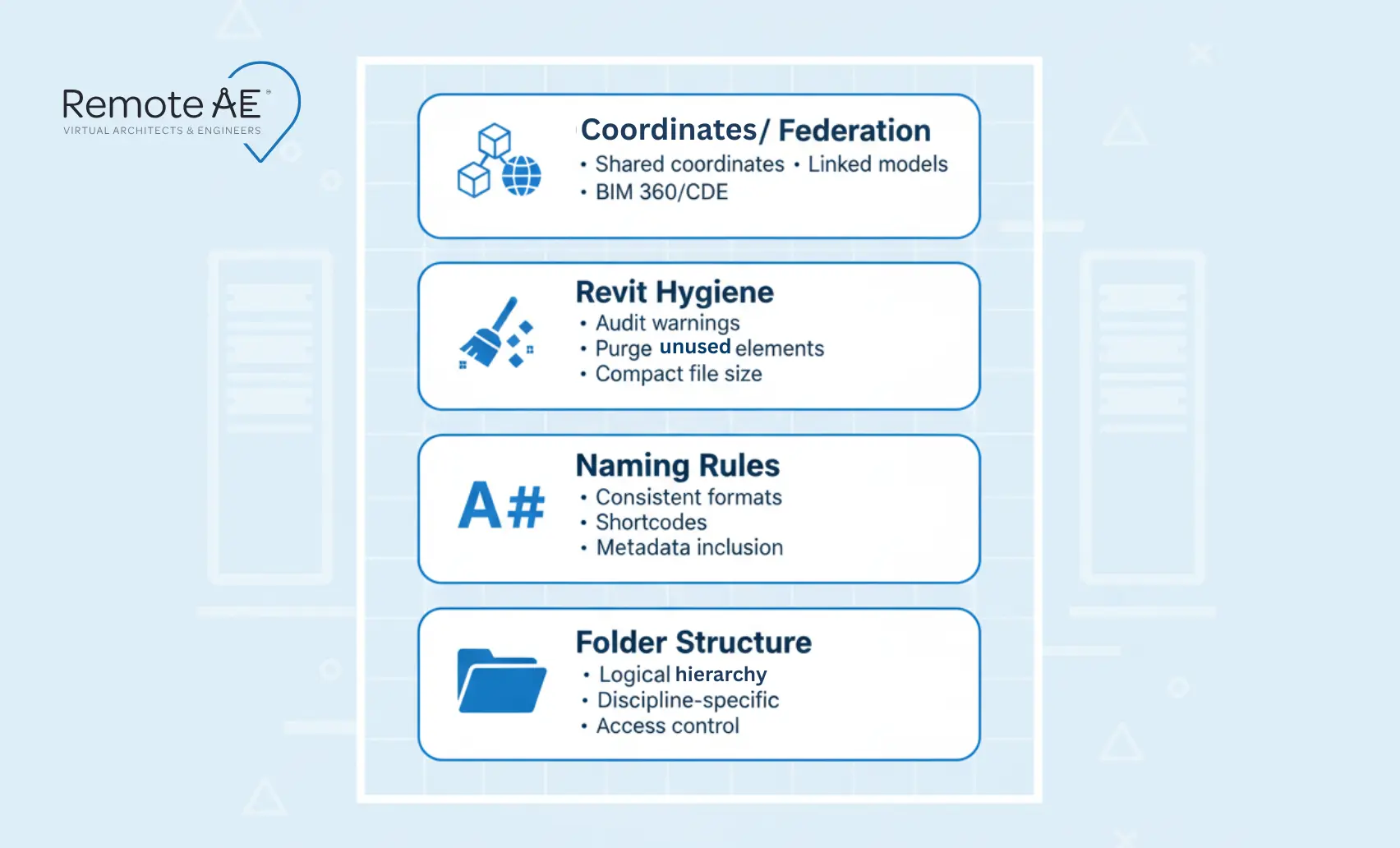
Naming Rules That Stop Version Confusion
Naming rules stop mistakes before they happen. File prefixes identify data center clusters. Discipline codes tag ownership. Revision numbering logic shows file maturity.
A typical format looks like:
DC1_MEP_L03_R07_2026-01-01.rvt
This clarity removes guesswork during audits.
Revit Hygiene Rules
Model health depends on discipline.
Worksets control access.
- Link policies define when RVT, DWG, and PDF files enter the model.
- Warning thresholds trigger cleanup before corruption spreads.
- Audit and purge cadences keep file sizes under control.
Coordinates and Federation
Shared coordinates rules ensure every discipline works in the same spatial framework. The site or base model acts as the anchor, so federation does not drift across releases.
Weekly Outputs: What Your Team Should Receive Every Week
Model management fails when weekly outputs are missing. Remote AE guarantees they are not.
Why Most Teams Miss Weekly Deliverables
Most BIM programs do not miss outputs because people are lazy. They miss them because no one owns the tracking.
- No tracking system exists.
- No QA cycle verifies file health.
- No dedicated model manager owns the weekly release.
When that ownership gap persists, clashes grow unchecked, and coordination meetings become reactive instead of planned.
The Weekly “Drop” Checklist
Every Friday, your team receives a structured drop that includes:
- A federated model in RVT, NWC, or NWD format, depending on stakeholder needs
- A clash report with a resolution log that tracks open, closed, and deferred issues
- A model health report showing warnings, file size growth, broken links, and key risks
- An action list with owners and due dates, so accountability is visible
- A meeting pack that includes views, screenshots, and marked-up issues ready for coordination sessions
These outputs keep hyperscale, edge, and colocation programs aligned without last-minute scrambles.
How to Staff Model Management Without a Long Hiring Cycle
Hiring a full-time BIM manager for every project is unrealistic.
What Your Remote AE Assistant Handles
- Model audits
- Link maintenance
- Standards checks
- Weekly packs and logs
You keep engineering control. We handle the production-control burden.
How Remote AE Supports BIM/VDC Managers
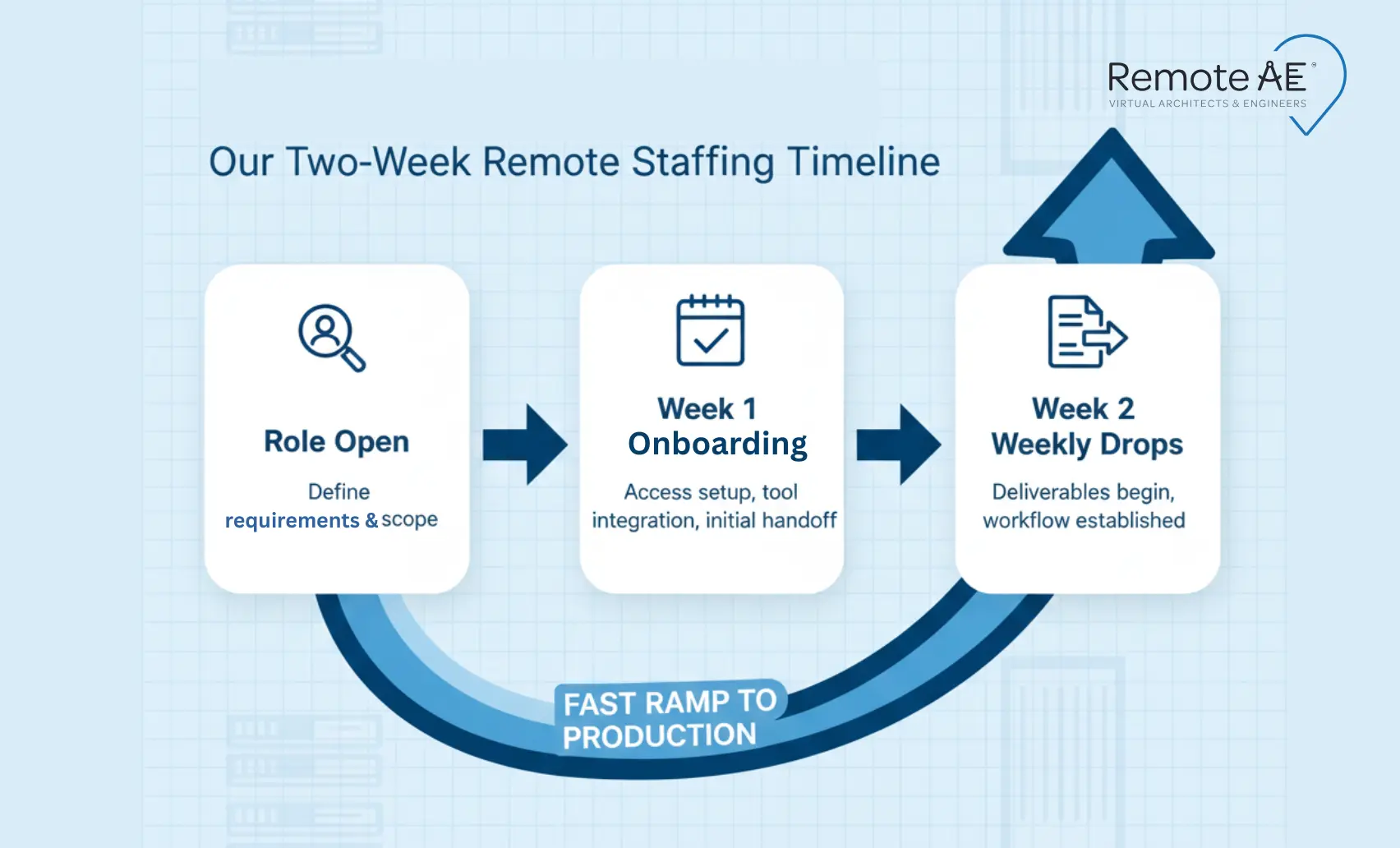
Remote AE provides assistants with over five years of experience in Revit-based coordination environments. The workflows come from more than 15 years of AEC production support.
Support includes fast ramp-up, risk-free replacement, no upfront consultation fees, and weekly services. This structure lets BIM and VDC managers protect model integrity without expanding permanent headcount.
Get Control of Your Data Center Models!
If model control keeps slipping, start with governance and a weekly drop. Then scale.
Talk to Remote AE about adding a remote model management assistant to support your data center model management services, with weekly outputs and standards checks. Schedule a call for a fast scope and weekly quote.
FAQs – Data Center Model Management Services
What is model management in a data center BIM project?
Model management means keeping large, multi-disciplinary Revit models clean, aligned, and usable. In data centers, this includes workset control, link auditing, model health checks, shared coordinates, and version control across architectural, structural, MEP, and equipment vendors.
What should be included in a weekly BIM coordination report?
A solid report includes: open vs closed clashes by trade, high-risk issues, model version history, unresolved RFIs, coordination decisions, and next-week priorities. Screenshots of critical clashes and a short delta summary help designers see what changed and what still blocks progress.
How do you set up shared coordinates for multi-discipline Revit models?
Pick one authoritative site file as the origin, then publish shared coordinates from it. All discipline models acquire coordinates from that host. Lock the survey point, avoid manual moves, and document the setup in your BEP so links stay aligned across future updates.
What naming convention should we use for BIM files and folders (ISO 19650 style)?
ISO 19650 uses structured names like:
Project-Originator-Volume-Level-Type-Role-Number.
Example: DC01-ABC-ZZ-ZZ-M3-A-0001. This makes file purpose, discipline, and status obvious, reduces overwrite risk, and keeps large data center programs searchable across hundreds of linked models.
What are typical deliverables from BIM coordination services?
Deliverables usually include federated models, clash reports, issue logs, coordination meeting minutes, and weekly health audits. Many teams also supply Navisworks NWDs, Revizto issue exports, and resolved-vs-open dashboards so stakeholders can track progress without opening native files.