

AI in AEC is no longer about experiments or future promises. Teams are already using it to move faster on drafting, coordination, and construction documentation. The value shows up in small, repeatable workflows. Not in replacing judgment. This guide breaks down AI in architecture, engineering, and construction, the way project teams actually use it today. Where AI workflows for AEC save time, where they introduce risk, and how to keep humans in control.
We walk through six practical workflows you can run this week, covering BIM coordination, construction documentation, RFIs, and submittals, plus a simple rollout plan that doesn’t collapse after week one. If you want help running these weekly, Remote AE can provide dedicated support under your team’s review.
What “AI in AEC” Really Means
In AEC, AI usually means “use tools to draft, search, and flag faster.” It works best on repetition and formatting. It fails when it guesses missing context or applies the wrong standard.
A major industry report found 52% of rework was caused by poor project data and communication, representing $280B worldwide in 2018 (Autodesk).
The 3 AI Buckets AEC Teams Actually Use
GenAI for text and documents
Used for first drafts and summaries:
- RFIs and submittal drafts
- Meeting minutes and action items
- Scope summaries and comparison notes
This is where AI for RFIs and submittals shows the fastest payoff. Formatting and clarity improve. Final answers still stay human-owned.
CDE AI assistants
Built into or connected to common data environments:
- Search across drawings, specs, and logs
- Summarize long threads or issue histories
- Flag missing information or conflicts
This supports AI workflows for AEC that rely on clean inputs and strong standards.
Predictive and vision AI
More common in larger programs:
- Progress tracking
- Safety pattern detection
- Schedule risk indicators
Useful for trends. Not a replacement for field judgment.
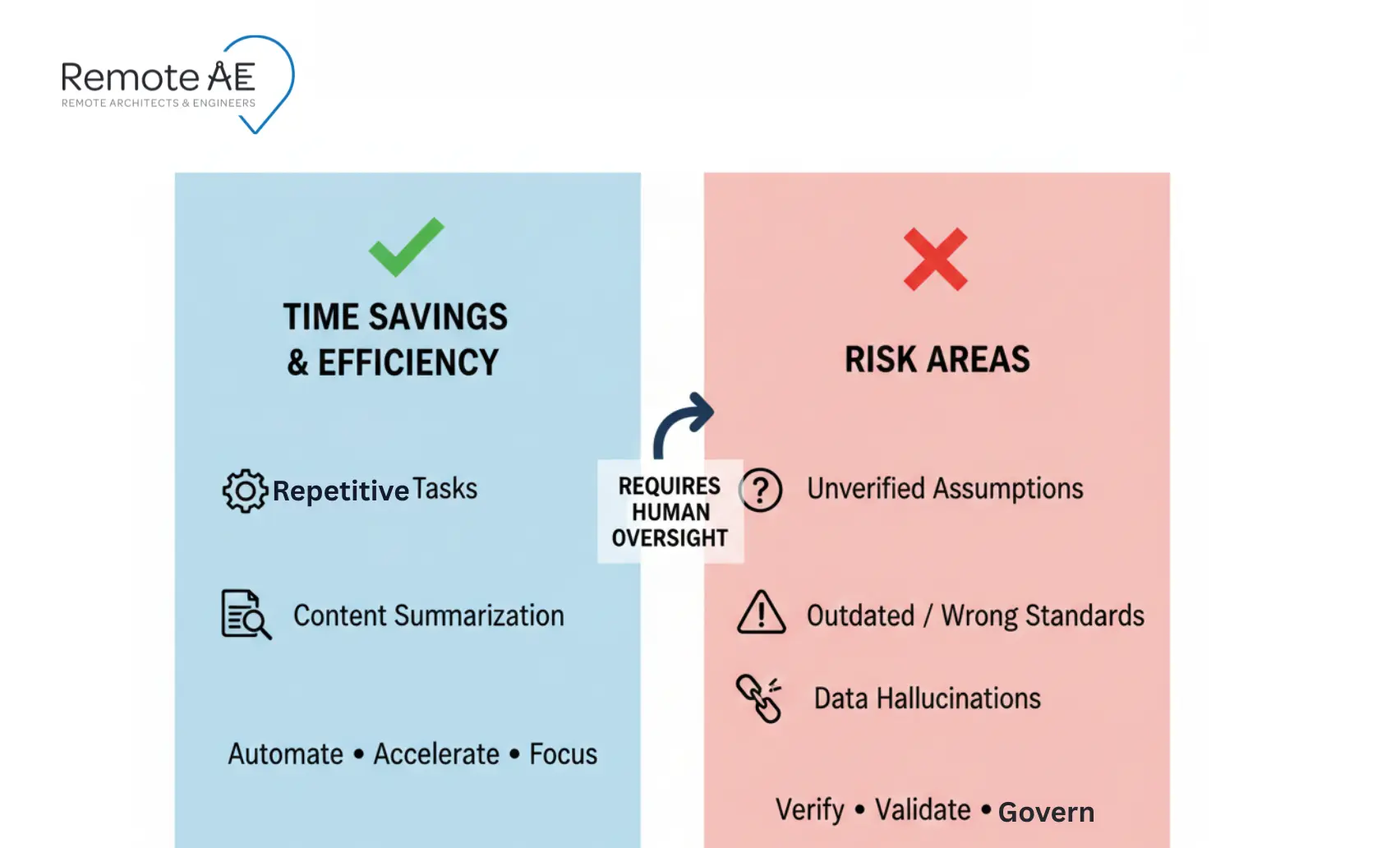
Where AI Saves Time
AI performs best where the work is:
- Repetitive
- Structured
- Formatting-heavy
Common wins include drafting assistance, consistency checks, and summaries across construction documentation.
Where AI Can Hurt
Risk shows up when teams let AI:
- Assume missing context
- Apply the wrong standards
- Skip review gates
This is especially dangerous in AI for BIM coordination, where false positives or missed assumptions can snowball.
Where AI Should Not Be the Final Authority
There are clear red lines:
- Sealed design decisions
- Life-safety implications
- Final code compliance calls
Every AI-assisted workflow needs a visible “human sign-off required” step. No exceptions.
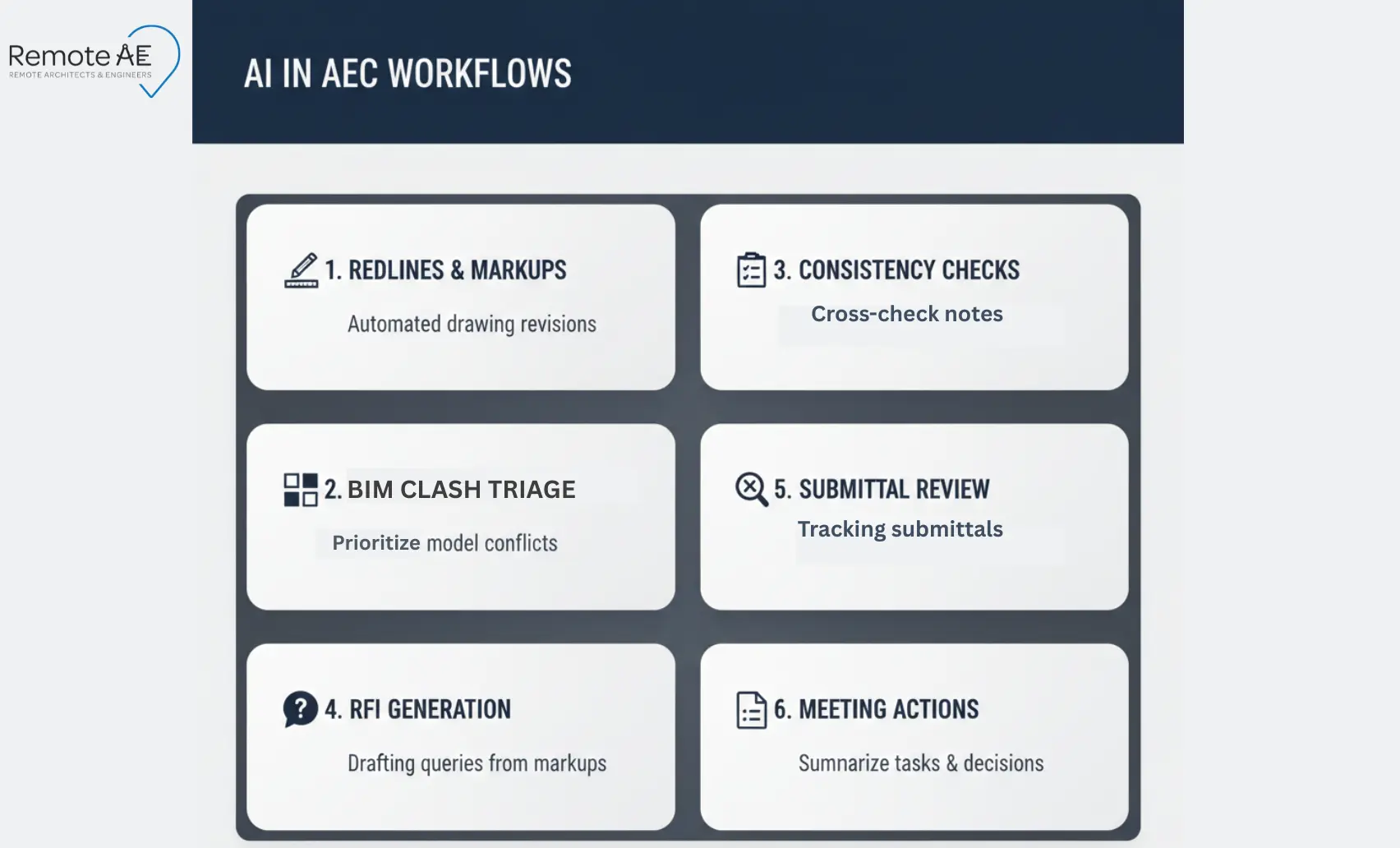
6 Workflows You Can Run This Week
The point is not perfect output. It’s repeatable execution with a review gate. These workflows focus on speed without sacrificing control.
Redlines → Updates → QC → Issue (CAD or BIM)
Inputs
- Marked PDFs
- Meeting notes
- Screenshots
Steps
- Extract redline tasks
- Update CAD or BIM files
- Compare against the previous issue
- Run a QC pass
- Issue the package
QC
- Diff check
- Sheet list verification
- Clear revision notes
Why it works: it reduces “lost comments,” which are a known rework driver (FMI + PlanGrid, 2018). This is one of the safest places to apply AI for construction documentation, because the scope is clear and review is mandatory.
BIM Clash Triage → Coordination Notes → Assignments
This is one of the most practical uses of AI for BIM coordination when teams are overloaded.
Inputs
- Spec sections
- Drawings
- Prior RFIs
- CDE links
Steps
- Group clashes by system and location
- Label by severity (critical, moderate, low)
- Assign owners by discipline
- Record decisions and next actions
QC
- Validate the “false positives” list
- Confirm clash priority logic
A 2024 study on improving clash detection reported a model precision of 0.941, meaning when it predicts a clash, it’s correct about 94.1% of the time (Shehadeh, 2024).
That still leaves room for false positives. So your QC step stays mandatory. AI helps sort noise from signal. Humans still decide what matters.
Construction Documentation Consistency Checks
Large drawing sets drift over time. AI helps spot patterns. It does not approve them.
Inputs
- Sheet set PDFs (or published views)
- Sheet list/index
- Keynotes, schedules, legend standards
- Prior issue set (for comparison)
Steps
- Scan sheets for tags, grids, and levels
- Cross-check notes and callouts
- Flag missing or mismatched references
QC
- Spot-check critical sheets
- Verify life-safety and egress drawings manually
This workflow supports AI for construction documentation without taking on liability.
RFI Drafting Support (Not Final Answers)
This is a productivity play, not a decision shortcut.
Inputs
- Drawing references (sheet + detail)
- Spec section excerpts
- Photos/field notes
- Prior RFIs on the same system
Steps
- Gather drawing and spec context
- Draft a clear RFI question
- Cite drawing numbers and detail references
- Leave room for reviewer edits
QC
- Always add an “assumptions” section
- Engineer or architect edits before submission
This keeps AI for RFIs and submittals helpful, not risky.
Submittal Log Support + Review Prep
Tracking submittals is repetitive and error-prone. AI helps organize. Humans approve.
Inputs
- Spec sections (Division-based)
- Submittal register templates
- Current drawing set references
- CDE links to vendor docs
Steps
- Build or update the submittal log
- Validate items against spec sections
- Prepare reviewer notes and flags
QC
- Generate a missing-items list
- Confirm revision status
This workflow works best when paired with disciplined document control.
Meeting Notes → Action Items → Follow-Ups
Small delays compound fast when actions disappear.
Inputs
- Teams or Zoom transcripts
- Agendas
- Past action lists
Steps
- Summarize discussion
- Extract action items
- Assign owners and deadlines
- Carry items into the next meeting
QC
- Confirm owners and dates
- Remove duplicates
A construction management study notes meeting minutes help remind participants of action items, support those who missed the meeting, and help ensure consensus (Ludwig, 2018). This supports coordination without adding admin load.
A 2-Week Rollout Plan (So This Doesn’t Die After Week 1)
Most teams fail because they try to run six workflows at once. Start small. Measure one thing. Then expand.
A Bluebeam report said only 27% of AEC firms currently use AI, but 94% of those users plan to expand AI use next year (Bluebeam, 2025)
Pick 1 Workflow, 1 Team, 1 Metric
Pick the workflow that wastes the most time today (redlines, RFIs, submittals, or meeting actions).
Choose one metric:
- Cycle time (start → issued package)
- Hours saved
- Error rate (QC findings per issue)
- Response time (RFI draft turnaround)
Concrete example: Start with “Redlines → updates → QC → issue.” Track cycle time from markup receipt to issued PDF package.
SOP + Prompt Pack
If prompts live in people’s heads, the workflow dies.
Define:
- Where prompts live (CDE folder or internal wiki)
- Who edits prompts (one owner)
- Approval chain (lead signs off on changes).
Assign Execution Ownership
This is where most teams fail. Someone must run the workflow every week.
If you want help keeping these workflows running, Remote AE can provide a dedicated assistant to manage drafting support, engineering coordination tasks, or construction admin, under your team’s review.
Who Should Own Each Step
You need a clean handoff model. No ambiguity.
AI drafts
- First-pass summaries
- First-pass task lists
- First-pass RFI questions (never final answers)
Production support executes
- Applies redlines
- Builds trackers and logs
- Formats minutes, submittals, and issue packages
- Runs “diff checks” and sheet list checks
Project lead approves
- Confirms assumptions
- Checks standards and intent
- Signs off before issuing to client/GC/AHJ
This role split protects quality while improving speed.
Common Failure Points (And How to Avoid Them)
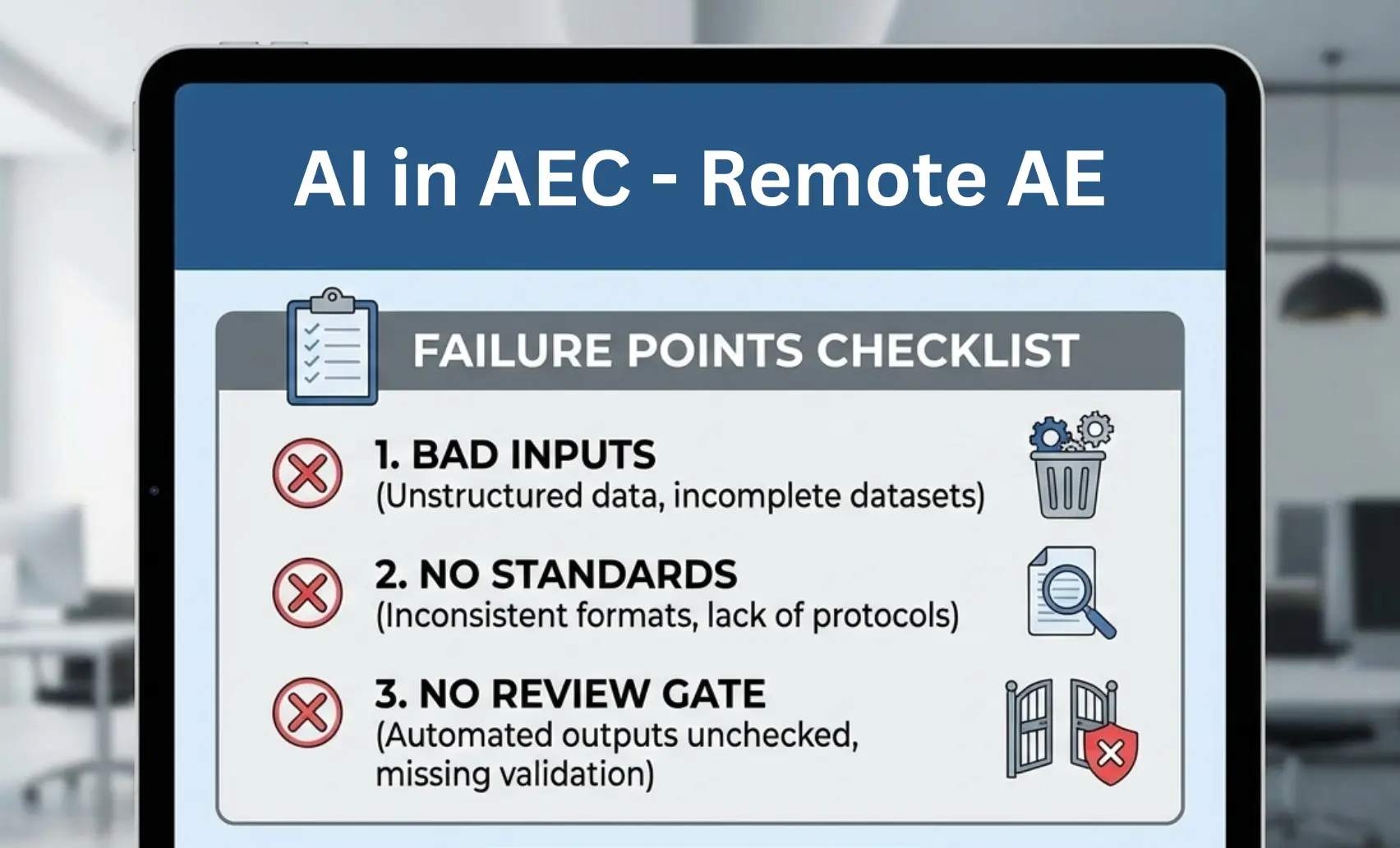
AI workflows break in predictable ways. Fix the inputs, standards, and review gate first.
Bad inputs (messy files, unclear markups)
Fix: Require a minimum input pack:
- Marked PDFs with clouded areas
- Screenshots for field conditions
- One scope note with “done” definition
No standards (naming, templates)
Fix: Lock three standards:
- File naming rule
- Sheet list format
- Revision note format
Example: If two teams name files differently, your CDE search assistant will return the wrong “latest” set.
No review gate
Fix: Put “human sign-off required” on:
- RFI drafts
- Issued drawings
- Submittal dispositions
- Any life-safety or code callouts
AI Governance Checklist for AEC Teams
Governance is what keeps “helpful automation” from becoming uncontrolled output. Use a checklist that covers data, risk, and review gates.
Data and Privacy Basics
Use these minimum rules before you run any workflow:
- Permissions
- Use least-privilege access. Only the people who need files get access.
- Client rules
- Confirm if client contracts restrict where data can be processed or stored.
- PII
- Identify and protect personally identifiable information (PII).
- Retention
- Define what gets stored, for how long, and where. Then stick to it.
- Audit trails
- Prefer systems that record file activity so you can trace what changed and who touched it
Risk Steps
Use a simple checklist aligned to AI risk frameworks. Document assumptions. Require review.
Need Help Executing This?
Remote AE can help if your team wants to use AI in AEC without adding chaos. Our Virtual Engineering Assistants, Virtual Architect Assistants, and Virtual Construction Assistants support real production work under your standards. See Our Process to understand how we fit into existing workflows.