

Civil engineers now depend on Building Information Modeling (BIM) to deliver accurate, coordinated, and construction-ready designs. With infrastructure expanding and remote collaboration becoming the standard, choosing the best BIM software for civil engineers can significantly impact how well your team handles modeling, clash detection, scheduling, takeoffs, and field coordination.
This guide breaks down nine BIM tools used on real civil projects, from Autodesk Revit, Autodesk Civil 3D, and Autodesk Navisworks to Oracle Primavera P6, ETABS, Procore, Bluebeam Revu, and PlanSwift. What each tool does, where it excels, and how remote BIM specialists from Remote AE can support modeling, documentation, analysis, and coordination across your entire workflow.
Short on time? Here’s the quick verdict on the best BIM software for civil engineers in 2026, mapped to what each tool does best.
| Software | Best for | Core Civil Use | Notes |
| Civil 3D | Roads, grading, utilities | Corridors, surfaces, alignments, pipe networks | The civil design backbone; steep learning curve |
| Revit | Structures & bridges | Multi-discipline BIM, civil/structural coordination | Pairs with Civil 3D for integrated workflows |
| Navisworks | Clash detection | Multi-model review, coordination, 4D | Review-only; not an authoring tool |
| Primavera P6 | Scheduling | WBS, critical path, 4D when linked to models | Planning side of the BIM workflow |
| ETABS | Structural analysis | Buildings & bridges structural modeling | Specialist analysis, not general BIM |
| Procore | Construction mgmt | Field coordination, oversight | Strong in the construction phase |
| Bluebeam | Markup & takeoff | PDF markup, redlines, quantity takeoff | Document control, not full BIM |
| PlanSwift | Quantity takeoff | Heavy-civil takeoff & estimating | Estimating-focused |
| AutoCAD | 2D detailing | DWG details, legacy drawings | Still essential alongside BIM |
How to Choose: A 5-Question Checklist
Choosing the best BIM software for civil engineers comes down to five questions. Answer these before you commit a team to a license:
- What’s the deliverable? Corridors and grading point to Civil 3D; structural models point to Revit or ETABS; coordination points to Navisworks.
- Does it sit inside the Autodesk AEC Collection? Civil 3D, Revit, AutoCAD, and Navisworks share one ecosystem, which removes most interoperability headaches.
- Is the work design, analysis, scheduling, or takeoff? Each maps to a different tool — no single platform covers all four.
- How big is the team, and what’s the licensing math at scale? Per-seat costs compound fast across a department.
- Who do you coordinate with? If clients or DOTs expect specific formats (IFC, DWG, Bentley), that constrains your choice.
What Is BIM for Civil Engineers? (Quick Overview)
BIM is a data-rich 3D process that carries design intent, quantities, schedules, and field info across the asset lifecycle. For civil teams, that means corridors, structures, utilities, and staging models that connect to documents and construction workflows. Tools like Civil 3D, Revit, and Navisworks link design, coordination, and reviews so clashes surface before crews mobilize. Autodesk highlights Civil 3D as the civil engineering design and https://remoteae.com/bim-101-what-is-building-information-modeling/documentation platform used for roads and land development, and Navisworks for multi-model review and clash detection, cornerstones of civil BIM delivery.
What Civil Engineers Need From a BIM Platform?
Civil engineering workflows are fast-moving and detail-heavy. Teams often face:
- Slow production cycles
- Rework from design conflicts
- Inconsistent modeling standards
- Limited visibility between disciplines
- Hard-to-track revisions
A strong BIM software for civil engineering solves these problems by prioritizing:
Key Features Civil Teams Depend On
- 3D modeling for roads, bridges, and utilities
- Clash detection through Autodesk Navisworks
- Quantity takeoff using PlanSwift or model-based QTO tools
- Scheduling with Oracle Primavera P6
- Documentation via Revit, AutoCAD, or Bluebeam Revu
- Field coordination using Procore
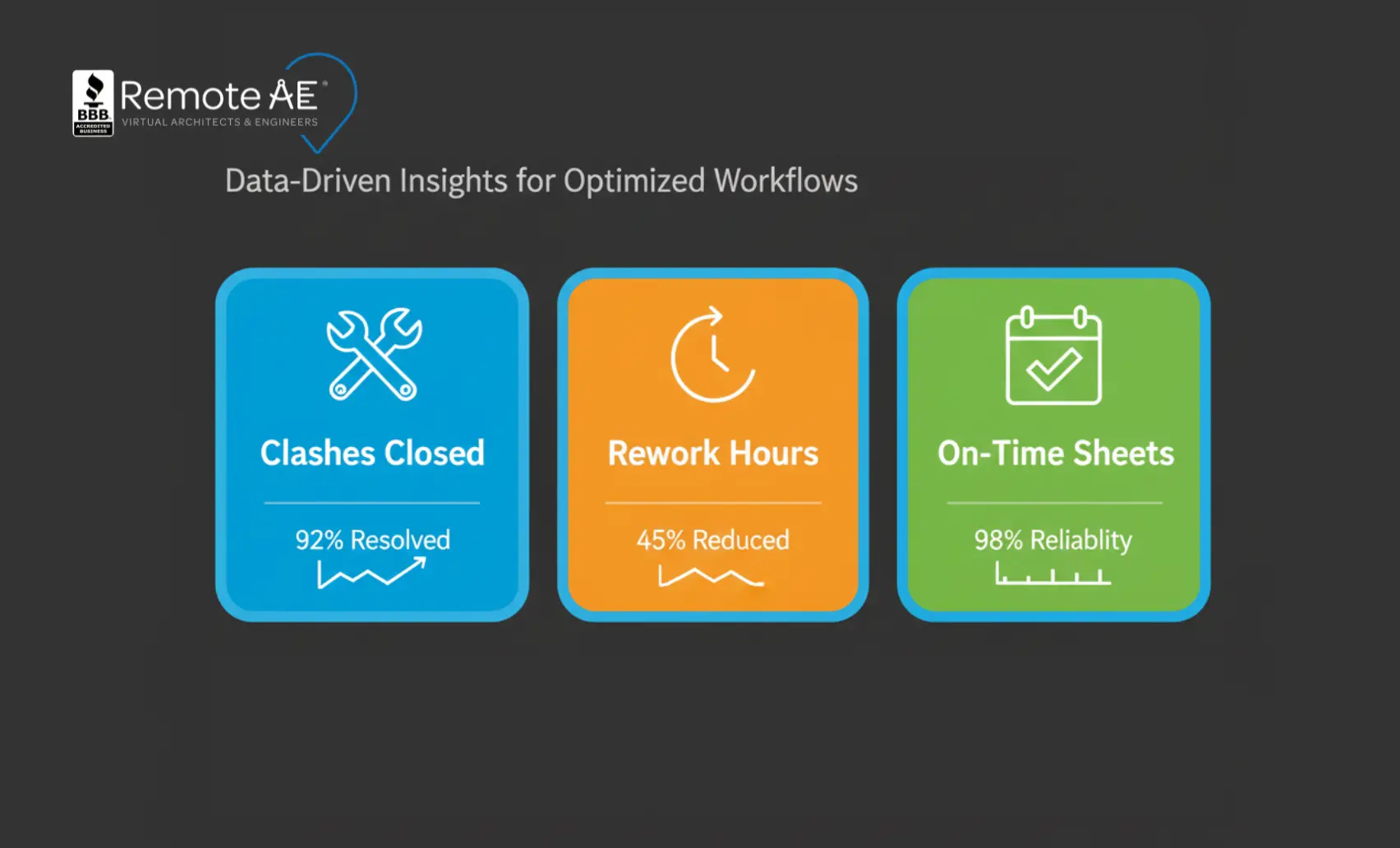
Evidence shows that poor data and communication drive large portions of rework; the FMI/PlanGrid study tied 52% of rework to bad data and miscommunication, exactly what disciplined BIM and clash workflows reduce.
9 Industry-Proven BIM Software for Civil Engineers (2025)
Below are the top BIM tools for civil engineers, used daily across transportation, land development, utilities, and heavy civil infrastructure.
1. Revit
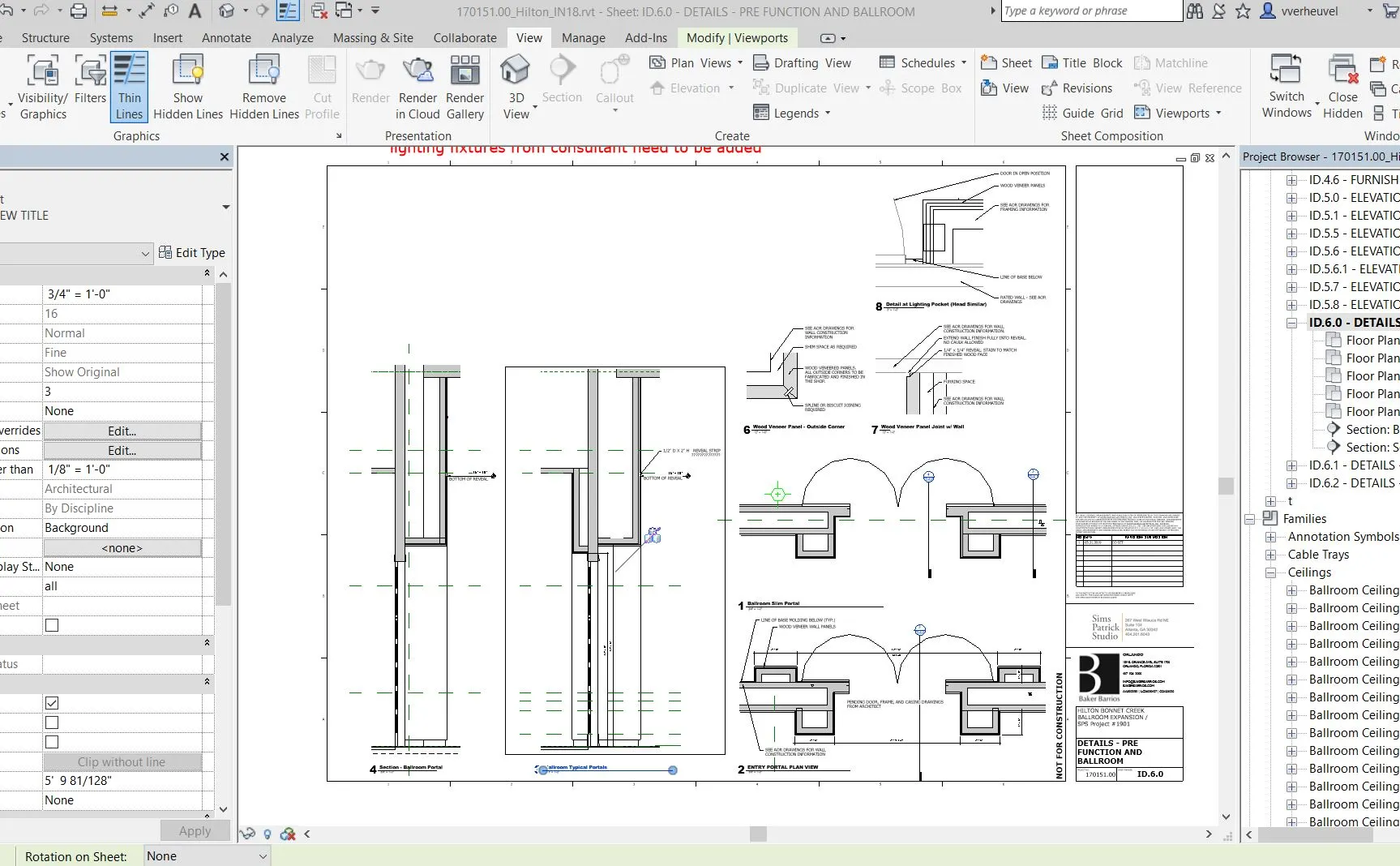
Civil engineers use Autodesk Revit primarily for structural modeling, bridge components, foundations, and coordination with architects and MEP engineers. It is part of the Autodesk AEC Collection, which means it connects well with Civil 3D, Navisworks, and other Autodesk tools.
Strengths:
- Parametric structural modeling
- Reinforcement detailing
- Integrated schedules
- High-quality construction documentation
Civil use cases:
- Bridge approaches and substructure elements
- Tunnels, stations, and associated structures
- Retaining walls and culverts
- Structural plans for buildings linked to the site and civil works
Integration:
- Revit models often incorporate both structural and architectural elements, whereas Autodesk Civil 3D focuses on features such as corridors, surfaces, and utilities.
- Revit integrates with Revit Structure and Revit MEP within a single project environment, and the combined model is typically federated in Autodesk Navisworks for clash detection and 4D review.
Licensing:
Subscription only (single-user named license). Available standalone or as part of the Autodesk AEC Collection alongside Civil 3D, AutoCAD, and Navisworks.
Related: Compare Revit vs ArchiCAD vs Allplan
2. AutoCAD
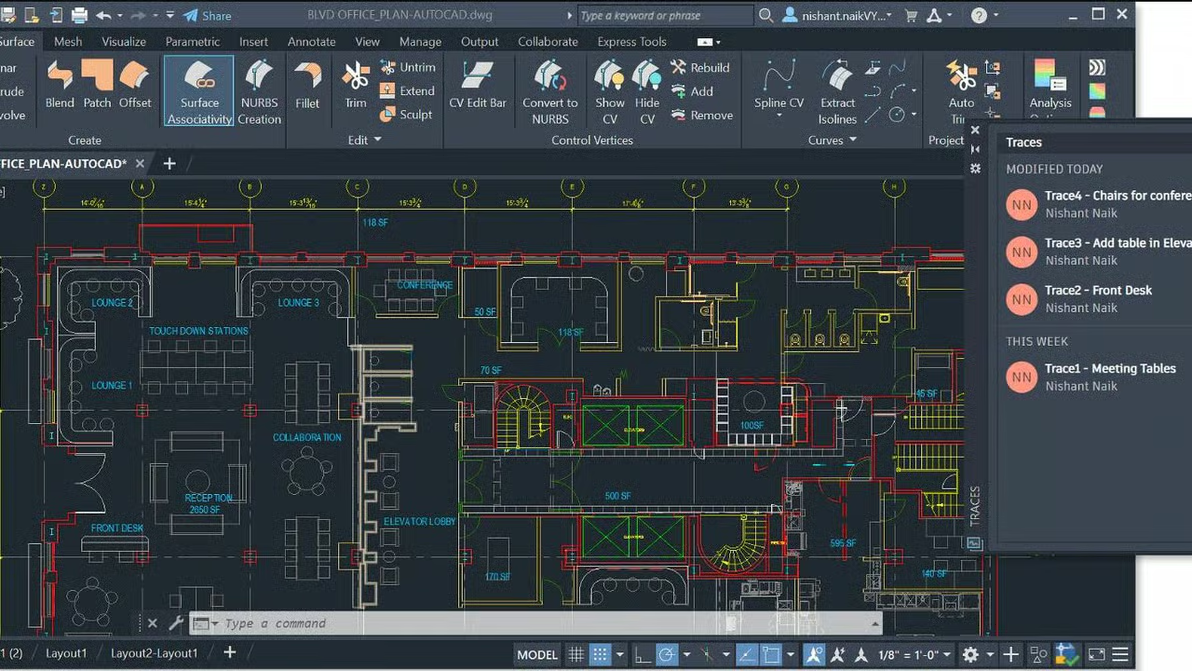
AutoCAD is still the drafting backbone of many civil engineering offices. Even with modern BIM software for civil engineering, a huge number of details, standard drawings, and as-built updates still run through AutoCAD.
Where AutoCAD fits today:
- 2D plan and profile sheets
- Typical sections, details, and standard notes
- Early-stage corridor sketches and concept layouts
- Quick edits when full BIM modeling isn’t required
Because AutoCAD DWG is a core file format within the Autodesk ecosystem, it integrates seamlessly with Autodesk Civil 3D. Many firms keep:
- Civil 3D for model-based design
- AutoCAD for cleaned-up output, legacy standards, and detail sheets
This combination lets teams keep older details and standard blocks while shifting major design elements into model-based workflows.
Licensing
Subscription only (single-user named license; monthly, annual, or 3-year). Available standalone or within the Autodesk AEC Collection. Runs on Windows, with a macOS version also available.
3. Civil 3D
Autodesk Civil 3D is built specifically for civil engineering and is one of the most important BIM tools for civil engineers working on transportation and land development.
Core features for civil workflows:
- Corridor modeling: Roads, highways, and rail alignments with assemblies, daylighting, and cross-sections.
- Grading and surfaces: Existing and proposed surfaces, cut–fill analysis, and design checks.
- Pipe networks: Storm, sanitary, and pressure systems with rules-based sizing.
- Alignments and profiles: Horizontal and vertical geometry for roads and utilities.
- Labeling and annotation: Dynamic labels that update with design changes.
Typical Civil 3D applications:
- Roadway and highway design, including interchanges
- Subdivision and land development projects
- Site grading and earthworks optimization
- Drainage, stormwater, and utility layout
- Airport and industrial site planning
Licensing
Subscription only (monthly, annual, or 3-year), as a single-user named license. Available standalone or bundled in the Autodesk AEC Collection; Flex tokens cover occasional/pay-as-you-go use.
4. Primavera P6
Oracle Primavera P6 sits on the planning and scheduling side of the BIM workflow. It is widely used on major infrastructure programs, transportation schemes, and industrial facilities.
Why scheduling is critical in civil engineering:
- Roads, bridges, and utilities involve staged work, traffic management, and complex sequencing.
- Delays often come from misaligned activities or resource shortages.
- Regulatory and funding milestones must be met on time.
How Primavera P6 supports civil projects:
- Work Breakdown Structures (WBS): Organize huge projects into manageable parts.
- Logic-based scheduling: Define relationships between tasks and avoid impossible sequences.
- Resource and cost loading: Tie labor, plant, and materials to activities.
- Critical path analysis: Identify activities that drive overall project duration.
Connection to BIM:
When paired with tools like Revit, Civil 3D, or Navisworks, Primavera P6 supports 4D simulations, linking model elements to schedule tasks. This gives civil engineers and contractors a visual way to check constructability, site access, staging, and traffic shifts.
Licensing
P6 Professional is sold as a perpetual (one-time) license with optional annual support for updates; Oracle Primavera Cloud is offered on a per-user subscription. Deployment is desktop/on-prem or cloud.
5. ETABS
ETABS (by Computers and Structures, Inc.) is a leading structural analysis and design platform, especially for building and bridge-type structures tied to civil projects.
What ETABS does best:
- 3D analysis of building and tower structures
- Seismic and wind load analysis
- Concrete and steel frame design
- Response spectrum and time-history analysis for seismic regions
Civil and structural engineers commonly:
- Build conceptual geometry in Revit or AutoCAD
- Export the framing to ETABS for analysis and code checks
- Bring member sizes and reinforcement requirements back into the BIM model for documentation
Why ETABS matters for civil engineers:
- Many transportation and infrastructure projects include complex stations, overpasses, and retaining structures that need detailed analysis.
- ETABS helps meet local and international design codes while keeping models aligned with real loading conditions.
Licensing
Available on subscription, with on-prem standalone and network license options also offered by CSI. Check current options per version.
6. Navisworks
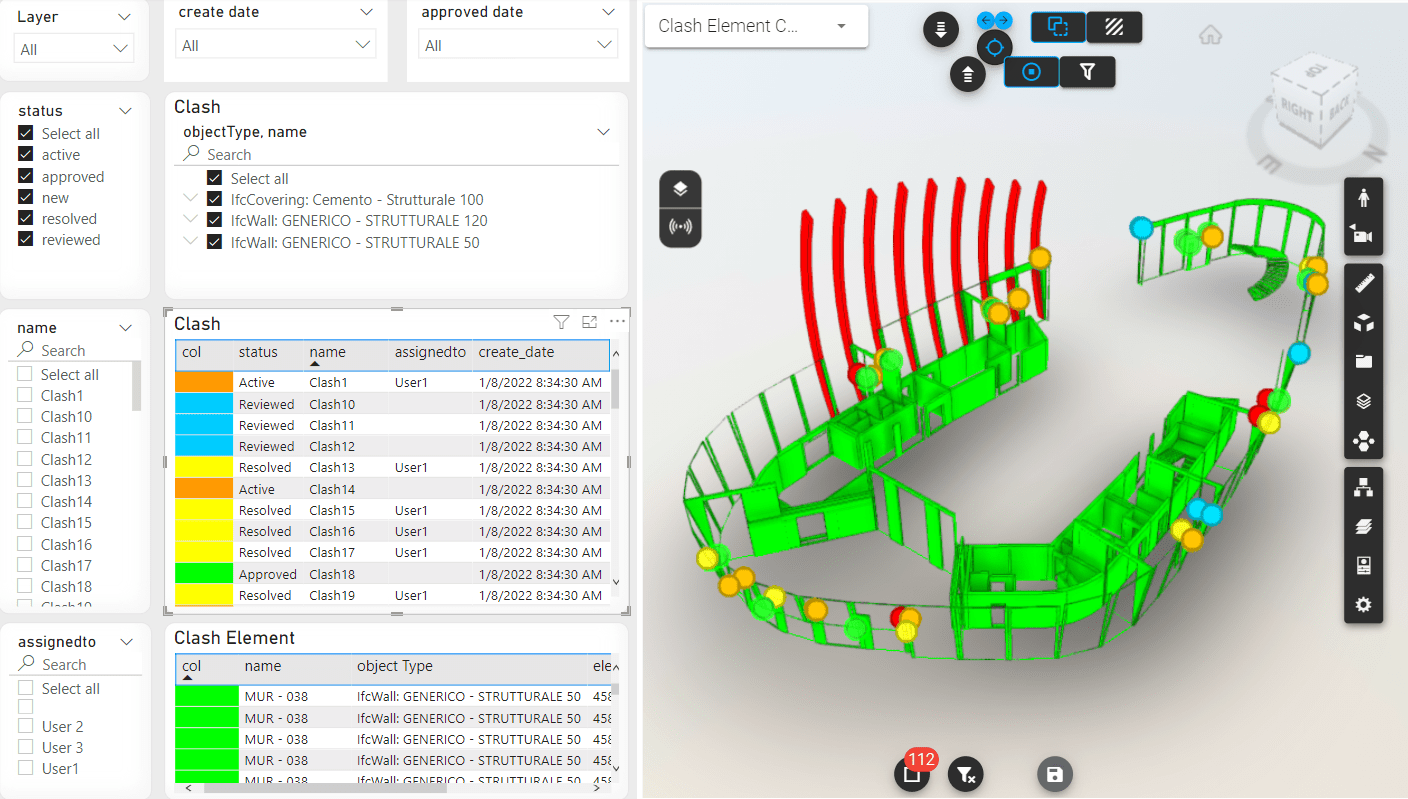
Autodesk Navisworks is key for clash detection and interdisciplinary coordination on civil projects. It brings together models from Revit, Civil 3D, AutoCAD, and other platforms into one environment for review and simulation.
Key strengths:
- Clash detection services for structures, utilities, and roadway elements
- 4D construction sequencing
- Model aggregation from multiple disciplines
- Coordination across remote design and construction teams
Ideal civil engineering use cases:
- Highway and infrastructure coordination
- Bridge and utility conflict detection
- Construction phasing for large civil works
Why teams rely on it:
Navisworks minimizes costly field rework by identifying conflicts early, making it one of the most important BIM tools for civil engineers working on multi-disciplinary projects.
Licensing
Subscription only (Navisworks Manage or Simulate). Available standalone or included in the Autodesk AEC Collection.
7. Procore
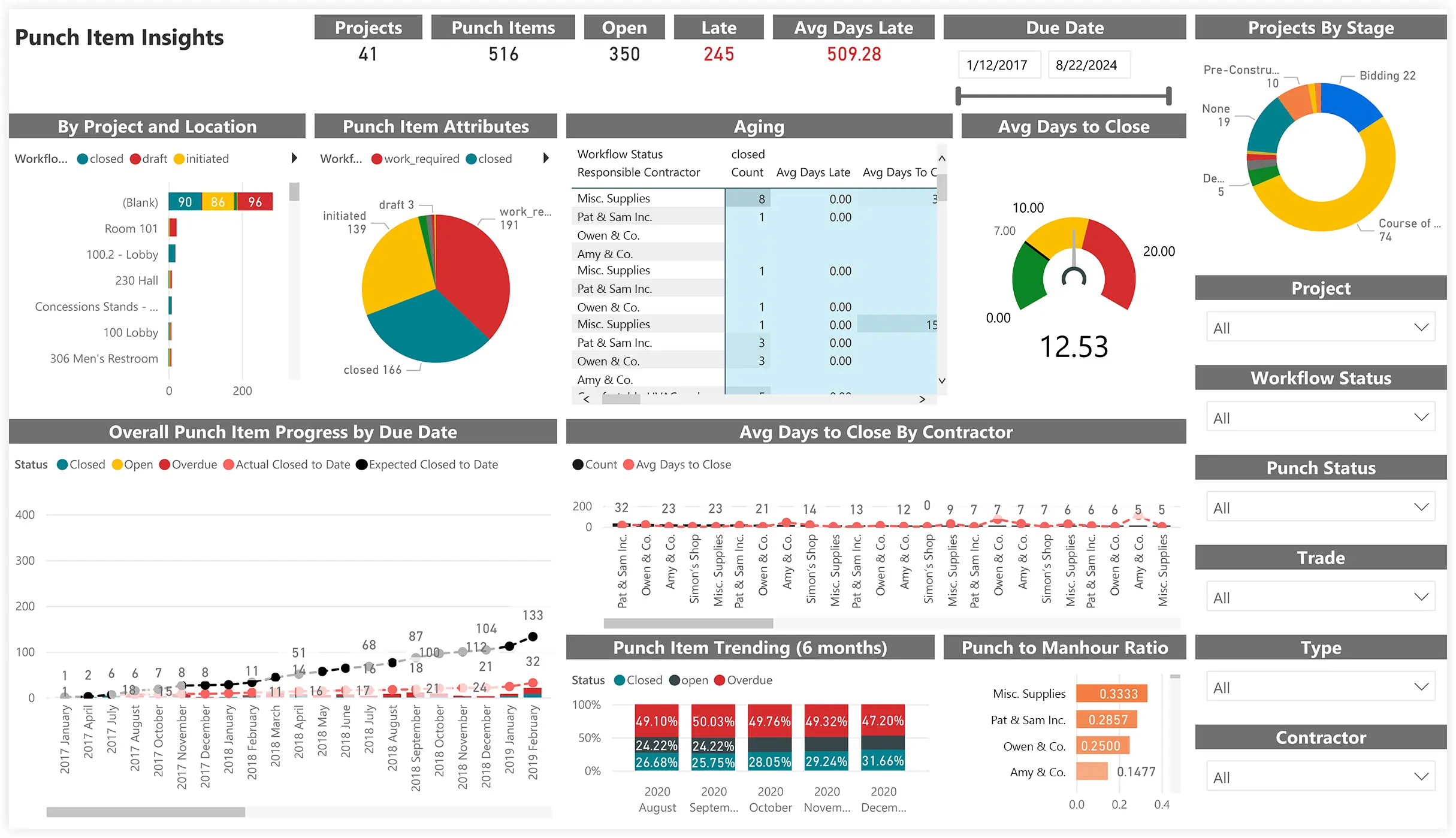
Procore serves as the central platform for project coordination, communication, and documentation across civil and infrastructure projects.
How civil teams use Procore:
- RFIs and submittal management
- Daily logs and inspections
- Drawing distribution
- Field coordination
- Tracking changes and approvals
Procore helps maintain alignment from design through construction and is widely used in DOT, heavy civil, and infrastructure programs.
Licensing
Subscription only, sold as an annual contract and priced by quote (typically based on construction volume rather than per seat). No perpetual option.
8. Bluebeam
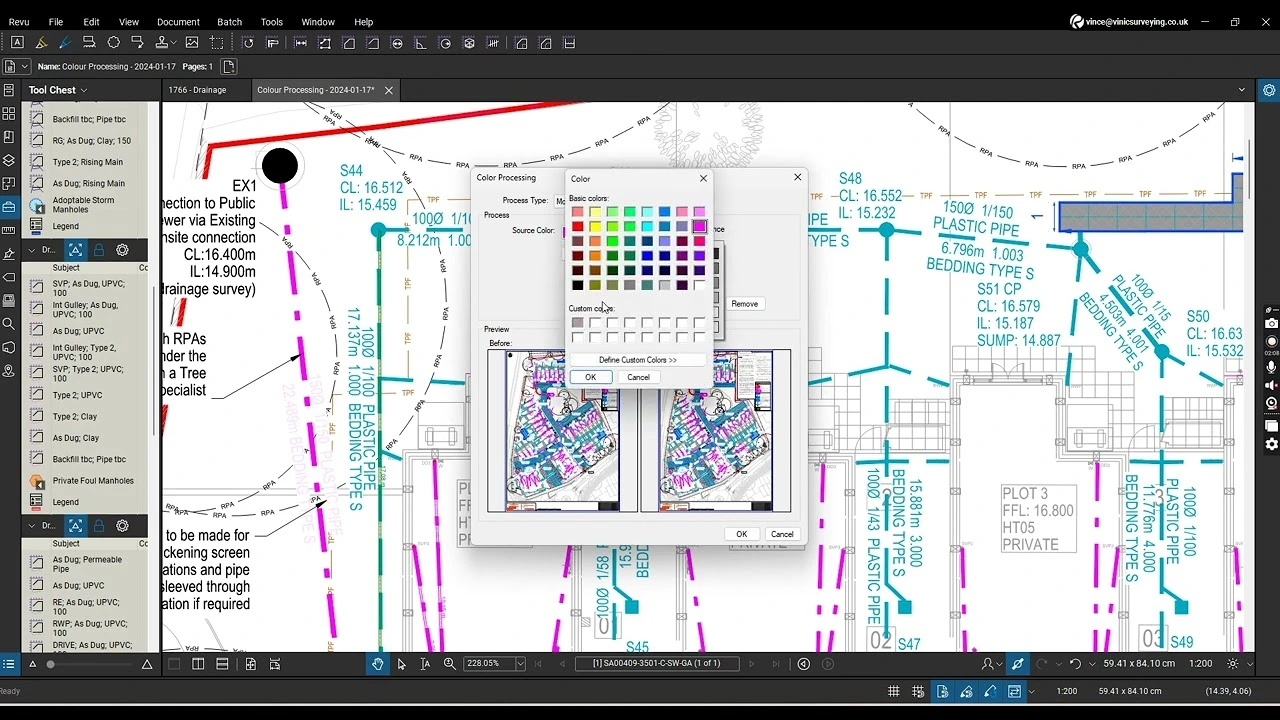
Bluebeam Revu is a favorite among civil engineers for drawing review and markup.
Strengths:
- Fast PDF markup and comparison tools
- Custom civil engineering toolsets
- Quantity checks and takeoff support
- RFI and comment tracking
Bluebeam fits naturally into BIM workflows because it allows engineers to review sheets generated from Revit, Civil 3D, or Navisworks models with clear, trackable revision histories.
Licensing
Subscription only (named-user, billed annually) across the Basics, Core, and Complete plans. Perpetual licenses were retired in 2023; Revu 20 (the last perpetual version) reaches end of life on Dec 31, 2026.
9. PlanSwift
PlanSwift focuses on digital quantity takeoff, which is vital for early cost estimation and contractor coordination.
Why civil engineers use it:
- Rapid takeoff for materials and quantities
- Accurate estimate support
- Link to construction cost databases
- Helpful for grading, concrete, utilities, and roadway materials
PlanSwift is especially valuable for contractors and heavy civil firms, but design engineers also use it for preliminary quantity checks before handing drawings off to the field.
Support from a virtual estimator can reduce turnaround times and improve accuracy during bidding seasons.
Licensing
Sold as a one-time perpetual purchase per seat, with optional paid support/upgrade plans. Confirm current terms with the vendor.
How to Choose BIM Software as a Civil Engineer
Choosing the best BIM software for civil engineers depends on the type of work, your team size, and the complexity of the project. Civil engineering spans transportation, site development, structures, and construction management, so no single tool meets every need.
Match Software to Civil Project Types
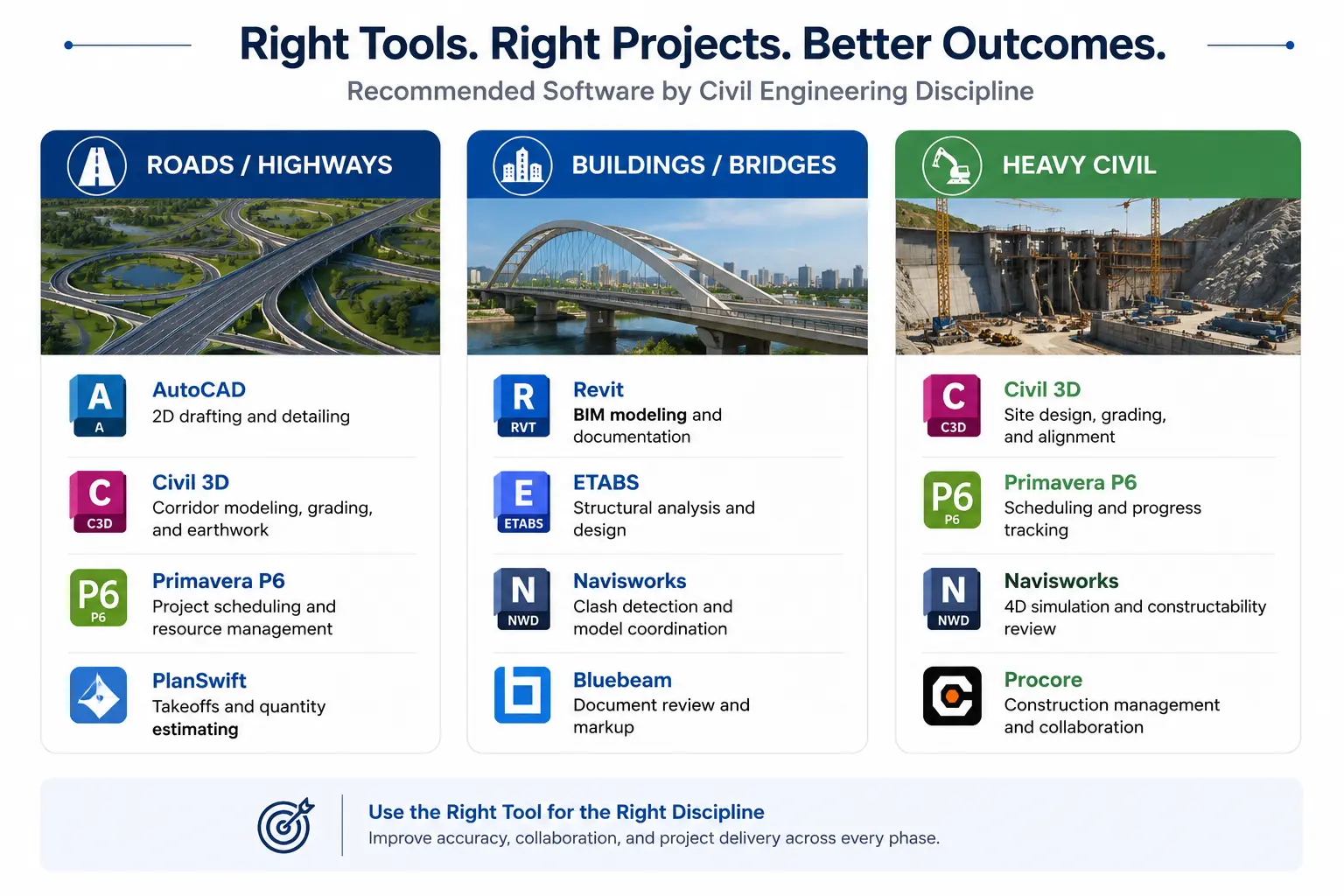
Below is a simplified mapping of common civil project types to recommended software:
Roads / Highways → Civil 3D, AutoCAD, Navisworks, Bluebeam, Procore
Buildings / Bridges → Revit, ETABS, Navisworks, Procore
Heavy Civil / Infrastructure → Civil 3D, Primavera P6, Procore, Bluebeam, PlanSwift
This mapping helps civil engineers choose software based on project deliverables and coordination requirements.
Key Evaluation Criteria
When comparing BIM software for civil engineering, consider:
- Type of work: Design, analysis, coordination, takeoff, or construction oversight.
- Integration with Autodesk AEC Collection: Revit, Civil 3D, AutoCAD, and Navisworks share a common ecosystem that supports cross-discipline work.
- Cloud workflows: Teams working remotely need platforms that support shared models, reviewer access, and coordination sessions.
- Learning curve: Some tools are beginner-friendly (AutoCAD, Bluebeam), while others require deeper specialization (Civil 3D, Navisworks, ETABS, Primavera P6).
Recommended Learning Order for Junior Civil Engineers
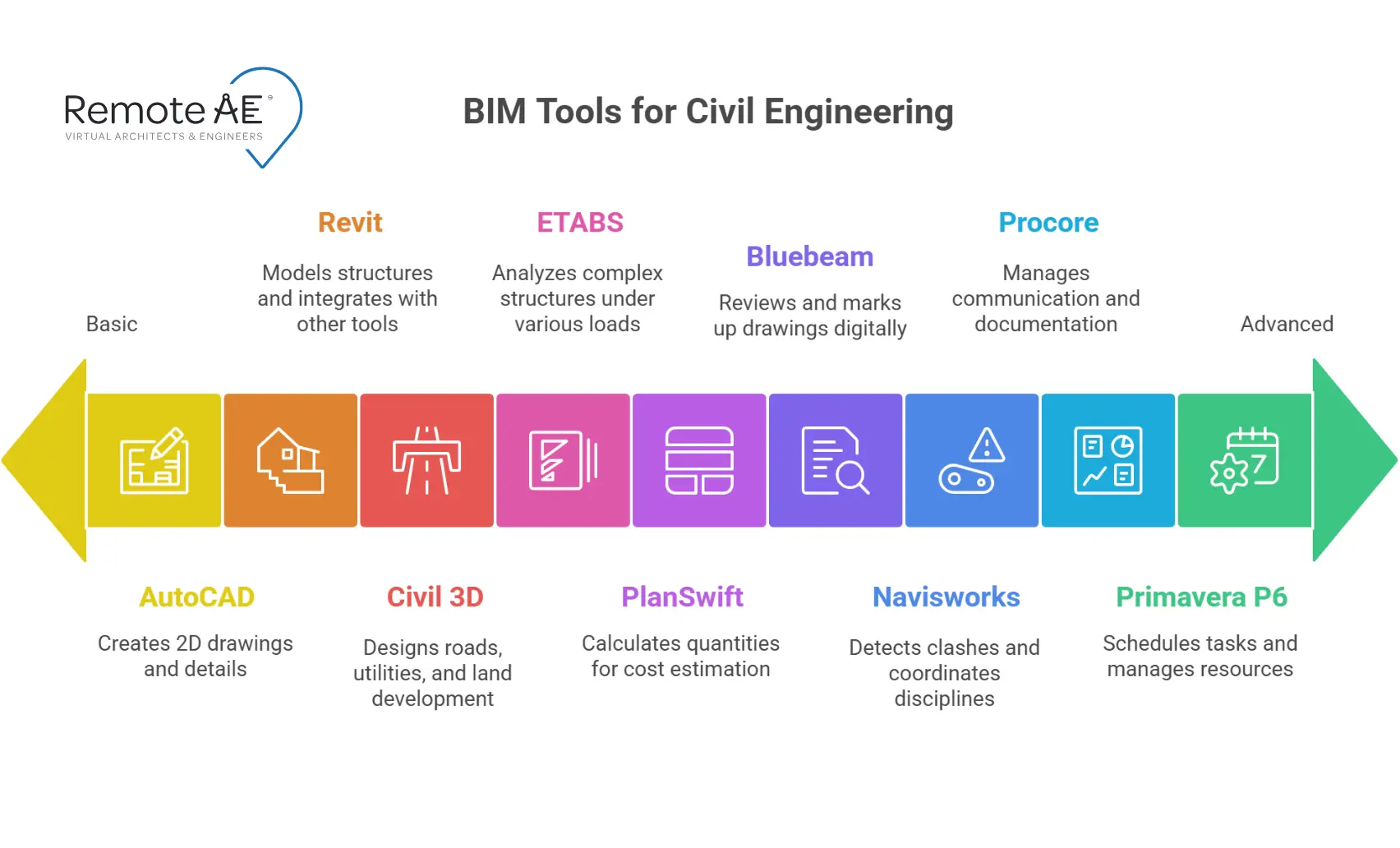
A structured learning path accelerates job readiness:
Start with:
- AutoCAD → foundational drafting
- Civil 3D → core civil modeling
Next:
- Revit → structural and multidisciplinary coordination
- Bluebeam → markup and review
- Navisworks → clash detection
Then specialize in tools like:
- Primavera P6 → scheduling
- ETABS → structural analysis
- Procore → construction tracking
- PlanSwift → takeoff and estimating
This sequence builds both design and construction awareness.
BIM Software Stacks for Common Civil Engineering Roles
Different civil roles rely on different combinations of software. Here are the most common stacks used across the industry:
Design Engineer: Roads, Highways, and Land Development
Core stack:
AutoCAD + Civil 3D + Revit + Navisworks + Bluebeam
This setup supports corridor modeling, utility planning, grading, structural components, and multidisciplinary reviews.
Structural / Bridge Engineer
Core stack:
Revit + ETABS + AutoCAD + Navisworks + Bluebeam
This stack supports detailed structural design, analysis, and documentation, along with clash coordination for large structures.
Contractor / Construction Manager (Heavy Civil)
Core stack:
Procore + Primavera P6 + Bluebeam + PlanSwift + Navisworks
Heavy civil teams depend on tight coordination between design intent, construction schedules, and field execution. This stack allows contractors to:
- Track RFIs and submittals in Procore
- Build and adjust schedules in Primavera P6
- Review drawings and perform quick checks in Bluebeam
- Run takeoffs and estimates in PlanSwift
- Identify clashes and sequencing issues through Navisworks
Together, these tools create a connected ecosystem for managing infrastructure projects from planning to handover.
BIM Coordinator / BIM Manager
Cross-discipline stack:
Revit + Civil 3D + Navisworks + Procore + Bluebeam
BIM Coordinators bridge multiple engineering groups. They support IFC standards, manage model federation, and run clash detection across architectural, structural, civil, and MEP models.
This stack allows them to:
- Maintain model versions
- Manage coordination meetings
- Conduct clash tests
- Support field teams with accurate model-linked documentation
- Ensure alignment across remote and on-site teams
Why Civil Engineering Teams Are Hiring Virtual BIM Assistants
Deadlines stack up. Hiring is slow. Models need constant care. Remote BIM help tackles: model updates, sheet sets, takeoffs, clash review, and meeting prep.
You keep control and standards. Remote staff scale output without adding desks.
How Remote AE Helps You Build a BIM-Ready Civil Team
Remote AE supplies civil engineering teams with trained professionals who specialize in the exact tools used across infrastructure projects.
Available roles include:
- Remote BIM modelers
- Civil 3D designers
- Revit structural detailers
- Navisworks coordinators
- Primavera schedulers
- ETABS structural assistants
- Procore project coordinators
- Bluebeam and PlanSwift specialists
What makes Remote AE different:
- Every assistant is vetted for specific civil engineering tools
- Candidates complete discipline-aligned technical tests
- Teams gain flexible capacity without long onboarding cycles
- Remote AE understands real AEC workflows built over 15+ years
- Support adjusts to project phases, deadlines, and workloads
Build vs Hire: Running Civil BIM Without a Full In-House Team
Licensing is only half the cost of a civil BIM capability; the other half is the trained people who run Civil 3D corridors, Navisworks clash reviews, and Revit coordination day to day. For many firms, standing up that bench in-house is slower and more expensive than the software itself.
A remote, AEC-trained civil engineer can operate these tools inside your existing licenses, so you scale modeling and coordination capacity without adding full-time overhead.
If you’re weighing tooling against team capacity, see how to hire a remote civil engineer who already works on these platforms.
Related article: learn about the best BIM software for architects.
FAQs – Best BIM Software for Civil Engineers
What is the best BIM software for civil engineers in 2026?
There’s no single winner; it depends on the deliverable. Civil 3D is the design backbone for roads, grading, and utilities; Revit handles structures and bridges; Navisworks owns clash detection and coordination. Most civil teams run a combination of the Autodesk AEC Collection.
Is Civil 3D or Revit better for civil engineering?
Civil 3D is purpose-built for civil work, corridors, surfaces, alignments, and pipe networks. Revit is stronger for vertical structures and multi-discipline coordination. On bridge and structure-heavy jobs, teams often use both and link the data between them.
Do civil engineers need BIM software, or is AutoCAD enough?
AutoCAD still matters for 2D details and legacy DWG work, but it isn’t BIM. For coordinated, data-rich models that catch clashes before construction, civil teams need true BIM tools like Civil 3D, Revit, and Navisworks.
What BIM software is used for road and highway design?
Civil 3D is the standard for roads and highways, corridor modeling, alignments, and grading, usually paired with Navisworks for coordination and Primavera P6 for scheduling on larger infrastructure programs.
Can a remote civil engineer work in our BIM software?
Yes. An AEC-trained remote civil engineer can operate Civil 3D, Revit, and Navisworks inside your existing licenses and cloud worksharing setup, adding modeling and coordination capacity without full-time overhead.
Have the software, need the people?
Civil 3D, Revit, and Navisworks only deliver when a trained engineer runs them. Add AEC-experienced civil BIM capacity inside your existing licenses, without full-time overhead.
Need a civil engineer who already runs these tools? Schedule a call today!